Rexing V1 Dashcam Review
One of the best-selling budget dashcams on the market — but does it still hold up? We put the Rexing V1 through its paces on daytime clarity, night performance, G-sensor reliability, and real-world usability.
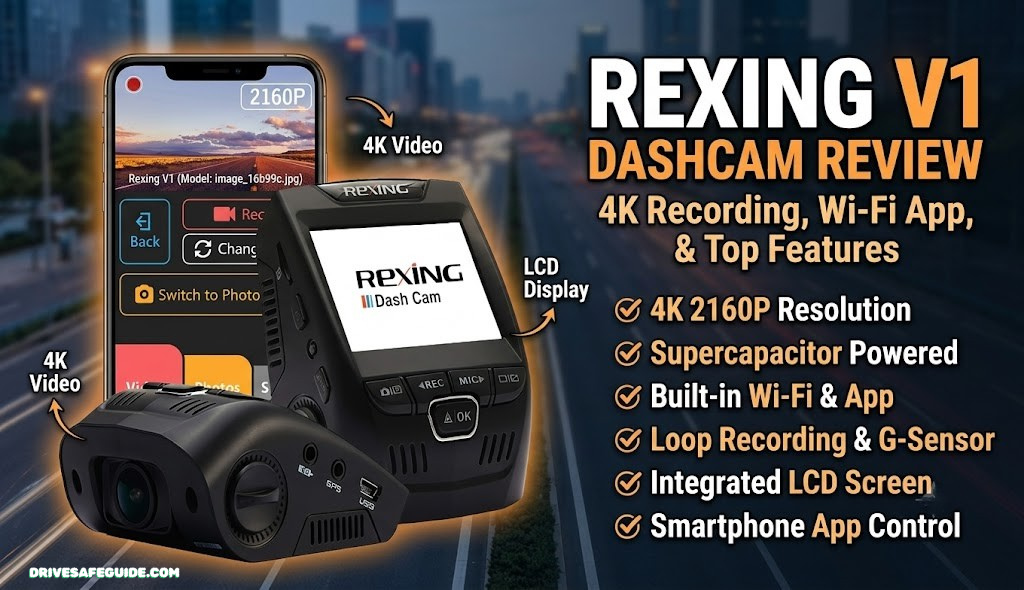

Is the Rexing V1 Still Worth Buying?
The Rexing V1 has been on the market long enough to build one of the largest user review bases in its segment, and for good reason. It arrived at a time when most budget dashcams were either poorly built, produced unusable nighttime footage, or came loaded with confusing menus and unreliable app connections. The V1 cut through that noise with a straightforward pitch: a compact, screenless 1080p dashcam with a genuinely wide 170-degree lens, reliable G-sensor protection, and loop recording that works without babysitting.
The camera has remained largely unchanged since its debut, which is simultaneously its strength and its limitation. If you’re evaluating it today against the broader landscape of the best dashcams available, the V1 holds its own at the budget tier — but its night vision performance and lack of GPS mean there are scenarios where spending a little more would serve you better.
For most everyday drivers who want insurance-quality evidence capture during daytime driving, the Rexing V1 delivers exactly what it promises. Its overall score of 4.1 out of 5 reflects a camera that does its core job reliably, without the frills that push prices up and complexity along with them.
- Excellent daytime 1080p video clarity
- 170-degree field of view captures multiple lanes
- Discreet, screenless design — minimal cabin distraction
- Reliable G-sensor locks accident footage immediately
- Seamless loop recording — set it and forget it
- Dead simple installation — no tools required
- Compact form factor fits most windshields without blocking view
- WDR (Wide Dynamic Range) handles bright/dark contrast scenes
- Night vision falls short of higher-tier competitors
- No built-in GPS — no speed or location data in footage
- No screen — reviewing footage requires removing the card
- Micro-USB power cable (older standard)
- Parking mode requires separately purchased hardwire kit
- G-sensor sensitivity can be overly aggressive at high settings
- No rear camera support in base configuration
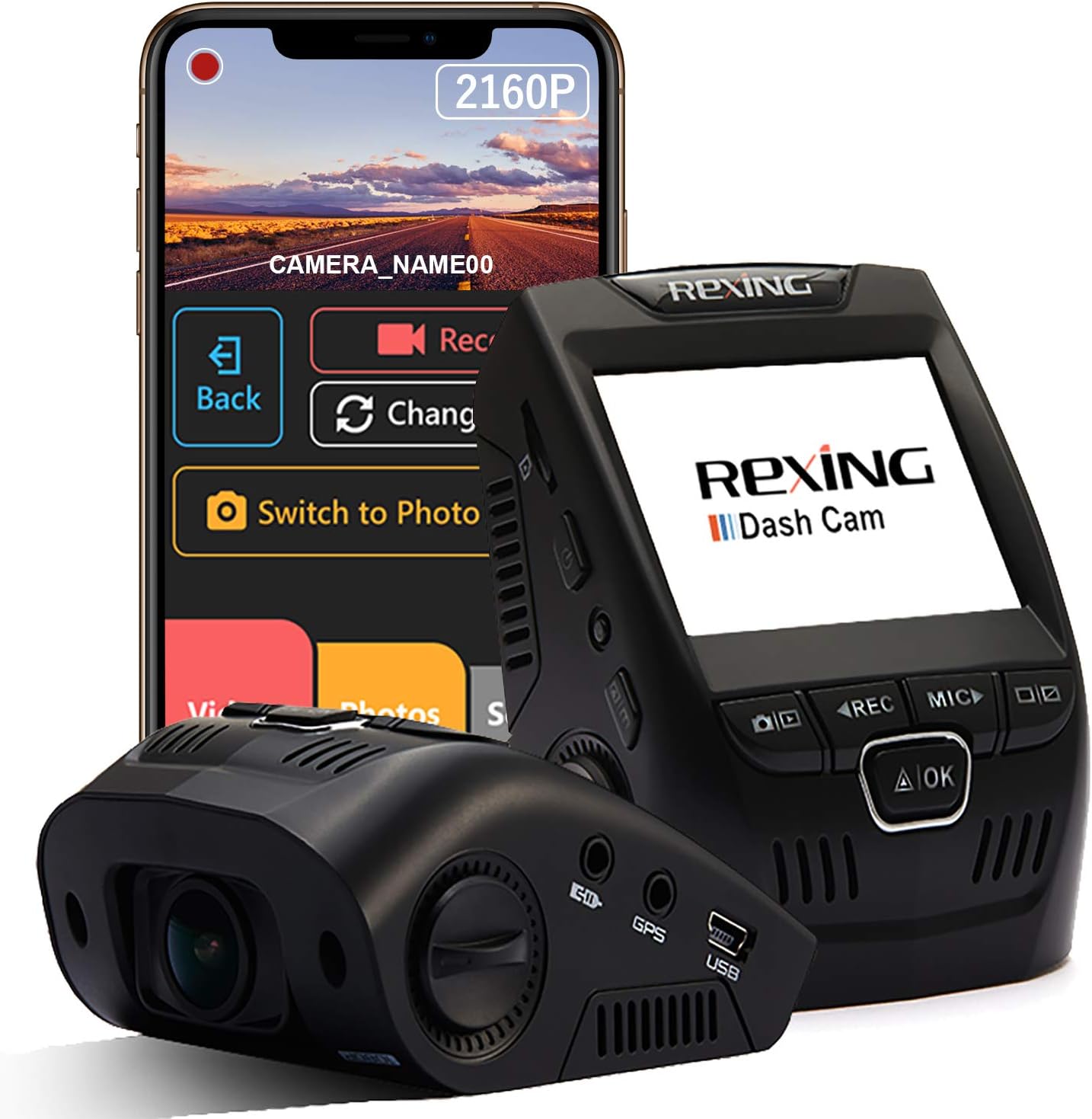
Rexing V1 Full Specifications
Before getting into real-world performance, here’s the complete technical picture of what you’re buying.
| Feature | Rexing V1 Spec | Assessment |
|---|---|---|
| Video Resolution | 1080p Full HD @ 30fps | Good for evidence quality |
| Field of View | 170 degrees | Excellent — one of the widest |
| Sensor | Sony Exmor IMX323 | Proven sensor, reliable performance |
| Lens Aperture | f/2.0 | Adequate; larger aperture would help night |
| Night Vision | WDR (Wide Dynamic Range) | Functional; not class-leading |
| Display | None (screenless) | Design choice — reduces distraction |
| Storage | microSD up to 256GB | Generous capacity support |
| Loop Recording | Yes (1/2/3 min segments) | Seamless and reliable |
| G-Sensor | Yes (3-axis, adjustable) | Works well on medium sensitivity |
| GPS | No | Notable omission at this tier |
| Parking Mode | Via hardwire kit only | Requires extra purchase |
| Audio Recording | Yes (built-in mic, disableable) | Clear interior audio |
| Power Input | Micro-USB / 12V car adapter | Older standard but universally available |
| Operating Temp | -20°C to 70°C | Wide range, handles summer dashboard heat |
| Dimensions | 3.5 × 1.5 × 1.3 inches | Very compact |
| Weight | 2.4 oz | Lightweight, minimal windshield stress |
Video Quality: Daytime and Night Performance
Video quality is where a dashcam earns its keep. A camera that records beautiful footage during the golden hour but turns your midnight commute into an unreadable blur isn’t doing the job it was purchased for. The Rexing V1 tells two different stories depending on the lighting conditions — and it’s worth understanding both before you buy.
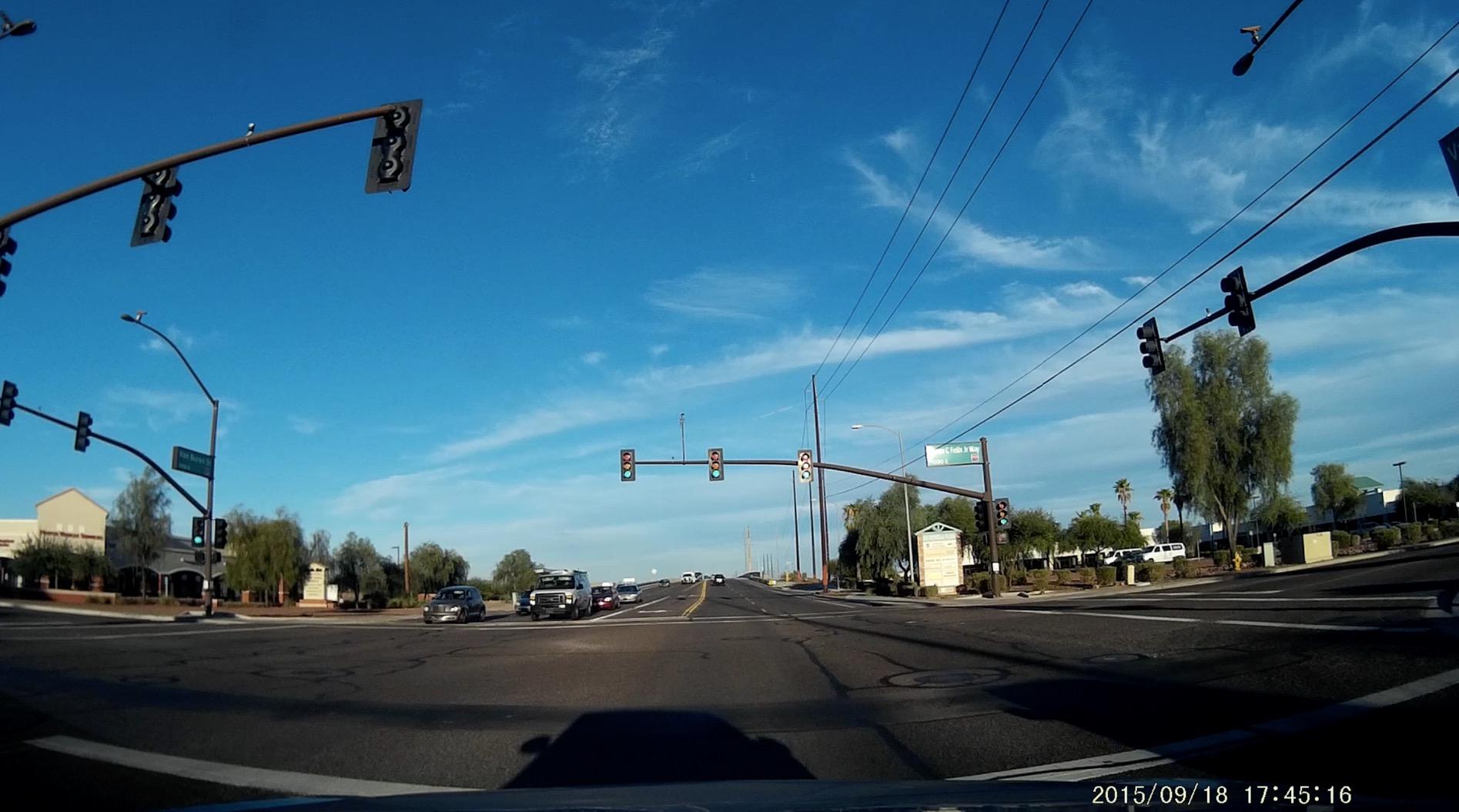
Daytime Performance
In daylight conditions, the Rexing V1 performs above expectations for its price tier. The Sony Exmor IMX323 sensor is a genuine differentiator here — Rexing built their budget reputation on a decision to use a legitimate Sony sensor rather than a no-name generic chip, and the difference shows in the footage. Colors are natural without being oversaturated, license plates on vehicles within 30 to 40 feet are readable in normal lighting, and the 170-degree lens captures a genuinely wide field of view without the severe barrel distortion that plagues some ultra-wide lenses.
The WDR (Wide Dynamic Range) processing is particularly effective in daytime high-contrast situations — entering a tunnel from bright sunlight, or driving with the sun low on the horizon — where a camera without dynamic range processing would either blow out the sky or lose detail in shadows. The V1 handles these transitions competently, keeping both highlights and shadows within a readable range for most insurance or legal purposes.
One limitation worth noting: at exactly 30fps, the V1 doesn’t offer a 60fps option that some competing cameras now include. In terms of practical use, 30fps is perfectly adequate for evidence capture — but footage of fast-moving objects at close range will show more motion blur than a 60fps equivalent. For the use case of capturing a vehicle that cuts you off or records a parking lot accident, it doesn’t matter. For tracking high-speed events with fine detail, it’s a constraint.
Night Vision Performance
This is where the Rexing V1 shows its budget-tier limitations most clearly. The f/2.0 aperture and WDR processing do a respectable job compared to the dashcam market five years ago — but compared to current competitors using Sony STARVIS sensors or wider apertures like f/1.8, the V1’s nighttime footage is noticeably darker and less detailed.
In practice, the V1 will capture the make, model, and color of vehicles in well-lit urban environments at night. License plates become less reliable at speed in poorly lit conditions — a real limitation if nighttime evidence capture is a priority. On well-lit highways with overhead street lights, performance is adequate. On dark rural roads or in dimly lit parking lots, the footage can be grainy and low-contrast.
The WDR system also struggles with the specific scenario of oncoming headlights at night — a beam directly into the lens causes the rest of the frame to underexpose significantly while the camera’s exposure algorithm compensates for the bright source. This is a common limitation of WDR versus the newer STARVIS/STARVIS 2 sensors found in cameras like the 4K night vision dashcams we reviewed separately.
Design and Build Quality

The Rexing V1’s design is deliberate minimalism, and it works. Measuring just 3.5 × 1.5 × 1.3 inches and weighing 2.4 ounces, the camera tucks into the upper corner of a windshield with a footprint smaller than most people’s thumb. The screenless body is the key aesthetic and practical decision — there’s no rear LCD to wash out in sunlight, no status indicators that distract the driver’s gaze, and no surface to crack if the unit takes a knock in the door pocket during transit.
The housing is matte black plastic that resists fingerprints better than glossy alternatives, and the build feels genuinely solid for the price — no rattles, no flex in the body. The single lens barrel protrudes slightly from the face, which is typical for this class of camera. The mounting bracket clicks securely into place on the windshield adhesive pad, though some users report the adhesive mount can lose grip in extreme summer heat — a common issue across many dashcam brands that’s worth addressing with a replacement 3M VHB adhesive pad if you park in direct sun.
Ports are minimal and functional: a Micro-USB power input on one side, a microSD slot on the bottom, and a reset pinhole. The lack of a screen means the only way to review settings or footage is via the companion software on a computer — which is either a streamlined design choice or an inconvenience, depending on your perspective.
Installation: How to Set Up the Rexing V1
One of the V1’s most consistent selling points in user reviews is how simple it is to get running. Unlike some dashcams that arrive with thick instruction manuals and require you to navigate a confusing on-screen menu before the camera will record anything, the Rexing V1 is designed to be operational within minutes of opening the box.
The physical installation takes most drivers under fifteen minutes. Peel the adhesive mount, press it to the top-center of the windshield behind the rear-view mirror (which places the camera in the driver’s blind spot to minimize obstruction), insert a microSD card, route the power cable along the headliner and down the A-pillar, and plug into the 12V accessory port. That’s it — the camera powers on with the ignition and starts recording automatically.
The included cable management clips help tuck the power cord neatly against the trim, and the 10-foot cable length is adequate for most vehicles without any visible cable hanging in the cabin. Those who prefer a truly clean installation can use the optional hardwire kit, which draws power directly from the fuse box and eliminates the visible cigarette lighter plug entirely — though this requires a bit more effort and the fuse tap kit is sold separately.

G-Sensor and Loop Recording: The Core Safety Duo
The two features that separate a proper dashcam from a simple recording device are G-sensor incident locking and seamless loop recording. Together they answer the dashcam’s core promise: that when something goes wrong, the footage of the event will still be on the card and readable when you need it. The Rexing V1 handles both well, with a few nuances worth understanding before you configure the device.
G-Sensor: How It Works in Practice
The G-sensor is a three-axis accelerometer that monitors the forces acting on the camera during driving. When a sudden jolt — from a collision, an emergency brake, or a sharp impact — exceeds the configured threshold, the sensor immediately flags the currently recording file for protection. That file is then marked as locked and excluded from the loop recording overwrite cycle, regardless of how long the camera continues running afterward.
The sensitivity is adjustable across three levels: low, medium, and high. This is an important configuration detail that many users overlook. The factory default tends to be medium sensitivity, which works well for most driving scenarios — an actual collision will trigger it reliably. High sensitivity is too aggressive for normal driving and will lock files during heavy braking, speed bumps, or rough road surfaces, which can gradually fill your card with locked files that then require manual deletion. Medium sensitivity is the recommended starting point for most drivers.
It’s also worth noting what the G-sensor doesn’t do: it doesn’t actively detect slow-speed parking impacts when the camera is off. For parked vehicle monitoring, you’d need the hardwire kit and a compatible parking mode — a feature that exists in the V1’s ecosystem but isn’t built into the base unit. For a broader look at how to prepare for vehicle security events, the guides on building a complete car safety kit and car theft prevention cover the full picture.
Loop Recording: Seamless and Reliable
Loop recording on the V1 works exactly as it should. The camera records in configurable segments of 1, 2, or 3 minutes. When the card fills, the oldest unprotected segment is overwritten by new footage. The transition between segments is near-seamless — there’s a brief fraction-of-a-second gap between files that’s unavoidable with this recording architecture, but for practical evidence purposes, this gap is inconsequential.
With a 128GB card (a solid practical choice for most drivers), the V1 will store approximately 10 to 12 hours of 1080p footage before it begins overwriting. That means in normal daily driving, you’ll always have at least a day’s worth of footage available even if you never manually manage the card — any incident from the past day or more will be accessible, and the G-sensor ensures critical moments are protected indefinitely.
Audio Recording Quality
The Rexing V1’s built-in microphone is a quiet but capable component that records cabin audio alongside the video. In most conditions, voice conversations in the vehicle are clearly audible, which can be useful in a post-accident scenario where you’re speaking to another driver or an emergency responder — creating an audio record of the exchange to complement the visual footage.
Road noise is present in recordings at highway speeds, as it is with virtually every built-in dashcam microphone. At speeds above 60 mph with the windows closed, the dominant audio will be a consistent road and wind noise beneath any conversation. For music or radio audio, the built-in mic captures whatever is playing through your car’s speakers, which means recordings taken while listening to music will include that audio — something to be aware of from a copyright perspective if you ever share footage publicly.
Audio recording can be disabled in the settings menu, which is worth doing if you use the V1 in a professional driving context (rideshare, commercial transport) or in any jurisdiction where audio surveillance laws require consent from all parties being recorded. The video continues recording without the audio track when disabled.
App, Wi-Fi, and Footage Review
The base Rexing V1 is not a connected device — there’s no Wi-Fi, no Bluetooth, and no smartphone app integration in the standard model. Footage review requires removing the microSD card and inserting it into a computer or dedicated card reader. For some users this is a minor inconvenience; for others it’s a deliberate preference for a device that doesn’t need to maintain any wireless connection and has no privacy risks from network-exposed recording.
Rexing does offer an updated version with Wi-Fi connectivity (the V1P and other variants) that pairs with their companion smartphone app for wireless footage review without removing the card. If live preview and wireless access are important to you, it’s worth checking whether the specific V1 listing you’re considering is the Wi-Fi variant before purchasing.
When viewing footage on a computer, the V1’s files are standard .MP4 format playable by any video player — no proprietary software required. The Rexing V1 Player software (available from Rexing’s website) provides a basic timeline view and GPS overlay interface, though the base V1’s lack of GPS means the location overlay will be empty without a compatible GPS module attachment.
Value for Money and How It Compares
The dashcam market has evolved considerably, and the Rexing V1’s competitive position today is best understood by placing it in context against both lower and higher-priced alternatives.
| Camera | Price Tier | Key Advantage vs V1 | Key Disadvantage vs V1 |
|---|---|---|---|
| Rexing V1 | Budget ($) | — | No GPS, basic night vision |
| Garmin Mini 2 | Budget-Mid ($$) | Garmin reliability, app integration | Higher price, 1080p only |
| Vantrue E1 Lite | Mid ($$) | Better night vision, parking mode | More expensive |
| Vantrue N4 Pro | Mid-High ($$$) | 4K front, 3-channel, GPS, STARVIS | Significantly higher price |
| Nextbase 622GW | High ($$$$) | 4K, HDR, Alexa integration, emergency SOS | Much higher cost |
Against the Garmin Mini 2, the Rexing V1 competes primarily on price — both are compact, screenless 1080p cameras, but the Garmin commands a premium for its brand reputation and tighter app integration. Against the Vantrue E1 Lite and higher, the Rexing V1 starts to show its age in night performance and connected features, but remains competitive when price is the primary constraint.
For drivers comparing options in a broader dashcam head-to-head comparison, the Rexing V1 consistently positions as the best-value entry point for drivers who primarily drive during daylight hours and want reliable accident evidence without paying for GPS or advanced night vision they won’t regularly use.
Rexing V1 — Overall Performance Scorecard
Who Should Buy the Rexing V1?
The Rexing V1 isn’t trying to be everything to every driver, and that focus is actually part of what makes it worth recommending. It’s a clear choice for specific use cases and a clear miss for others.
Buy the Rexing V1 if you are:
- A first-time dashcam buyer who wants reliable protection without a steep learning curve — the V1’s simple operation means there’s genuinely nothing complicated to figure out.
- A daytime commuter whose primary concern is capturing evidence in case of a collision during regular driving hours. The V1’s 1080p daytime footage and G-sensor protection handle this scenario extremely well.
- A driver who values discretion — the compact, screenless form factor is essentially invisible once mounted, which matters if you don’t want a large dashcam conspicuously visible to passengers or passersby.
- Someone building a broader safety kit — if you’re already assembling a kit with items like emergency car escape tools, LED road flares, and a portable jump starter, the V1 fits naturally as the video evidence component without requiring a large budget allocation.
- A driver with a secondary vehicle or a vehicle you want to protect for insurance purposes — at the V1’s price, it’s an affordable addition to vehicles where a premium dashcam feels like overkill.
Consider a different camera if you:
- Drive heavily at night or in poorly lit conditions — step up to a camera with a STARVIS or STARVIS 2 sensor for meaningfully better low-light footage. Our 4K STARVIS dashcam guide and best night driving dashcam review are the right starting points.
- Need GPS-embedded footage — if you want speed and location data overlaid on your video for insurance or legal disputes, the Rexing V1 isn’t the right tool. Look at the Nextbase 622GW or Vantrue N4 Pro.
- Want front-and-rear simultaneous recording — the V1 is front-only. For dual-channel recording, see our front vs. dual dashcam comparison.
- Want parking mode for unattended vehicle monitoring — while achievable with a hardwire kit, it’s not a seamless out-of-box experience on the V1.
Frequently Asked Questions
Rexing V1 Review Verdict: Reliable, Focused, Still Relevant
The Rexing V1 earns its position as a perennial recommendation in the budget dashcam category not by being revolutionary, but by being consistently right about what matters most: video quality that holds up in a courtroom or an insurance claim, a G-sensor that actually triggers when it should, and an installation process that any driver can handle in minutes without a manual.
Its limitations are real — the night vision is functional rather than impressive, the lack of GPS is a genuine gap for some use cases, and the Micro-USB charging port feels increasingly dated — but none of these limitations undermine the product’s core function. A camera that records clear 1080p footage during a daytime fender-bender, locks that footage automatically via G-sensor, and keeps recording over older footage without the driver ever touching a settings menu is doing exactly what a dashcam is supposed to do.
For drivers adding dashcam protection to their broader vehicle safety setup — alongside tools like emergency escape tools, a portable jump starter, and LED road flares — the Rexing V1 is a smart, practical choice that doesn’t require overextending your budget. Pair it with solid defensive driving habits and a well-stocked car emergency kit, and you’ve built a meaningful layer of protection that most drivers will never regret having.
Affiliate Disclosure: DriveGuide is a participant in the Amazon Services LLC Associates Program. Links on this page include the affiliate tag juhain-20. We earn a small commission on qualifying purchases at no extra cost to you. Our editorial assessments are independent — we do not accept payment for product recommendations.