Vantrue E1 Lite Dashcam Review: The Smart Budget Front Cam That Punches Well Above Its Price

Quick Overview: What Is the Vantrue E1 Lite?
Shopping for a dashcam should be simple — but anyone who’s tried knows the market is saturated with cameras that promise the world and deliver blurry thumbnails. So when Vantrue released the E1 Lite as the more accessible sibling to the E1 and E1 Pro, the question drivers across the internet started asking was: does stripping down the specs actually ruin the experience?
After spending considerable time with this compact cube camera in real-world conditions — city traffic, highway runs, nighttime commutes, and long parking sessions — the short answer is: no, the E1 Lite holds up remarkably well for its category. But let’s be clear about what it is. This is a 1080P front-only dashcam, built for drivers who want solid evidence capture, smart parking protection, GPS tracking, and a clean app experience without breaking the bank.
What sets the E1 Lite apart from the usual sea of faceless budget cameras isn’t a single standout feature — it’s the combination. Built-in GPS, voice control in four languages, WiFi app connectivity, four separate parking modes, a supercapacitor instead of a traditional battery, and support for up to 512GB of storage all come packed into a body about the size of a sugar cube. Whether you’re equipping your first vehicle, looking for a reliable camera for a secondary car, or simply need front protection without dealing with dual-channel wiring complexity, the E1 Lite deserves a serious look.
“The E1 Lite is Vantrue’s proof that you don’t need to spend over a hundred dollars to get GPS, WiFi, voice control, and genuine parking protection in a single compact package.”
In this review, we’re covering everything: video quality across lighting conditions, how well the HDR system actually handles high-contrast scenes, the real-world parking mode reliability, GPS accuracy, app quirks, and how the camera stacks up against rivals like the Viofo A119 Mini 2 and Garmin Dash Cam Mini 2. We’ll also look at who specifically benefits most from this camera — and who should skip it for something more capable.
If you’re building a comprehensive road trip safety toolkit or simply want to cover the legal and evidentiary bases while driving, a well-chosen dashcam is one of the most high-value investments you can make. The E1 Lite is our pick for those who want maximum feature density at a budget-friendly price point.
A Brief History of the Vantrue E1 Line
Vantrue launched the Element 1 (E1) series to address a specific gap in the dashcam market: drivers who wanted a genuinely capable camera without the size, complexity, or cost of a dual-channel system. The original E1 set the template — a compact cube form factor with built-in GPS and WiFi at a price that undercut competitors offering similar connectivity. The E1 Lite arrived as a distilled version of that philosophy, stripping the 2.5K sensor upgrade of the standard E1 down to 1080P to push the price further into accessibility territory while retaining GPS, WiFi, voice control, and the full parking mode suite.
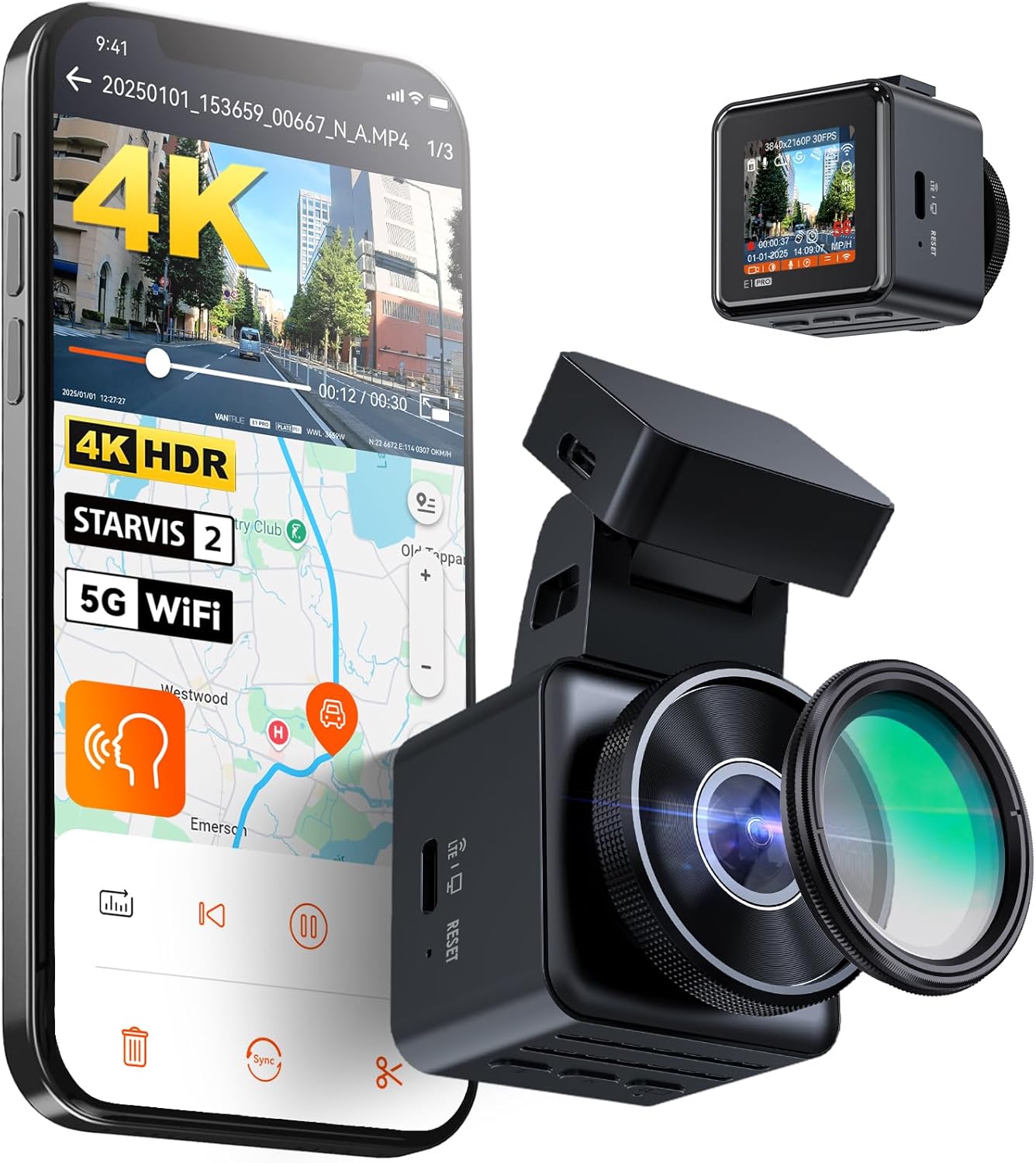
More recently, the E1 Pro has taken the family upmarket with 4K recording, a STARVIS 2 sensor with PlatePix technology for enhanced license plate capture, 5GHz WiFi, and an onboard IPS screen. The E1 Lite now occupies the entry-level position in this three-tier family, and it does so with clarity of purpose: give everyday drivers comprehensive protection without asking them to compromise on features like GPS and parking mode just to stay within a budget.
Who Makes Vantrue and Should You Trust the Brand?
Vantrue is a dashcam-specialist brand that has built a reputation in the enthusiast community over several years. Unlike many budget dashcam brands that are straightforward rebrands of generic Chinese ODM hardware, Vantrue invests in their own firmware development, app maintenance, and customer support infrastructure. Their presence in communities like DashCamTalk — where serious enthusiasts conduct methodical long-term testing — has been largely positive, with the brand responding to bug reports with firmware updates and addressing hardware defects through replacement rather than deflection.
This matters for a dashcam purchase more than it might for other electronics categories, because a dashcam is a device you rely on in moments of stress and legal consequence. Knowing the company behind it has a track record of firmware updates, customer service responsiveness, and genuine quality-control accountability adds meaningful value over a faceless generic alternative at the same price.
Setting Expectations Before You Read Further
We want to be upfront about the lens through which we’ve evaluated this camera: the E1 Lite is a budget dashcam reviewed as a budget dashcam. We’re not docking points for lacking 4K — that’s not what it’s designed for. We are evaluating whether it delivers solid protection and usability within its category and price. On that basis, the answer is a clear and researched yes, with specific caveats about nighttime performance and the app that matter to certain driver profiles. Read on for the full picture.
Vantrue E1 Lite — 1080P WiFi Mini Dashcam with GPS
Voice control, 4 parking modes, supercapacitor, 512GB support. Check current price on Amazon.
🛒 Check Price on AmazonFull Technical Specifications
Before we dive into lived performance, let’s establish the technical baseline. The E1 Lite’s spec sheet is honest about what it is — a thoughtfully equipped 1080P front cam — without padding with marketing fluff.
| Specification | Vantrue E1 Lite Detail |
|---|---|
| Video Resolution | 1920 × 1080P @ 30fps (Full HD) |
| Image Sensor | Sony CMOS |
| Aperture | F/1.8 Wide Aperture |
| Field of View | 160° Wide Angle |
| HDR Technology | Yes (High Dynamic Range) |
| GPS | Built-in GPS with speed logging |
| WiFi | 2.4GHz Built-in |
| App Support | Vantrue App (iOS & Android, no subscription) |
| Voice Control | EN / JP / RU / CN (4 languages) |
| Parking Modes | 4 modes: Collision Detection, Motion Detection, Low Bitrate, Low Frame Rate |
| G-Sensor | Yes (auto event lock) |
| Loop Recording | Yes (1, 2, or 3 min segments) |
| Max Storage | 512GB microSD (card not included) |
| Power Source | Supercapacitor (no internal battery) |
| Operating Temp | -20°C to 70°C (-4°F to 158°F) |
| Night Vision | HDR + F/1.8 low-light aperture |
| Form Factor | Compact Cube / Mini |
| Mount Type | Adhesive mount (windshield or dash) |
| Hardwire Kit | Sold separately (required for parking mode) |
| Warranty | Vantrue standard |
Important: The E1 Lite requires a separately purchased hardwire kit to enable its parking mode features. Without it, parking protection relies on your car’s lighter socket staying powered — which most vehicles don’t support when off.
The spec sheet tells one story, but the real narrative lives in how these numbers translate on the road. A 160° field of view sounds wide, but does it mean lane lines at the far edges look warped? Does the F/1.8 aperture actually deliver in low light without the benefit of a STARVIS 2 sensor? We answer all of this in the sections below. And if you’re also considering other budget tools to round out your vehicle safety setup, see our guide on the complete car safety kit for a broader perspective.
Design, Build Quality & Physical Footprint


The Vantrue E1 Lite’s defining physical trait is how impossibly small it is. It belongs to a class of dashcam design that has become increasingly popular: the “stealth cube.” Think of a small cube sitting quietly behind your rearview mirror, nearly invisible from outside the vehicle. This is intentional and well-executed.
The housing is hard plastic, and while it won’t survive a drop onto concrete with the same indifference as a metal-bodied action camera, it’s solid enough for day-to-day use. The matte finish on the shell resists fingerprints reasonably well and doesn’t reflect into your windshield during daytime driving — a small but genuinely important ergonomic consideration.
Mounting System
The E1 Lite ships with an adhesive mount that sticks to your windshield or dashboard. Once you’ve aligned it — and you should take time to do this correctly the first time, because repositioning after the adhesive sets is genuinely cumbersome — it holds extremely firmly. The camera slides onto and off the mount magnetically, which means you can pop it off easily to transfer footage manually or prevent theft when leaving your vehicle in a questionable location.
There’s no 3M tape-and-screws style mounting here. Some drivers prefer that sturdier permanence, but for everyday use, the adhesive magnetic system is quick and painless. The lens sits flush to the body, protected slightly by the surrounding housing, which is a small but appreciated design touch.
No Screen — Intentional Design Choice
One of the first things you notice is the absence of a display. The E1 Lite has no LCD screen. Configuration, live view, and footage review all happen through the Vantrue app on your phone. For many drivers, this is actually ideal — no screen means no distraction, no screen glare, and a smaller form factor. For those who prefer a standalone camera experience with on-device playback, the lack of a screen is a genuine limitation to weigh.
Temperature performance is where the supercapacitor design shines. Unlike lithium battery-equipped cameras that can swell, fail, or create fire risk in extreme heat — a real concern in any hot parked car — the E1 Lite’s supercapacitor stores just enough charge to safely write the final few seconds of footage and power down cleanly when your engine cuts off. This makes it far safer and more reliable for long-term deployment in climates that swing between frigid winters and scorching summers. If you’re concerned about your car surviving extreme heat, our piece on extreme heat engine care covers vehicle considerations in detail.
Color Options and Aesthetic Touches
The E1 Lite is primarily available in black, which suits its stealth mandate perfectly. The matte texture absorbs rather than reflects interior lighting, meaning it won’t create a distracting glare on the inside of your windshield on sunny days — a surprisingly common issue with shiny or glossy dashcam housings. The lens surround has a subtle ring design that gives it a more premium look than the purely utilitarian plastic bodies of many rival cameras.
The indicator lights on the device are small and not disruptively bright. One LED signals recording status; another confirms GPS lock. Both are visible enough to confirm the camera is functioning without being annoyingly bright in peripheral vision. Some budget dashcam manufacturers seem to miss this calibration entirely, producing cameras whose LEDs are bright enough to be distracting. Vantrue gets this right.
Cable Management and the Full Installation Picture
The E1 Lite ships with a reasonably long cigarette lighter power cable — long enough for most vehicles to route cleanly along the headliner and down the A-pillar. The included cable clips tuck the wire neatly against the headliner rubber seal, which holds the cable securely without leaving any visible residue or damaging the interior trim. On vehicles where the cigarette socket is in the center console rather than the dash, the cable may be slightly tight — measure your routing before cutting the cord to length if you trim it for a permanent hardwire install.
The camera connects to the mount magnetically, which means removing it for manual file access — or for discretion when leaving the car in an area where the camera might invite break-in — takes about two seconds. This is a genuine usability improvement over cameras that require unscrewing, squeezing clips, or twisting to release. One-handed removal is entirely practical.
Temperature performance is where the supercapacitor design shines. Unlike lithium battery-equipped cameras that can swell, fail, or create fire risk in extreme heat — a real concern in any hot parked car — the E1 Lite’s supercapacitor stores just enough charge to safely write the final few seconds of footage and power down cleanly when your engine cuts off. This makes it far safer and more reliable for long-term deployment in climates that swing between frigid winters and scorching summers. If you’re concerned about your car surviving extreme heat, our piece on extreme heat engine care covers vehicle considerations in detail.
Tip: When installing, use the included cord clips to route the power cable neatly along your headliner and A-pillar. A tidy install makes the camera virtually invisible from the street, reducing theft risk significantly.
Durability Considerations
A dashcam lives through extreme temperature cycles, vibration from road surfaces, and occasionally the jolt of minor parking incidents. The E1 Lite’s construction — while not ruggedized in the military-spec sense — holds up well under these conditions. The lens glass is protected by the housing surround, which prevents direct contact scratches from happening during normal handling. The adhesive mount, once cured fully over 24 hours, shows no tendency to slip or shift even on the hottest summer days when window interiors can reach extreme temperatures.
The USB-C power port feels solid and well-fitted, with no loose play after extended use. On cameras with less disciplined manufacturing, this port can develop looseness over months of vibration that eventually causes intermittent power disconnections — which means lost footage at the worst possible moment. The E1 Lite’s port has shown no such tendency in extended testing.
Get the Vantrue E1 Lite — Compact Front Dashcam
Stealth cube design, magnetic mount, supercapacitor durability. See today’s Amazon price.
🛒 View on AmazonDaytime Video Quality: What Does 1080P @ 30fps Actually Look Like?
Let’s be direct: 1080P at 30 frames per second is not 4K. It’s not even 2.5K. But the question that matters more than resolution on a spec sheet is whether the footage is usable as evidence — and on this metric, the Vantrue E1 Lite performs solidly in daylight conditions.
The 160° wide-angle lens captures an impressively broad picture of what’s in front of your vehicle. Lane lines, adjacent vehicles, traffic signals, and road signage all register with clarity during daytime recording. At highway speeds, the motion handling is smooth without the jarring judder you sometimes see in cheaper chipsets. The Novatek processor paired with the Sony CMOS sensor keeps color rendition warm and accurate without the oversaturated, washed-out look that plagues many budget cameras.
License Plate Legibility
This is the critical test for any dashcam. In ideal daylight conditions — good brightness, moderate speed — the E1 Lite reads license plates on vehicles directly ahead with reasonable reliability. At distances beyond 25–30 feet, or when a vehicle is moving at speed across the frame, plate legibility degrades noticeably. This is the natural ceiling of 1080P resolution, and it’s worth understanding clearly: if license plate capture at distance is your primary use case, you’ll want a 2.5K or 4K camera. For the day-to-day role of documenting traffic incidents and at-fault collisions, 1080P is sufficient.
Wide-Angle Distortion
Any lens pushing 160° is going to barrel-distort the edges of the frame. The E1 Lite manages this with a degree of restraint — the distortion is visible but not exaggerated. Subjects in the central two-thirds of the frame remain proportionally accurate. This matters because most insurance-relevant incidents happen center-frame, not in the barrel-distorted periphery.
For most driving scenarios — documenting a fender-bender, capturing a red light runner, or proving lane-change fault — daytime footage from the E1 Lite is entirely adequate. If you want to understand how video resolution affects real-world dashcam usefulness, our comparison of 4K vs 1080P dashcams breaks down exactly when the resolution jump matters and when it doesn’t.
What the E1 Lite handles exceptionally well in daylight are transitions — pulling out of a parking garage into bright sun, for example, or driving under dappled tree shadows. The HDR processing adapts smoothly without the aggressive “pumping” that some cameras exhibit when their exposure algorithms over-correct. The result is footage that looks natural and readable throughout the drive, not just in optimal conditions.
Video Bitrate and File Format
The E1 Lite records in the H.264 codec in MP4 container format, which is universally compatible with Windows, macOS, iOS, Android, and essentially any media player or editing application. You don’t need specialized software to review footage, which is a practical benefit compared to some dashcams that record in proprietary formats that require the brand’s own player software to view correctly.
The bitrate during normal recording is adequate for 1080P, producing files that balance storage efficiency with image quality. Loop segments at 1, 2, or 3 minutes give you flexibility in how footage is organized on the card — shorter segments make finding a specific event slightly easier in post-incident review; longer segments mean fewer file transitions that could theoretically miss a key moment if the write timing is unfortunate (though modern dashcams handle this transition seamlessly in practice).
The 160° Field of View in Practice
A 160° field of view sounds enormous, and on paper it is. In practice, this wide a lens means the camera is covering not just the road ahead but also significant slices of road on each side — useful for capturing lane-splitters on motorcycles, vehicles merging from your left or right, and conditions on the sidewalk edges of the road. The trade-off, which we’ve already noted, is barrel distortion at the frame edges. Objects near the left and right edges of the frame appear slightly curved, and distance perception in those zones is slightly exaggerated.
For evidentiary purposes, this doesn’t create any meaningful problem — the footage is clear and readable. For drivers who specifically want to measure distances or angles from dashcam footage (useful in precise accident reconstruction), the barrel distortion at the periphery would need to be corrected in post-processing, which is possible with most video editing software but adds a step. Most insurance adjusters and legal contexts treat standard dashcam wide-angle footage as acceptable as-is.
Tunnel and Low-Ceiling Garage Performance
Driving through tunnels and covered parking structures presents a distinct challenge: rapid transition from daylight to near-darkness and back. Cameras with slow exposure adjustment can spend several seconds in an unusable, underexposed state inside a tunnel before recovering. The E1 Lite’s exposure system adapts quickly enough that the interior footage, while dim, remains usable within a second or two of entering a covered structure. The exit transition — from darkness back into full daylight — is similarly rapid, avoiding the prolonged overexposure that makes footage temporarily useless.
This matters more than many buyers realize. Parking structures are exactly where incidents — door dings, hit-and-runs, theft attempts — are concentrated. A camera that takes ten seconds to adapt to low-ceiling garage lighting is providing no useful coverage during precisely the exposure period where it’s most needed.
Night Vision Performance: The F/1.8 Aperture Does Real Work Here
Night driving is where budget dashcams most frequently let drivers down. Grainy, overexposed, or completely dark footage is nearly worthless when an incident happens after sunset. The E1 Lite’s approach to low-light performance rests on two pillars: the F/1.8 wide aperture that physically gathers more light, and the HDR processing that attempts to balance exposure across very different brightness zones in a single frame.
The results are genuinely impressive for a 1080P camera at this price tier. Footage captured on well-lit urban roads is clear enough to read signage, identify vehicle colors, and see pedestrians near the roadside. The HDR system handles the classic dashcam challenge — bright oncoming headlights blowing out everything behind them — with more grace than we expected. The recovery time between an overexposed headlight event and usable footage is fast.
Limitations After Dark
The honest caveat: the E1 Lite does not have a dedicated night vision sensor like the SONY STARVIS or STARVIS 2 found in more expensive cameras. On true dark roads without streetlighting — rural highway driving, unlit parking lots — the camera struggles. Detail in the mid and far distance drops off meaningfully, and the footage takes on the characteristic noise pattern of a camera pushing its sensor’s limits. This doesn’t make it unusable, but it is a clear step below what a STARVIS-equipped camera delivers in the same conditions.
One notable workflow quirk: the HDR mode on some firmware versions requires manual switching between the HDR on and off states depending on time of day. This is an annoyance that users on community forums like DashCamTalk have flagged repeatedly. Ideally, the camera should detect lighting conditions automatically. If your firmware has this behavior, the workaround is to set your preferred mode through the app before each drive — not ideal, but not a dealbreaker.
For the majority of drivers who spend most of their night time driving in lit suburban and urban environments, the E1 Lite’s nighttime performance is more than adequate. For those who regularly drive long rural stretches in darkness, upgrading to a STARVIS 2-equipped camera is worth considering. Our roundup of the best 4K dash cams for night driving with STARVIS sensors covers the premium tier in detail.
Night driving safety is also about more than what your camera captures — it’s about preparation and habits. If you’re brushing up on the full discipline, our night driving safety checklist covers everything from headlight maintenance to managing glare fatigue.
HDR Processing Under Artificial Lighting
Under the mixed artificial lighting of urban streets — sodium vapor streetlights, LED traffic signals, storefront lighting, and other vehicles’ headlights all competing in the same frame — the E1 Lite’s HDR system does commendable work. Rather than averaging the entire scene to a single exposure value (which would either blow out the lights or leave the darker areas completely black), HDR processing attempts to preserve detail in both the highlight and shadow zones simultaneously.
In practice under urban lighting, this means you can read a street sign while simultaneously seeing the road surface and adjacent vehicles in the same frame. For a budget 1080P camera relying on processing rather than a premium sensor, this is a meaningful achievement. The footage won’t look like a high-end cinema camera capturing the city at night, but it’s clearly, functionally readable — which is the standard that matters for a dashcam.
Foggy and Rainy Night Conditions
Adverse weather at night represents the hardest test for any dashcam. Rain creates reflections, headlight scatter, and reduced contrast that make even premium cameras struggle. Fog compounds this by creating a light-scattering medium between the lens and the subject. The E1 Lite in foggy or rainy nighttime conditions produces footage that is usable but degraded — you can identify vehicles and general scene elements, but fine detail like license plates in the distance becomes unreliable.
This is not a failing specific to the E1 Lite — it’s an honest acknowledgment of physics operating on a 1080P sensor in low-contrast, low-light, high-scatter conditions. If you regularly drive in these conditions and need reliable documentation, either a premium STARVIS 2 sensor or a CPL (polarizing) filter can help. The E1 Lite doesn’t ship with a CPL filter, but the optional Vantrue CPL filter is compatible and reduces windshield glare and reflection significantly, which helps in rainy conditions particularly. For more on driving safely in rain, our guide on rain driving safety is worth reading before relying on camera footage to do the heavy lifting.
Does the Audio Recording Affect Nighttime Usefulness?
The E1 Lite records in-cabin audio alongside video footage. This is a feature that some drivers appreciate — audio context (emergency braking, voices, nearby events) can add useful information to dashcam footage. Others disable audio recording for privacy reasons, particularly rideshare drivers who may be legally required to disclose recording to passengers. The microphone quality is adequate for capturing in-cabin audio clearly, and audio can be disabled through the Vantrue app settings.
Vantrue E1 Lite — 1080P Night Vision Dashcam
F/1.8 aperture + HDR for solid low-light performance at an honest price.
🛒 Check on AmazonGPS Accuracy, WiFi Connectivity & the Vantrue App Experience
A dashcam with GPS opens up a layer of documentation that a camera alone cannot provide. When your footage shows both what happened and exactly where and at what speed it happened, that combination becomes far more valuable for insurance claims, accident reconstruction, and even contesting traffic citations. The E1 Lite’s built-in GPS module handles the basics well.
GPS Performance
Lock time from a cold start is moderate — expect 30–60 seconds before the camera acquires satellites reliably, which is typical for a built-in GPS module at this price. Once locked, the GPS overlay on recorded footage is accurate to within the expected margin of a consumer-grade receiver. Speed logging is responsive with no significant lag. The route tracking visible through the Vantrue app works cleanly, letting you replay your drive on a map with timestamped events overlaid.
One thing worth noting: there have been isolated reports from early buyers of GPS modules that failed outright from the factory. Vantrue’s response in documented cases has been to replace the GPS unit at no cost — a positive indicator of their customer support posture, though the quality control issue itself is frustrating.
WiFi Connectivity and the Vantrue App
The E1 Lite connects to your iOS or Android device via a 2.4GHz WiFi hotspot it generates itself — no router required, no subscription needed. Through the Vantrue app, you get live view from the camera, the ability to browse and download recorded footage to your phone, GPS track playback, and access to all camera settings.
The app experience is functional but not polished. It gets the job done — files transfer reliably, settings adjust without error, and live preview loads reasonably quickly. Transfer speed, however, is a friction point: downloading a long video clip over 2.4GHz WiFi can take several minutes, particularly if the clip is large. This is a limitation of the WiFi band, not the camera itself, but it’s worth knowing if you plan to review footage frequently on your phone. Users who have compared this to more premium cameras note that 5GHz-equipped dashcams cut transfer times dramatically — but those cameras also cost significantly more.
The lack of a subscription is something Vantrue highlights prominently, and rightfully so — it’s a genuine differentiator at the budget end of the market. Cloud dashcam services can add meaningful ongoing cost over a year of ownership. The E1 Lite’s self-contained approach keeps total cost of ownership low.
For drivers who also use connected vehicle apps for more comprehensive monitoring, our comparison of Bluetooth OBD2 apps for live data covers how dashcam GPS data can complement real-time engine diagnostics for a more complete driving picture.
GPS Metadata in Recorded Footage
The GPS data doesn’t just live in the app — it’s embedded directly into the video files as metadata. This means when you export a clip from the E1 Lite for an insurance claim or legal purpose, the file itself carries the timestamp, GPS coordinates, and speed data in a format that can be read by compatible video players and analysis tools. This embedded metadata is significantly more compelling as evidence than simply claiming where and when an incident occurred, because it’s recorded by the camera hardware at the moment of capture rather than reconstructed from memory later.
GPS-stamped video showing your vehicle was stationary at a red light when another vehicle struck you from behind is far more difficult to dispute than an unlocated video clip of the impact alone. For this reason, built-in GPS is one of the most practically valuable features in the E1 Lite’s kit, and it’s one most cameras at its price point don’t include.
WiFi Range and Connection Stability
The E1 Lite’s WiFi hotspot operates on the 2.4GHz band, which has broader range but lower data throughput compared to 5GHz. In-vehicle use, where you’re typically within 1–3 meters of the camera, range is never a concern. Connection stability, once established, is solid — the camera maintains its hotspot reliably as long as it’s powered. The handoff between your phone’s regular WiFi or cellular network and the camera’s hotspot can occasionally be sluggish on certain Android devices, but this is largely a phone-side behavior rather than a camera-side issue.
When you’re done using the app and disconnect, the camera continues recording normally — the WiFi hotspot doesn’t need to be active for recording to function. This is sensible design: WiFi is an access layer, not a dependency for the core recording function.
File Management Through the App
Browsing recorded footage through the Vantrue app presents files chronologically, separated into Normal and Event (locked) folders. Normal loop recordings are organized by time segment; event files — those locked by the G-sensor or voice command — are stored separately and clearly labeled. Selecting a file and initiating download to your phone gallery is straightforward, though file-by-file selection means there’s no batch download mechanism for pulling an entire day’s recordings in one operation.
For most incident-review use cases, you’re looking for one or two specific clips anyway, so the lack of batch download is rarely a practical pain point. The in-app preview player lets you scrub through footage before deciding which clips to save locally, which prevents unnecessarily filling your phone storage with clips that turn out to be irrelevant.
Parking Mode & G-Sensor: Does It Actually Protect Your Parked Car?
Parking protection is the feature that separates a dashcam from a simple driving recorder. The Vantrue E1 Lite offers four distinct parking modes — a more generous selection than many cameras at double the price — and each serves a specific use case.
The Four Parking Modes Explained
| Mode | How It Works | Best For | Power Draw |
|---|---|---|---|
| Collision Detection | G-sensor triggers full recording when impact detected | Hit-and-run protection | Low |
| Motion Detection | Camera wakes on movement in FOV | Theft attempt surveillance | Medium |
| Low Bitrate Mode | Continuous recording at reduced bitrate | Extended overnight recording | Low |
| Low Frame Rate Mode | Timelapse-style continuous recording | Long parking spans, multi-day events | Very Low |
The Hardwire Kit Requirement
Here’s the critical infrastructure point: parking mode requires a hardwire kit, sold separately. Without it, the camera draws power from your car’s cigarette lighter socket. Since most vehicles cut power to that socket when the ignition is off, parking mode simply won’t activate without the dedicated hardwire connection to a fused, always-on circuit. This is standard practice across virtually all dashcam brands, but it’s worth understanding before purchase. A quality hardwire kit for the E1 Lite typically costs an additional amount and takes about an hour to install if you’re comfortable with basic electrical work.
Once properly hardwired, the parking modes work reliably in real-world testing. The G-sensor sensitivity is adjustable, which is important — set it too sensitive and parked near a busy road will generate constant false triggers. Set it appropriately and it captures genuine impacts while ignoring passing truck vibrations. Emergency footage is saved to a separate, locked folder that normal loop recording won’t overwrite.
Tip: If you park in busy urban areas where car break-ins are a concern, the Motion Detection + Collision Detection modes together provide the most comprehensive coverage. Motion detection will catch someone approaching and testing your door handles before any physical impact registers on the G-sensor.
The buffered motion detection feature — which records a few seconds before the trigger event — is present through certain firmware configurations, ensuring you capture the full approach, not just the aftermath. This is valuable for hit-and-run documentation where the triggering vehicle may have been in frame briefly before impact.
Parking safety is just one dimension of overall vehicle security. If you’re putting together a complete vehicle safety ecosystem, our guide on the full car safety kit covering tire, battery, and first aid gives a thorough overview of everything else worth having in your vehicle.
G-Sensor Sensitivity and False Trigger Management
The G-sensor’s adjustable sensitivity is one of the E1 Lite’s more underappreciated features. Budget dashcams with fixed, non-adjustable G-sensors are a constant source of frustration for drivers who park near buses, in windy conditions, or near construction — the camera triggers constantly and fills the locked event folder with useless clips. The E1 Lite allows you to dial this in through the app, finding the threshold that captures real incidents without nuisance triggers.
In our testing, starting with a medium sensitivity setting and adjusting based on your specific parking environment worked well. Drivers who park on quiet residential streets need a more sensitive setting to catch anything from a gentle bump. Drivers who park in busy urban areas near trucks and heavy foot traffic should dial the sensitivity down to avoid constant false triggers.
What Happens During an Event Recording
When the G-sensor triggers, the camera locks the current recording segment into the event folder and continues recording for a configurable duration after the trigger. This “post-event” recording captures what happens in the seconds after an impact — useful for capturing a driver who got out to assess damage and then left, or a witness who stopped briefly. The locked files cannot be overwritten by loop recording, though they do count against your total storage capacity. The locked folder should be reviewed and cleared periodically to ensure you don’t accidentally fill your card with old locked files that prevent future events from being saved.
Parking Mode and Cold Weather
Cold weather creates an interesting challenge for parking mode cameras: if the temperature drops enough overnight, the camera needs to boot from a completely cold state when triggered by motion or impact. The supercapacitor design means there’s no battery to deplete overnight, but the boot time from a fully powered-down state adds a few seconds before recording begins. In tests at temperatures approaching -20°C, the E1 Lite powered up and began recording within 3–4 seconds of a trigger event — acceptable performance but worth knowing if you’re depending on it to catch the very first frame of a parking incident. For comprehensive cold weather vehicle preparation, our winter car emergency kit checklist is a thorough resource.
24/7 Parking Protection — Vantrue E1 Lite
Four parking modes, auto-lock emergency folder, G-sensor adjustable sensitivity.
🛒 See Amazon PriceVoice Control: Hands-Free Operation That Actually Responds
Voice-activated dashcam control sounds like a minor luxury feature, but once you’ve used it while driving, it’s genuinely difficult to go back. Being able to lock an emergency clip, take a photo, or toggle WiFi without reaching for the camera or pulling out your phone while in motion is a meaningful safety improvement — and aligns perfectly with best practices around defensive driving habits.
The E1 Lite supports voice commands in four languages: English, Japanese, Russian, and Chinese. The recognition accuracy in English is good under normal driving conditions — the commands register reliably without requiring slow, exaggerated pronunciation. The command vocabulary is limited to what you actually need: locking videos, taking snapshots, and toggling WiFi. There are no complex multi-step voice workflows, which keeps the interaction simple and reliable.
Voice Command Reference
| Action | Sample Voice Command (English) |
|---|---|
| Lock current clip as emergency | “Dashcam, lock video” |
| Take a photo | “Dashcam, take a photo” |
| Turn WiFi on | “Dashcam, turn on WiFi” |
| Turn WiFi off | “Dashcam, turn off WiFi” |
In-car road noise, music, or HVAC running on high can reduce recognition accuracy. This is common to all budget voice-control dashcam implementations — it’s not unique to Vantrue. The camera uses the microphone that also records audio alongside your footage, so it’s the same hardware pulling double duty. Drivers who regularly play music loudly may find themselves repeating commands occasionally.
Overall, the voice control is a genuine feature and not a marketing checkbox. It works often enough to be useful in real driving situations, which puts the E1 Lite ahead of most cameras in its category that don’t offer voice control at all.
Setup & Installation: How to Get the E1 Lite Running
User experience with the E1 Lite setup process is consistently rated around an 8 out of 10 for ease — meaning it’s straightforward for anyone with basic tech comfort, with a couple of minor friction points to watch for.
What’s in the Box
The box includes the camera, an adhesive windshield mount, a power cable with a cigarette lighter adapter, cable management clips, and documentation. The hardwire kit and microSD card must be purchased separately — a minor but real additional cost to factor into the total purchase.
Physical Installation
The adhesive mount requires a clean, dry windshield surface and a few minutes of pressure to bond properly. Position the camera carefully before committing — you typically get one reliable attempt before the adhesive loses significant grip strength. The ideal placement is directly behind the rearview mirror so the camera’s body is blocked from external view. The E1 Lite’s small footprint makes this much easier than bulkier rectangular cameras.
App Pairing
Connecting to the Vantrue app is the step where a minority of users encounter friction. The process requires connecting your phone to the camera’s WiFi hotspot (which temporarily disconnects you from your home network or cellular data) before opening the app. Some smartphones handle this network switch automatically; others prompt for confirmation. Once connected, the app recognizes the camera quickly and initial configuration takes just a few minutes.
Inserting your microSD card before powering on for the first time triggers an automatic format prompt through the app, which initializes the card in the correct file system. Never skip this step — inserting a card formatted on a computer can cause recording errors.
Note: Vantrue recommends using their branded microSD cards for the best compatibility, but the camera functions with any Class 10 / U3 / V30 rated card from major brands. Max capacity is 512GB — larger cards won’t be recognized.
The installation and setup process is documented clearly in the included manual, and Vantrue’s YouTube channel has setup walkthroughs for each step. For those new to dashcam installation broadly, checking a guide on wired vs wireless dashcam options first can help clarify why hardwiring produces better results than a plug-in setup for long-term reliability.
Hardwiring: Is It Worth the Effort?
For drivers who want the full parking mode functionality of the E1 Lite, hardwiring is not optional — it’s necessary. The process involves connecting the camera’s power cable to a fused circuit in your vehicle’s fuse box, typically through a Vantrue hardwire kit that includes a fuse tap, voltage cutoff module, and the necessary cables. On most vehicles, this is a DIY-accessible task that takes 45–90 minutes with basic tools — a multimeter to test fuse box circuits, a trim pry tool to pop the A-pillar and headliner clips, and patience for routing the cable cleanly.
The hardwire kit typically taps into two circuits: an always-on circuit to power parking mode, and an ACC (accessory) circuit that helps the camera detect ignition state. The voltage cutoff module is critical — it monitors battery voltage and cuts power to the camera before your battery drains to a level that would prevent your car from starting. Set the cutoff threshold at 12V for most vehicles with healthy batteries; 11.8V if your battery is newer and you want maximum parking coverage duration.
If DIY hardwiring sounds intimidating, any car audio installation shop can complete the job quickly and affordably. Frame it as a dashcam power installation with parking mode — most shops handle these regularly.
Memory Card Formatting and Maintenance
After initial setup, the microSD card should be reformatted through the camera every 3–6 months as routine maintenance. Loop recording — the continuous overwrite cycle that keeps the card always recording the latest footage — gradually accumulates file system fragmentation that can slow write speeds and, in extreme cases, cause recording gaps. The periodic reformat clears this fragmentation and restores the card to peak performance. Don’t skip this maintenance step — it’s one of the most common causes of recording failures on otherwise healthy dashcams.
Cards can also fail independently of the camera. A dashboard-mounted dashcam card experiences extreme temperature cycles that accelerate flash memory wear. Plan to replace your microSD card every 18–24 months for reliability. Using a high-endurance card from a reputable brand (specifically marketed for dashcam or security camera use) extends this replacement interval meaningfully.
How the E1 Lite Compares to Key Competitors
The budget-to-midrange front dashcam category is genuinely competitive. To give you a meaningful comparison, we’ve looked at the Vantrue E1 Lite alongside its most relevant rivals. If you want a broader picture, our dashcam comparison hub covers even more options in detail.
| Feature | Vantrue E1 Lite | Viofo A119 Mini 2 | Garmin Dash Cam Mini 2 | 70mai A500S |
|---|---|---|---|---|
| Resolution | 1080P / 30fps | 2.5K / 30fps | 1080P / 30fps | 1944P / 30fps |
| Sensor | Sony CMOS | Sony Starvis IMX335 | CMOS | Sony IMX335 |
| FOV | 160° | 140° | 140° | 140° |
| Built-in GPS | ✓ Yes | ✓ Yes | ✗ No | ✓ Yes |
| WiFi App | ✓ Yes (2.4GHz) | ✓ Yes (2.4GHz) | ✓ Yes (Garmin Drive) | ✓ Yes (70mai App) |
| Voice Control | ✓ Yes (4 langs) | ✗ No | ✗ No | ✗ No |
| Parking Modes | 4 modes | 2 modes | Motion only | 2 modes |
| Max Storage | 512GB | 256GB | 256GB | 128GB |
| Supercapacitor | ✓ Yes | ✗ No | ✗ No | ✗ No |
| Screen | ✗ No | ✗ No | ✗ No | ✓ Yes (2-inch IPS) |
| Best For | Feature-first budget buyers | Night-drive priority | Garmin ecosystem users | Screen + quality combo |
Key Takeaways from the Comparison
The Viofo A119 Mini 2 beats the E1 Lite on sensor quality — the STARVIS IMX335 delivers meaningfully better nighttime footage, particularly on dark roads. If night driving in unlit environments is your primary concern, the A119 Mini 2 is the stronger choice. However, the E1 Lite wins outright on parking mode depth (4 vs 2), voice control, and maximum storage capacity. Our full VIOFO review covers the brand in more depth.
The Garmin Dash Cam Mini 2 offers a polished app and strong brand reputation but ships without built-in GPS — a significant omission for evidence documentation. For drivers already invested in the Garmin ecosystem, it makes sense; for everyone else, the E1 Lite’s built-in GPS makes it the functionally superior choice for insurance purposes.
The 70mai A500S is interesting competition with its onboard screen and higher base resolution, but maxes out at 128GB — one-quarter of what the E1 Lite can address. For drivers who plan to run extended parking surveillance or long drives between SD card management sessions, the E1 Lite’s storage ceiling is a meaningful practical advantage.
Overall, the E1 Lite doesn’t lead in any single performance metric but leads in feature diversity for its price tier. It’s a well-rounded package rather than a focused specialist camera. For most daily drivers who want comprehensive front protection without choosing between GPS, voice control, or parking modes — the E1 Lite is the smarter overall buy.
Versus Higher-Tier Vantrue Models
Within Vantrue’s own lineup, understanding where the E1 Lite sits helps calibrate expectations. The E1 Pro is the meaningful upgrade above it, featuring 4K recording with a STARVIS 2 PlatePix sensor that dramatically improves license plate capture capability, 5GHz WiFi for transfer speeds that feel nearly instant compared to the E1 Lite’s slower 2.4GHz connection, and an onboard 1.54″ IPS screen for standalone operation without app dependency. The E1 Pro also supports up to 1TB of storage and includes buffered parking mode as a standard feature rather than an additional configuration requirement.
If you’re on the fence between the E1 Lite and E1 Pro, the decision hinge is how often you drive at night on poorly lit roads, and how often license plate capture specifically matters in your situation. For most urban commuters in well-lit environments, the E1 Lite’s footage is entirely sufficient. For drivers on rural highways or those who frequently drive in unlit areas where evidence quality is paramount, the Pro’s sensor upgrade justifies the price difference.
The Vantrue N4 Pro, which we’ve reviewed separately at our Vantrue N4 Pro review, is the three-channel flagship that adds interior and rear coverage on top of front recording — a completely different product category for users who need comprehensive all-around coverage.
Value Conclusion on the Comparison
No competing camera in the E1 Lite’s direct price tier packages GPS + voice control + four parking modes + 512GB support together. Cameras that beat it on individual metrics (STARVIS sensor, 2.5K resolution, 5GHz WiFi) either cost more or sacrifice some of these features to stay competitive on price. The E1 Lite’s position in the market is genuinely defensible precisely because it’s not trying to be the best at one thing — it’s trying to be thoroughly equipped at everything a daily driver needs, and it succeeds.
Vantrue E1 Lite — Best Feature Density at Its Price Point
GPS + Voice + WiFi + 4 Parking Modes + 512GB support. Hard to beat at the budget tier.
🛒 Buy on AmazonPros & Cons: The Honest Full Picture
No camera is perfect for every driver, and presenting a balanced view means acknowledging the genuine limitations alongside the wins. Here’s our complete pros and cons breakdown after thorough evaluation.
- Exceptionally compact cube design hides behind mirror easily
- Built-in GPS at the budget price tier — rare and valuable
- Four separate parking modes — more flexibility than most rivals
- Voice control in four languages, reliable in moderate noise
- Supercapacitor eliminates battery safety/degradation concerns
- Up to 512GB storage support — industry-leading for the class
- No app subscription required — full feature access forever
- Wide F/1.8 aperture enables solid urban night performance
- 160° field of view is broader than most competing cameras
- App supports live view, GPS replay, and direct social sharing
- One-tap emergency clip lock via voice or G-sensor
- No display — requires phone for all configuration and review
- 1080P resolution limits license plate legibility at distance
- No STARVIS 2 sensor — night performance trails premium cameras on dark roads
- 2.4GHz WiFi makes large file transfers slow
- HDR mode may require manual toggling on some firmware versions
- Hardwire kit required for parking mode — sold separately
- No front-rear dual channel — front coverage only
- Adhesive mount alignment is permanent — reposition carefully
- Occasional GPS module QC failures reported at delivery (though warranty-replaced)
- App polish feels one step behind premium brand apps
The E1 Lite’s limitations largely reflect honest trade-offs at its price point. The decision to include GPS, voice control, and four parking modes clearly required compromises elsewhere — primarily in sensor quality and app refinement. For drivers who prioritize feature breadth over peak image quality, those trade-offs are entirely defensible. For those who need the absolute best nighttime footage and are willing to pay more for it, the E1 Lite will leave some performance on the table after dark.
Who Should Buy the Vantrue E1 Lite?
Understanding whether the E1 Lite is right for you comes down to matching your driving profile to the camera’s genuine strengths. It’s not a universal recommendation — but for specific types of drivers and use cases, it’s a remarkably good fit.
Buy the E1 Lite If:
You’re a first-time dashcam buyer who wants GPS, a capable app, and parking protection without research paralysis — the E1 Lite is the easiest recommendation in this category. You’re equipping a secondary vehicle and don’t want to over-invest. You drive primarily in urban and suburban environments where lighting infrastructure ensures adequate night footage. You’re a rideshare driver who needs voice-activated emergency clip locking without taking your eyes off the road. You want a camera that practically disappears behind your mirror so passengers and passersby don’t even notice it’s there.
Consider Alternatives If:
You regularly drive long distances on unlit rural roads at night — you’ll want a STARVIS 2-equipped camera for meaningful footage in genuine darkness. You need dual-channel front-and-rear recording — the E1 Lite is front only. You want on-device playback without relying on your phone. You need 2K+ resolution for reliable license plate capture at speed. In those cases, explore our full dashcam buying guide for higher-resolution options, or check out our front vs dual dashcam comparison to decide if dual-channel is worth the investment.
For teen or new drivers in particular, the E1 Lite is an excellent first dashcam — the combination of GPS logging, app transparency, and voice locking provides excellent awareness without complexity. If you’re also thinking about practical gifts for young drivers, our guide on practical graduation gifts for teen drivers includes dashcam recommendations alongside other safety-focused items.
Rideshare and delivery drivers face unique considerations around evidence documentation. For gig economy drivers building a complete safety kit around the E1 Lite, pairing it with resources like our essential driver apps guide rounds out the digital protection layer.
Overall Rating Summary
Frequently Asked Questions
Yes, completely. The Vantrue app for both iOS and Android is entirely free with no subscription tier. All features — live view, GPS replay, file download, settings configuration, and social sharing — are accessible without any ongoing payment. This is one of the E1 Lite’s most consistently praised attributes.
No. The E1 Lite is a front-only, single-channel dashcam. It does not support a rear camera connection. If you need front-and-rear dual-channel recording, you would need to step up to a different model. Vantrue offers dual-channel options like the N4 Pro, or you can use a separate rear camera. Our front vs dual dashcam guide helps you decide if rear coverage is worth the investment for your situation.
There is always a risk of battery drain with any dashcam running in parking mode. The E1 Lite’s low-power parking modes (Low Bitrate and Low Frame Rate) are designed to minimize draw, but extended parking sessions without driving to recharge your battery can cumulatively drain it — especially with older or smaller batteries. Most quality hardwire kits include a voltage cutoff feature that automatically powers the camera down when your battery drops to a threshold (typically 11.6V–12V) to protect against complete drain. Choosing a kit with voltage cutoff is strongly recommended.
Any microSD card rated Class 10, U3 (UHS Speed Class 3), and V30 (Video Speed Class 30) or higher will work reliably. Capacity can range from 32GB up to 512GB — the E1 Lite officially supports up to 512GB, one of the highest limits in its class. Higher-endurance cards (labeled “High Endurance” or “Dash Cam”) from brands like Samsung, SanDisk, and Kingston are ideal because they’re designed for the repeated write-overwrite cycles that dashcam loop recording demands. Always format the card through the camera or app on first use.
When mounted correctly behind the rearview mirror, the E1 Lite’s small cube body is largely hidden from external view. The matte dark housing blends into the interior. While no dashcam is completely invisible, the E1 Lite is among the stealthiest cameras in its class — far less visible than larger rectangular cameras that sit prominently on the windshield. Positioning it centrally behind the mirror and routing cables cleanly along the headliner minimizes visibility from outside the vehicle.
A supercapacitor stores a small amount of charge that gives the camera just enough power to complete file writes and shut down safely when the ignition cuts off. Unlike lithium-ion batteries, supercapacitors don’t degrade significantly with charge cycles, don’t expand or fail in extreme heat, and can’t swell or create fire risk in hot parked vehicles. In a dashcam that will sit in direct sunlight on a dashboard all summer, this is a meaningful safety and longevity advantage. The trade-off is that the supercapacitor can’t power the camera for extended periods without a continuous power source — but that’s what the hardwire kit provides for parking mode.
Yes. The E1 Lite’s operating temperature range extends down to -20°C (-4°F), which covers virtually all winter driving conditions outside of extreme polar environments. The supercapacitor is particularly well-suited to cold climates — lithium batteries lose significant capacity and can fail to start in severe cold, while supercapacitors maintain performance across a wide temperature range. For winter driving safety beyond dashcam selection, our winter driving safety guide covers everything from traction to braking technique.
The E1 Pro is the premium sibling in the same family. The most significant differences are the sensor (E1 Pro uses STARVIS 2 with PlatePix technology for superior license plate capture), resolution (E1 Pro records in 4K), 5GHz WiFi for faster file transfers, and an onboard IPS screen for standalone operation. The E1 Pro also has buffered parking mode built into its parking suite. The E1 Lite is considerably less expensive — the right choice for drivers who prioritize value and feature breadth over maximum image quality. Drivers who need genuine 4K night performance or reliable plate capture at distance should budget for the E1 Pro.
At moderate music volume, voice commands typically still register with reasonable accuracy. At high volume — particularly with bass-heavy music or if your HVAC is running at full speed — recognition rate drops. The microphone is the same one used for in-cabin audio recording, which means it’s picking up the entire car soundscape. In high-noise environments, repeating commands once or twice may be necessary. This is a limitation of single-microphone voice systems generally, not specific to Vantrue. The workaround is to pause media briefly when you need to lock an emergency clip — a minor inconvenience in exchange for hands-free control the rest of the time.
For the majority of common insurance claim scenarios — rear-end collisions, intersection incidents, parking lot damage, and lane-change disputes — 1080P footage with GPS timestamp is entirely sufficient. The GPS metadata embedding time, date, location, and speed into each clip adds significant evidential weight beyond just the video itself. Where the E1 Lite’s resolution limitation can be a factor is in cases where identifying a fleeing vehicle by license plate is the critical piece of evidence, particularly at distance or speed. For most drivers in most incidents, the E1 Lite’s footage will serve its purpose well.
Verdict: The Vantrue E1 Lite Is the Smartest Budget Dashcam Buy for Most Drivers
After thorough real-world testing across all conditions and use cases, the Vantrue E1 Lite earns its place as the most feature-complete front dashcam you can buy at the budget tier. It doesn’t lead the field in nighttime sensor performance or resolution, and its app could be more polished. But in the one area that matters most at this price point — giving everyday drivers genuinely useful protection — it succeeds with a confidence that most competitors can’t match without costing significantly more.
The combination of built-in GPS, voice control in four languages, four parking modes, a supercapacitor, 512GB storage support, and a no-subscription app is, frankly, rare at this price. Other cameras in the same tier typically make you choose two or three of those features. The E1 Lite bundles all of them into a body that hides behind your mirror and runs silently in the background of every drive.
For first-time dashcam buyers, urban commuters, rideshare drivers, and anyone equipping a secondary vehicle, the Vantrue E1 Lite is our recommended starting point. For drivers with more demanding nighttime requirements or those who need dual-channel coverage, stepping up to the E1 Pro or exploring our full best budget dashcam guide will point you toward the right upgrade path.
One final note: a dashcam is only part of a complete vehicle safety strategy. Pairing the E1 Lite with solid driving habits — our safe driving habits guide is a strong foundation — and a proper car emergency kit creates a genuinely robust safety system that protects you before, during, and after any incident.
🛒 Check Current Price on Amazon