
Garmin Dash Cam Mini 2 Review: The Smallest Camera That Still Punches Hard
Quick Overview: What Is the Garmin Dash Cam Mini 2?
If you have ever stood in the dash cam aisle — or scrolled through listing after listing — wondering why most cameras look like a miniature television set glued to your windshield, you are not alone. Garmin clearly felt the same frustration, because the Garmin Dash Cam Mini 2 exists almost as a philosophical statement: a dash cam does not need to be visible to be effective.
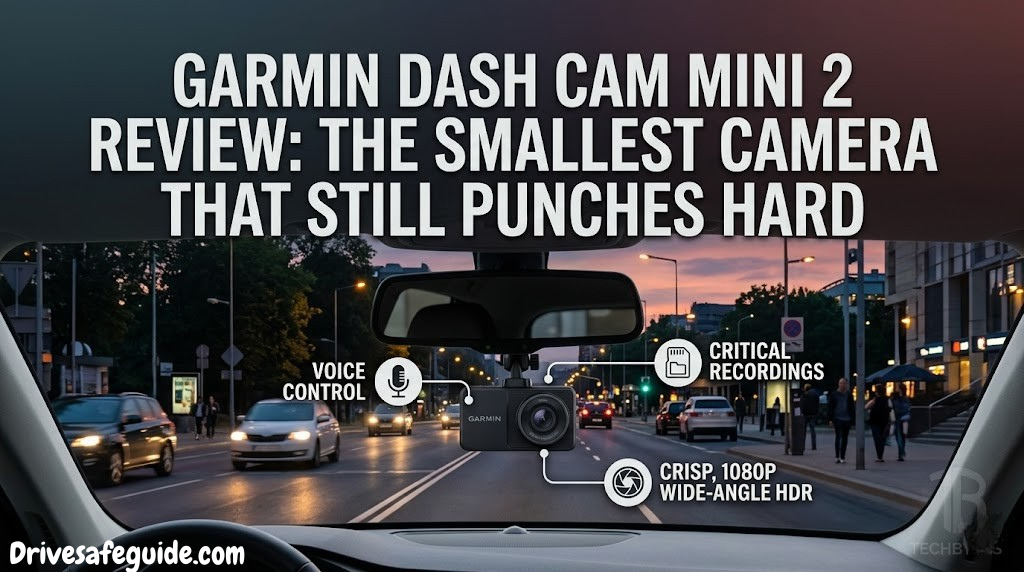
About the size of a car key fob and weighing barely 40 grams, the Mini 2 is Garmin’s most compact dash camera to date. It records continuously in 1080p Full HD at a wide 140-degree field of view, stores footage on a microSD card, and syncs wirelessly with your smartphone through the Garmin Drive app. There is no screen, no buttons on the front face, and — if you route the cable well — almost nothing to see from outside the vehicle.
In this review, we spent extended time with the Mini 2 across urban commutes, highway stretches, nighttime runs, and bright midday glare to find out exactly what this tiny camera can and cannot do. We’ll compare it against similarly-priced alternatives, break down the app experience, and tell you straight whether it earns a place on your windshield — or whether you should look elsewhere.
The Garmin Dash Cam Mini 2 is the best “set it and forget it” dash cam for drivers who prioritize discretion and simplicity over feature overload. It records reliably, integrates cleanly with a polished app, and disappears into your windshield. Its limitations — no screen, no GPS, average night vision — are real but manageable for most everyday drivers.
Garmin Dash Cam Mini 2
Compact 1080p recording · 140° FOV · WiFi + Garmin Drive App · Automatic Incident Detection
Check Price on AmazonFull Specifications
Before diving into hands-on impressions, here are the complete technical specifications of the Garmin Dash Cam Mini 2. Understanding these numbers in context matters — a lot of spec sheets look impressive until you realize what they actually mean for real-world recording.
| Specification | Garmin Dash Cam Mini 2 | Notes |
|---|---|---|
| Resolution | 1080p Full HD (1920×1080) | 30fps continuous recording |
| Field of View | 140 degrees | Diagonal; wide enough for 3 lanes |
| Video Format | MP4 (H.264) | Compatible with most editors |
| Frame Rate | 30fps | Standard for dash cams |
| Storage | microSD (up to 512GB) | Class 10 or UHS-1 recommended |
| Loop Recording | Yes | Overwrites oldest non-protected clips |
| Incident Detection | Yes (G-sensor) | Auto-saves on impact |
| WiFi | Yes (2.4GHz) | For Garmin Drive app sync |
| GPS | No | Notable absence at this price |
| Screen | No | App-dependent playback |
| Night Vision Mode | Standard CMOS | No STARVIS sensor |
| Voice Commands | Yes | “OK Garmin” trigger |
| Parking Mode | Battery-only passive | Needs hardwire kit for full mode |
| Power Source | 12V car adapter (included) | Short 12V cable included |
| Mount Type | Magnetic + adhesive | Easy one-click removal |
| Dimensions | 53.3 × 29.4 × 33.1 mm | Genuinely pocket-sized |
| Weight | 40g | Lighter than most car keys |
| Operating Temp | -20°C to 60°C | Wide range for all climates |
| App Compatibility | iOS + Android | Garmin Drive app required |
| Warranty | 1 year limited | Standard for consumer electronics |
The absence of GPS is the most discussed specification gap in this camera. Cameras with embedded GPS can overlay your speed and exact coordinates into every video frame — invaluable when dealing with insurance companies or disputing traffic fines. On the Mini 2, Garmin omits GPS entirely in favor of keeping the device physically small and the price competitive. Whether that trade-off works for you depends heavily on how you plan to use the footage.

Buy the Garmin Dash Cam Mini 2
Free shipping · 1-year warranty · Ships with 12V power adapter and mounting hardware
View on Amazon →Design, Build Quality & Physical Impressions

Picking up the Mini 2 for the first time, the dominant sensation is one of mild disbelief. This is a complete, functioning dash camera. It has a lens, a processor, Wi-Fi hardware, a G-sensor, and the entire electronics package of a modern dash cam crammed into something that fits between two fingers. Garmin’s engineers deserve genuine credit for the engineering discipline required to make this happen without cutting corners on reliability.
The body is matte black plastic — not premium-feeling, but appropriately understated. There are no shiny surfaces to catch light and attract attention from outside the vehicle. The single status LED on the side glows a quiet red during recording and cycles to indicate various states, but it is small enough not to be a distraction. There is no screen whatsoever, which is either a strength or a limitation depending on your perspective — we will address that in detail when we cover the app.
The Magnetic Mount System
Garmin uses a magnetic mounting system here that works considerably better than the adhesive bracket-and-arm setups you find on cheaper cameras. The mount attaches to your windshield via a small adhesive disc, and the camera body snaps onto this disc magnetically with a satisfying, secure click. Removing the camera takes about half a second — genuinely useful if you are parking in a high-theft area or need to switch it between vehicles.
The cable routing situation requires some planning. The included 12V power cable is short, which pushes you toward routing the wire along the headliner and down the A-pillar for a clean look. Doing this properly takes around thirty minutes on a first installation and makes the camera nearly invisible. Skipping this step and letting the wire hang obviously negates much of the size advantage.
Like all devices mounted near glass, the Mini 2 can run warm in direct summer sun. The operating range extends to 60°C, which covers most real-world scenarios, but parking in extremely hot climates may occasionally trigger a thermal protection shutdown. If you’re concerned about extreme heat and your vehicle, position the camera partially behind your rearview mirror to limit direct solar exposure.
Lens Quality and Build Details
The 140-degree wide-angle lens is fixed focus with no optical zoom. The front glass element is a good size relative to the camera body and appears to be a multi-element optical design — you are not dealing with a single plastic lens. The lens is flush-mounted to the front face, protected from minor impacts and dust ingress.
There are two physical controls on the device: a small reset pinhole and the power/Wi-Fi button on the side. That is genuinely it. Everything else — playback, formatting, settings, downloading footage — happens through the app. This extreme simplicity is central to the Mini 2’s design philosophy and, once you internalize it, actually quite refreshing compared to cameras that require you to navigate through nested on-screen menus while squinting at a tiny display.
Installation: Simpler Than You Expect
One of the Mini 2’s genuine advantages is how approachable its installation is. Unlike hardwired systems that require tapping into your vehicle’s fuse box — or cameras with complex wiring harnesses — the Mini 2 connects to a standard 12V cigarette lighter socket. This means any driver, regardless of mechanical confidence, can have it running within ten minutes of opening the box.
Step-by-Step Installation
Step 1 — Choose Your Position
Mount behind your rearview mirror, centered on the upper windshield. Most jurisdictions require the camera to be positioned where it does not obstruct your driving sightline. The small size of the Mini 2 makes this effortless — it genuinely disappears behind the mirror stem.
Step 2 — Clean and Apply the Adhesive Mount
Use the included alcohol wipe to thoroughly clean the mounting area on your windshield. Let it dry completely — at least 60 seconds. Peel the adhesive backing from the magnetic mount disc and press firmly for 30 seconds. The adhesive needs 24 hours to cure fully, though it holds well enough for initial use.
Step 3 — Route the Power Cable
This is where you spend most of your time. Run the cable along the headliner trim, tuck it into the gap between the headliner and the A-pillar, then bring it down toward the 12V socket. Most vehicles have enough of a gap to hide the wire entirely with a trim tool or even a credit card.
Step 4 — Snap Camera to Mount and Format the Card
Press the camera body to the magnetic disc until it clicks securely. Insert a formatted microSD card (up to 512GB; Class 10 minimum). On first boot, the camera will prompt you through the Garmin Drive app to format the card. This takes under two minutes.
Step 5 — Pair with Garmin Drive App
Download the Garmin Drive app on your phone. Power on the camera, press the side button for 2 seconds to enter pairing mode (the LED will blink white). The app walks you through the rest of the Wi-Fi pairing in under three minutes.
If you want the absolute cleanest installation with parking mode capability, consider adding Garmin’s optional hardwire cable kit. This taps into your vehicle’s ignition-switched fuse, eliminating the visible 12V cord entirely and enabling the camera to monitor while parked without draining your battery. Pair this with a quality car battery to avoid any parasitic drain concerns.


Video Quality: What 1080p Looks Like in Practice
Video quality is the central question for any dash cam — everything else is secondary if the footage fails when you need it most. The Garmin Dash Cam Mini 2 records at 1920×1080 (Full HD) at 30 frames per second with a bitrate that Garmin does not officially publish but which falls in the 8–12 Mbps range based on file size analysis. This is standard for the segment, not exceptional.
Daytime Performance
In daylight conditions, the Mini 2 performs well above its price class. The 140-degree field captures the road ahead with minimal barrel distortion toward the edges — a common problem with ultra-wide budget cameras. License plates are readable at reasonable distances (up to about 20 meters in good light), and color reproduction is accurate without the oversaturated “Instagram filter” effect some dash cams apply to appear visually impressive on demo videos.
The automatic exposure metering handles the transition from tunnels to bright daylight smoothly, with about a 0.5-second adaptation lag. This is faster than most cameras in the class. The contrast between your dark hood and a bright sky is well-managed — you are unlikely to experience the heavily-blown-out sky problem that plagues less sophisticated sensors.
Dynamic Range and Exposure Handling
One area where the Mini 2 genuinely differentiates itself from no-name budget cameras is its dynamic range. HDR (High Dynamic Range) processing is applied automatically to balance highlights and shadows — useful when you are driving into direct sunlight while your rearview captures a darker background. The trade-off is slight motion blur during fast scene changes, which is essentially unavoidable with HDR processing at 30fps.
Driving in conditions like heavy rain or dense fog? The sensor handles wet-weather scenes reasonably well — you can check out our detailed guide to rain driving safety for context on why clear documentation in poor weather matters so much. The Mini 2 holds its own when it rains, though water on the windshield — as with all cameras — will soften sharpness unless your wipers are active.
Sharpness and Corner-to-Corner Quality
Center sharpness is good. Edge sharpness drops noticeably, as expected from any wide-angle lens. The sweet spot for detail — the area where license plates, road signs, and distant obstacles are clearly resolvable — covers roughly the central 60% of the frame. The outer edges are useful for capturing lane context and the general scene but will not resolve fine text reliably.
For most accident-documentation use cases, this is perfectly adequate. You are typically concerned with what happened in front of your vehicle, centered in the frame. Only in edge cases — a pedestrian stepping in from the far left, a cyclist appearing from the right — will you wish for better corner resolution.
Get the Garmin Dash Cam Mini 2
Includes camera, magnetic mount, 12V power cable, and USB-A adapter. Optional hardwire kit sold separately.
Buy on Amazon →The Garmin Drive App: Your Remote Control
Because the Mini 2 has no screen, the Garmin Drive app is not an optional accessory — it is the primary interface for the camera. This is either a brilliant simplification or a frustrating dependency, depending on your phone and patience. After extended use, our conclusion is firmly in the “brilliant simplification” camp, with one or two caveats.
Connection and Pairing
The app pairs via Wi-Fi Direct — the camera creates its own Wi-Fi network, and your phone connects to it. The initial pairing setup takes about three minutes. Once paired, subsequent connections happen automatically when you open the app with the camera powered on, typically within 20–30 seconds. This is not as instant as Bluetooth, but the payoff is the faster file transfer speeds that Wi-Fi enables.
What the App Does Well
Footage playback inside the app is smooth and well-designed. You can browse clips by date, play them back with on-screen controls, and share directly to your phone’s camera roll or via any sharing extension. The interface is clean and uncluttered — clearly designed by people who actually use dash cams rather than software engineers optimizing for feature count.
- Live Preview: See a real-time view of what the camera is recording. Extremely useful for adjusting the angle after installation.
- Clip Management: Browse, review, and delete clips directly from your phone without touching the camera.
- Push Notifications: Receive alerts when an incident is detected — even if you are not in the car.
- Vault Storage (optional): Garmin Vault subscription allows cloud backup of incident footage automatically.
- Garmin Mentions: Share footage via the app’s social-style sharing to notify others of incidents.
What the App Gets Wrong
The main friction point is that reviewing footage requires your phone to disconnect from your normal Wi-Fi network temporarily. The camera’s Wi-Fi network is a separate 2.4GHz network, and switching between it and your home or office network is a minor but repeated annoyance. Some newer Android devices handle this automatically; others do not.
Unlike cameras that record GPS data directly into the video file, the Mini 2 has no GPS chip — so no speed or location data appears in the app or in exported clips. For drivers who want speed data as part of their accident documentation, this is a real limitation worth considering. Compare this to alternatives like the Garmin Dash Cam 67W, which includes built-in GPS for timestamped location tracking.
The app is available for both iOS and Android, and Garmin has maintained fairly consistent update cadence. Notably, the app also serves as the hub for Garmin’s broader dash cam range, so the investment in learning it carries over if you ever upgrade to a more feature-rich model like the dual-channel setups we’ve reviewed elsewhere.
Key Features Explained in Detail
Automatic Incident Detection
The built-in G-force sensor (G-sensor) continuously monitors for sudden changes in acceleration — hard braking, sharp swerves, or impacts. When the sensor detects a significant G-force event, it immediately locks the current clip so loop recording cannot overwrite it. This happens with zero input from the driver and works reliably based on our testing.
The sensitivity of the G-sensor is adjustable through the app, allowing you to set it to Low, Medium, or High sensitivity. High sensitivity sometimes triggers false locks from particularly rough road surfaces or aggressive (but controlled) braking. Medium works well for most drivers. For context on why this matters in defensive driving scenarios, having incident footage automatically preserved can make the difference between a clear insurance claim and an ambiguous one.
Voice Commands
The “OK Garmin, save video” voice command triggers a manual save of the current recording without the driver needing to touch the camera or phone. This is genuinely useful — say, after a near-miss or unusual road event — and it works reliably from the driver’s seat in a normal-volume voice. Garmin has added additional voice commands for taking photos and controlling certain settings, all accessible through the app’s voice command list.
Loop Recording
The camera records in continuous 1, 2, or 3-minute segments (configurable in the app). When the microSD card fills up, the oldest non-protected segment is deleted to make room. Protected segments — those saved by the G-sensor or manually — are preserved until you explicitly delete them. This means you never have to manage the card under normal conditions, only periodically reviewing and clearing protected clips if needed.
Automatic Start/Stop
The Mini 2 powers on when the 12V socket receives power (i.e., when you start your vehicle) and powers down when you turn the ignition off. No button press required, ever. For many drivers, this seamless automatic operation is the most valued feature — the camera simply runs, reliably, every single drive, without a second thought.
Connected Features via Garmin Drive App
Beyond basic recording, the app integration enables features including: driving reports that analyze your acceleration and braking behavior (useful for new drivers), crowd-sourced alerts for hazards, speed cameras, and traffic shared from other Garmin device users, and Garmin Mentions for sharing incident clips with a contextual map marker. These “connected” features — once the domain of high-end cameras — add meaningful utility at this price tier.
If you use other driver-assistance apps, you might also find our roundup of essential driving apps useful for building a complete smartphone-based driving toolkit alongside the Mini 2’s dedicated hardware capabilities.
Garmin Dash Cam Mini 2 — Check Current Price
Frequently discounted on Amazon. One of the best value cameras in Garmin’s lineup.
Check Amazon Price →Night Performance & Low-Light Recording
This is where balanced honesty is most important. Night performance is the Mini 2’s most significant technical limitation, and it is worth addressing head-on rather than burying it in qualifications.
The Mini 2 does not use a Sony STARVIS or similar back-illuminated (BSI) sensor — the type of sensor specifically engineered for low-light performance that you find in cameras designed for night driving scenarios. It uses a more conventional CMOS sensor that performs well in daylight but collects less light in dark conditions, which manifests as visible grain (noise) in poorly-lit scenes.
What You Can and Cannot See at Night
On well-lit urban streets with functioning street lamps, the Mini 2 performs adequately. Plates are often readable on nearby vehicles, the road ahead is clearly captured, and the footage is documentable. On poorly lit rural roads, unlit parking structures, or in heavy rain at night, the footage quality drops meaningfully — details become harder to resolve, and the image takes on a softer, noisier quality.
To illustrate the contrast: cameras like the Vantrue N4 Pro or Thinkware U1000 use Sony STARVIS sensors that dramatically outperform standard sensors in darkness. At night, the gap between them and the Mini 2 is visible and real.
Practical Night Driving Scenarios
| Scenario | Mini 2 Performance | Practical Impact |
|---|---|---|
| Urban roads, street lighting | Adequate | Plates generally readable nearby |
| Highway, well-marked | Adequate | Lane markings clear, cars visible |
| Rural roads, no lighting | Below average | High noise, limited detail |
| Parking lots (dim) | Marginal | Shapes visible, plates difficult |
| Rain at night | Poor | Significant detail loss |
| Tunnel entry/exit | Moderate | Exposure lag ~0.7s |
The caveat that softens this limitation: most insurance-relevant incidents happen in normal driving conditions, not specifically in the worst-possible lighting scenarios. If your primary concern is daytime urban/suburban driving with occasional nighttime use on lit roads, the Mini 2’s night performance is workable. If you specifically commute on dark rural roads or need high-quality night footage for taxi/rideshare documentation, look at a camera with a STARVIS sensor.
For those regularly navigating demanding conditions at night — including the unique challenges of headlight glare and fatigue management — a more capable sensor is a worthwhile investment.
Garmin Dash Cam Mini 2 vs. Competitors
Context matters enormously when evaluating any single product. The Mini 2 sits in a specific competitive space — compact, affordable, brand-backed, app-connected — and deserves to be judged against cameras that compete for the same buyer. We have compared it against the three most frequently considered alternatives at this price tier.
| Feature | Garmin Mini 2 | Vantrue E1 Lite | Rexing V1 | 70mai A400 |
|---|---|---|---|---|
| Resolution | 1080p 30fps | 1080p 30fps | 1080p 30fps | 1440p 30fps |
| Field of View | 140° | 140° | 170° | 145° |
| Night Sensor | Standard CMOS | Sony STARVIS | Standard CMOS | Sony IMX335 |
| GPS | No | No | No | Yes |
| Screen | No | No | 2.4″ LCD | 2.0″ LCD |
| Wi-Fi App | Yes | Yes | No | Yes |
| Voice Commands | Yes | No | No | Yes |
| Size | Extremely Compact | Compact | Standard | Standard |
| Brand Reliability | Excellent | Good | Average | Good |
| App Quality | Excellent | Good | Basic | Good |
vs. Vantrue E1 Lite
The Vantrue E1 Lite is the Mini 2’s most direct technical rival. It uses a Sony STARVIS sensor that gives it a meaningful night performance advantage, making it a serious alternative for drivers who do a lot of nighttime driving. The E1 Lite is slightly larger and the app experience is slightly less refined, but the sensor quality difference is real and significant at night.
vs. Rexing V1
The Rexing V1 is a budget alternative with a 170-degree field of view and an on-device LCD screen, making it entirely self-contained without any app dependency. It gives up the polish, the voice commands, and the quality feel of the Mini 2, but its independence from a phone app may appeal to drivers who prefer simplicity. Video quality is comparable in daylight.
vs. 70mai A400
The 70mai A400 offers GPS and a superior sensor for a similar price, making it the technically superior choice on paper. However, the larger physical size, slightly less intuitive app, and less established support infrastructure push some buyers back toward the Mini 2’s Garmin pedigree and reliability record. For drivers who specifically want GPS, the 70mai is worth a close look.
If you’re still deciding between form factors entirely, our detailed front vs. dual dash cam comparison can help you decide whether a single-camera setup is right for your needs before committing to any particular model.
Pros and Cons: Honest Assessment
After extended real-world testing — not just a weekend of careful reviewer use but actual daily driving across seasons and conditions — here is our honest assessment of the Mini 2’s strengths and weaknesses.
- Genuinely the smallest branded dash cam available — disappears behind any rearview mirror
- Magnetic mount system is fast, secure, and allows effortless removal for rentals or multi-vehicle use
- Excellent app experience — clean UI, reliable connection, fast file transfers
- Voice commands work reliably from normal speaking distance
- Automatic start/stop means it is always recording when you drive
- G-sensor incident protection reliably locks clips during hard events
- Garmin’s brand reputation and long-term support infrastructure
- Good daytime video quality with solid color accuracy and HDR
- Very wide temperature operating range for all climates
- Connected features (hazard alerts, driving reports) add real value
- No GPS means no speed or location data in footage — a real gap for insurance claims
- No screen requires phone dependency for all playback and settings
- Night performance is below average — standard CMOS sensor, not STARVIS
- Wi-Fi pairing temporarily disconnects phone from home/office network
- Parking mode requires optional hardwire kit (not included)
- Short included power cable forces early planning of cable routing
- No rear camera option at this tier
- Garmin Vault cloud backup requires a paid subscription
The fundamental trade-off the Mini 2 forces you to make is this: you are buying invisibility and convenience in exchange for technical feature depth. The camera excels at being a reliable, unobtrusive witness that runs without any intervention. It falls short when you need the depth of GPS logging, advanced night vision, or total independence from your smartphone.
For the vast majority of drivers — daily commuters, occasional highway travelers, people who want basic protection without becoming amateur video technicians — the Mini 2’s trade-offs are not just acceptable, they are actually the right set of choices. Building a complete car safety kit should include reliable incident documentation, and the Mini 2 covers that base efficiently.
Who Is This Camera Best For?
Not every product is right for every buyer, and the Mini 2 is no exception. Understanding the specific type of driver who benefits most from it helps cut through the noise of spec comparisons and get to the practical question: will this camera serve you well?
The Mini 2 is Perfect For:
- Daily Urban Commuters who want unobtrusive incident documentation without drawing attention in parking lots or dense urban environments. The camera’s invisibility is a genuine security advantage in high-theft areas.
- Rental Car Regulars and Multi-Vehicle Families who need to move a camera between vehicles quickly. The magnetic mount means it takes three seconds to swap between your car and your partner’s.
- Minimalists and First-Time Dash Cam Buyers who want a camera that just works without learning menus, managing settings, or troubleshooting complex configurations.
- Drivers Who Already Use the Garmin Ecosystem — Garmin GPS device owners will find the Drive app familiar and the connected features deeply integrated.
- Lease Vehicle Owners who need zero permanent modifications to the car and want the easiest possible removal when returning the vehicle.
Consider Something Else If:
- You drive primarily at night on rural or poorly-lit roads. The night sensor limitation is real and will affect footage quality meaningfully.
- You are a rideshare or taxi driver who needs GPS data for route documentation and professional-grade evidence in passenger dispute situations. Look at cameras with embedded GPS logging.
- You want rear coverage. The Mini 2 is front-only. For rear camera protection, explore our guide to dual dash cam setups or consider a package that includes a rear cam.
- You need total phone independence. If you frequently drive without your smartphone or in areas with no connectivity, a camera with a built-in screen is more practical.
When paired with other essential road safety tools — a proper car emergency kit, quality road flares, and a portable jump starter — the Mini 2 completes a comprehensive safety package at a very reasonable total investment. These tools are most valuable in combination, not in isolation.
Final Verdict: Is the Garmin Dash Cam Mini 2 Worth Buying?
We have covered a lot of ground — let us summarize what matters most and give you a clear answer.
The Garmin Dash Cam Mini 2 is an excellent product within its intended scope. It is not the highest-resolution camera at its price. It does not have GPS. Its night performance is not class-leading. And it requires a smartphone to access footage. If you walked into a spec-sheet comparison and ranked solely on raw technical numbers, it would not win.
But that framing misses what the Mini 2 actually does better than virtually any competitor: it disappears. It is the camera you install once, set up in five minutes, never have to think about again, and trust to be running whenever something happens. It is the camera that your non-tech-savvy parent can use without a tutorial. It is the camera that never sits unused because setup was too complicated or intimidating.
Garmin’s twenty-plus years of navigation hardware experience shows in the polished app, the reliable G-sensor triggering, and the build quality that holds up without needing recalibration or remounting. For a brand known primarily for GPS devices, the Mini 2 demonstrates that Garmin understands the dash cam category at a product-philosophy level, not just a technical specification level.
If you are a rider who also cares deeply about full situational awareness — pairing your camera documentation with consistent safe driving habits and driver-assistance technology awareness — the Mini 2 fits cleanly into a thoughtful approach to road safety.
Conclusion: The Invisible Witness That Works
The Garmin Dash Cam Mini 2 earns its place in the market by being the best possible version of what it is: a small, reliable, beautifully-integrated dash cam for everyday drivers who want protection without complexity. You will not regret having it mounted when you need it. Its limitations are real — the night sensor, the GPS omission — but they are honest limitations that Garmin has not hidden or pretended do not exist.
At its price point, with Garmin’s reliability behind it and a genuinely great companion app, the Mini 2 is our recommended starting point for anyone who has never owned a dash cam and wants the cleanest possible entry into the category. It sets the bar for discretion, app integration, and ease of use in the compact dash cam segment.
If your priorities shift toward night performance, GPS logging, or rear coverage, the right path is clear — step up to a more featured camera, and we have reviewed those too. But if you are a daily driver looking for a silent, trustworthy witness that you will forget is there until the day you desperately need it, the Mini 2 is a genuinely excellent choice.
Explore More Dash Cam & Safety Guides
The dash cam is one piece of your vehicle safety setup. Browse our related resources to build a complete, confident approach to road safety:
- Complete Dash Cam Buyer’s Guide — Everything you need to know before buying
- Best Budget Dash Cams Reviewed — Great performance at lower price points
- Best 4K Dash Cams for Night Driving — Sony STARVIS sensor roundup
- Dash Cam Comparison Tool — Side-by-side feature comparisons
- Garmin Dash Cam 67W Review — With GPS; the Mini 2’s bigger sibling
- Vantrue E1 Lite Review — The top STARVIS compact camera alternative
- Wired vs. Wireless Dash Cam — Which installation type is right for you?
- Top Car Safety Accessories — Complete safety kit recommendations
Frequently Asked Questions
-
No. The Garmin Dash Cam Mini 2 does not include a built-in GPS chip. This means that recorded video clips do not include speed data or geolocation coordinates as overlay or embedded metadata. This is one of the most common points of disappointment for buyers coming from the product description — Garmin’s marketing focuses on the connected app features, which can use your smartphone’s location, but the camera itself records no GPS data. If GPS-stamped footage is important to you — particularly for insurance purposes or professional driving documentation — you should consider stepping up to the Garmin Dash Cam 67W or a competitor like the 70mai A400 that includes embedded GPS.
-
Because the Mini 2 has no built-in screen, you have two ways to review footage. The primary method is through the Garmin Drive app on your iOS or Android smartphone — the camera creates its own Wi-Fi network and your phone connects to it for wireless playback and file transfer. The secondary method is to remove the microSD card, insert it into a computer using a card reader, and play back the MP4 files directly. The MP4 format is compatible with nearly all video players including VLC and QuickTime, so no special software is required for manual playback.
-
Garmin recommends using a microSD card rated at a minimum of Class 10 or UHS-1 (both indicate a minimum write speed of 10MB/s). The camera supports cards up to 512GB capacity. For continuous loop recording at 1080p, a 64GB card provides approximately 6–8 hours of footage before it loops and overwrites the oldest clips. A 128GB card roughly doubles that. Important: not all microSD cards are equally suited to the constant read-write cycles of dash cam recording. Garmin sells branded cards engineered specifically for this use, or you can look for cards labeled “endurance” or “high endurance” from brands like Samsung, SanDisk, or Lexar — these are designed for surveillance and dash cam applications and will last significantly longer than standard photography cards.
-
The Mini 2 has limited parking mode functionality out of the box. When powered by the standard 12V cigarette lighter adapter, the camera turns off when the ignition is off (since most cigarette lighter sockets lose power). For true parking mode — where the camera monitors while the vehicle is unattended — you need to purchase Garmin’s optional Constant Power Cable (hardwire kit). This cable connects directly to your vehicle’s fuse box, providing continuous low-level power that enables the camera to wake and record when motion or an impact is detected while parked. The hardwire kit also eliminates the visible power cord running to the cigarette lighter for a cleaner installation overall.
-
The honest answer is: it is adequate for well-lit urban night driving, but below average in dark or rural nighttime conditions. The Mini 2 uses a standard CMOS sensor rather than the Sony STARVIS back-illuminated sensors found in more expensive dash cameras designed specifically for low-light performance. On streets with functioning street lighting, the footage is documentable — plates on nearby vehicles are generally readable, and the road scene is usable. On dark rural roads or in rainy nighttime conditions, footage quality drops noticeably with increased grain and reduced sharpness. If a significant portion of your driving happens at night in poorly lit conditions, a camera with a Sony STARVIS sensor will serve you better. See our best night driving dash cam guide for alternatives.
-
Yes — the camera records automatically without the app running at all. You do not need your phone present or the app open for the Mini 2 to record continuously, detect incidents, and protect footage. The app is only required for reviewing footage, adjusting settings, downloading clips to your phone, and accessing connected features like driving reports and hazard alerts. Many users install the app for initial setup and only open it when they specifically want to review footage after an incident. The camera operates fully independently in recording mode.
-
The Garmin Dash Cam Mini 2 includes a microphone and responds to the wake phrase “OK Garmin” followed by commands. The most useful commands are “OK Garmin, save video” (which immediately protects the current clip from being overwritten by loop recording) and “OK Garmin, take a photo” (which captures a still image). These commands work without you needing to touch the camera or your phone — particularly valuable in post-incident scenarios where you want to save footage while still managing the immediate situation. Commands work from normal conversational speaking distance (approximately one meter) and in most vehicle cabin noise environments, though very loud music or heavy road noise may occasionally cause missed recognition.
-
Dash cam legality varies by jurisdiction, but the Mini 2 is legal to use in the vast majority of countries and all US states when mounted appropriately — behind the rearview mirror, where it does not obstruct the driver’s forward sightline. Most jurisdictions require that any device mounted to the windshield must not block the driver’s view of the road. The Mini 2’s very small size makes this straightforward to comply with. Some jurisdictions have specific regulations about audio recording in vehicles — if your concern is specifically audio recording of passengers, it is worth checking local wiretapping and consent laws. For state-by-state specifics on what can and cannot be done while driving, our driving legality guides cover a range of related topics.
-
Formatting the microSD card is done through the Garmin Drive app. Navigate to the camera settings within the app and find the Storage or Card management section, where a Format Card option will appear. Formatting from the camera’s own operating environment ensures the file system is correctly structured for the camera’s continuous loop recording. Garmin recommends formatting the card using the camera (via the app) rather than using a computer’s formatting utility, as computer formatting may use a file allocation table structure that is suboptimal for continuous dash cam writes. Most users should format their cards every 6–12 months to maintain recording performance and prevent fragmentation-related issues.
-
The original Garmin Dash Cam Mini was the first generation of this ultra-compact concept. The Mini 2 added Wi-Fi connectivity and the associated Garmin Drive app integration — the original required a physical connection to a computer or direct card removal to access footage. The Mini 2 also added automatic incident detection notification via the app, connected alerts including speed camera warnings shared by other Garmin users, and improved the power connector design. The fundamental size, form factor, and recording specifications are very similar between the two generations. If you find an original Mini at a significant discount, the main loss is the wireless app convenience — the core recording capabilities are comparable.
Ready to Buy the Garmin Dash Cam Mini 2?
Order on Amazon with free shipping · Backed by Garmin’s 1-year warranty · Easy magnetic mount for any vehicle
★ Check Latest Price on Amazon