

Matchbox-sized, magnet-mounted, and built around one very wide lens.
Garmin’s dash cam lineup has quietly become one of the most consistent in the category, and the 67W sits at the top of it. It’s the widest-angle model Garmin currently sells, trading peak resolution for a 180-degree field of view most single-lens cameras can’t match, then backing that up with voice control, GPS-stamped footage, and a set of connected features that work through the Garmin Drive app. This review covers what it’s actually like to live with day to day, not just the spec sheet — where the wide lens genuinely helps, where the lack of a rear camera hurts, and whether the connected extras are worth the trade-offs that come with needing Wi-Fi.
A compact, feature-rich single-lens dash cam — as long as you don’t need rear coverage
Sharp 1440p HDR footage, a genuinely useful 180° lens, and voice control that actually works make this one of the easier dash cams to recommend for daily commuters. The main catch: it’s front-only, and the best extras need Wi-Fi.
- 1440p HDR, up to 60fps
- 180° diagonal field of view
- Voice control, 6 languages
- Built-in GPS + G-sensor
- Vault cloud backup via Wi-Fi
- No rear or cabin camera
What’s in the Box & First Impressions
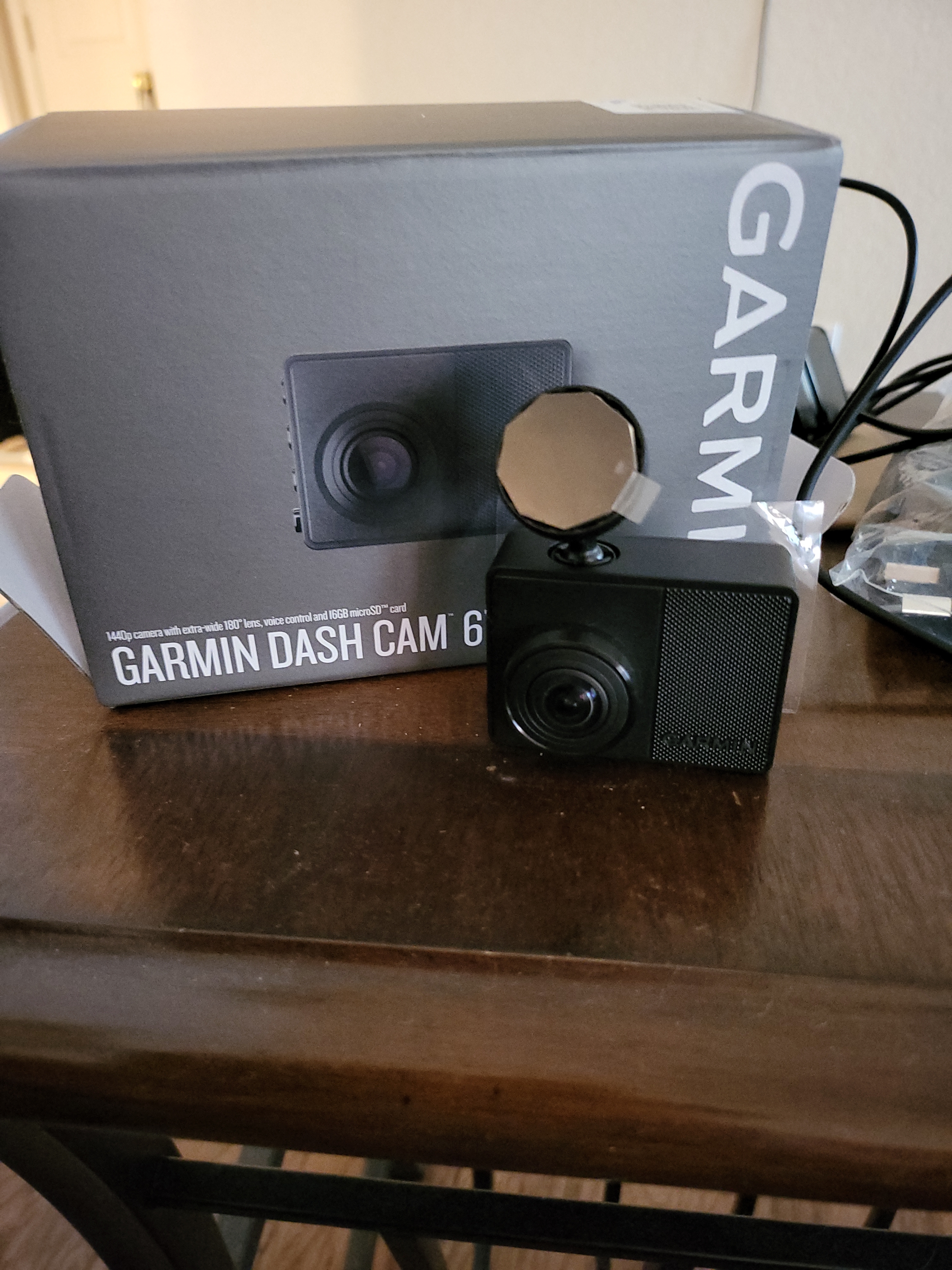
The 67W ships with the camera itself, a pre-installed 16GB microSD card, a low-profile magnetic mount, a vehicle power cable, a dual-USB power adapter, and basic documentation. There’s no case or pouch, which is fine given how small the unit actually is — at roughly 2.2 by 1.6 by 0.86 inches and about two ounces, it’s genuinely pocket-sized, closer to a matchbox than to the bulkier touchscreen dash cams you might be picturing.

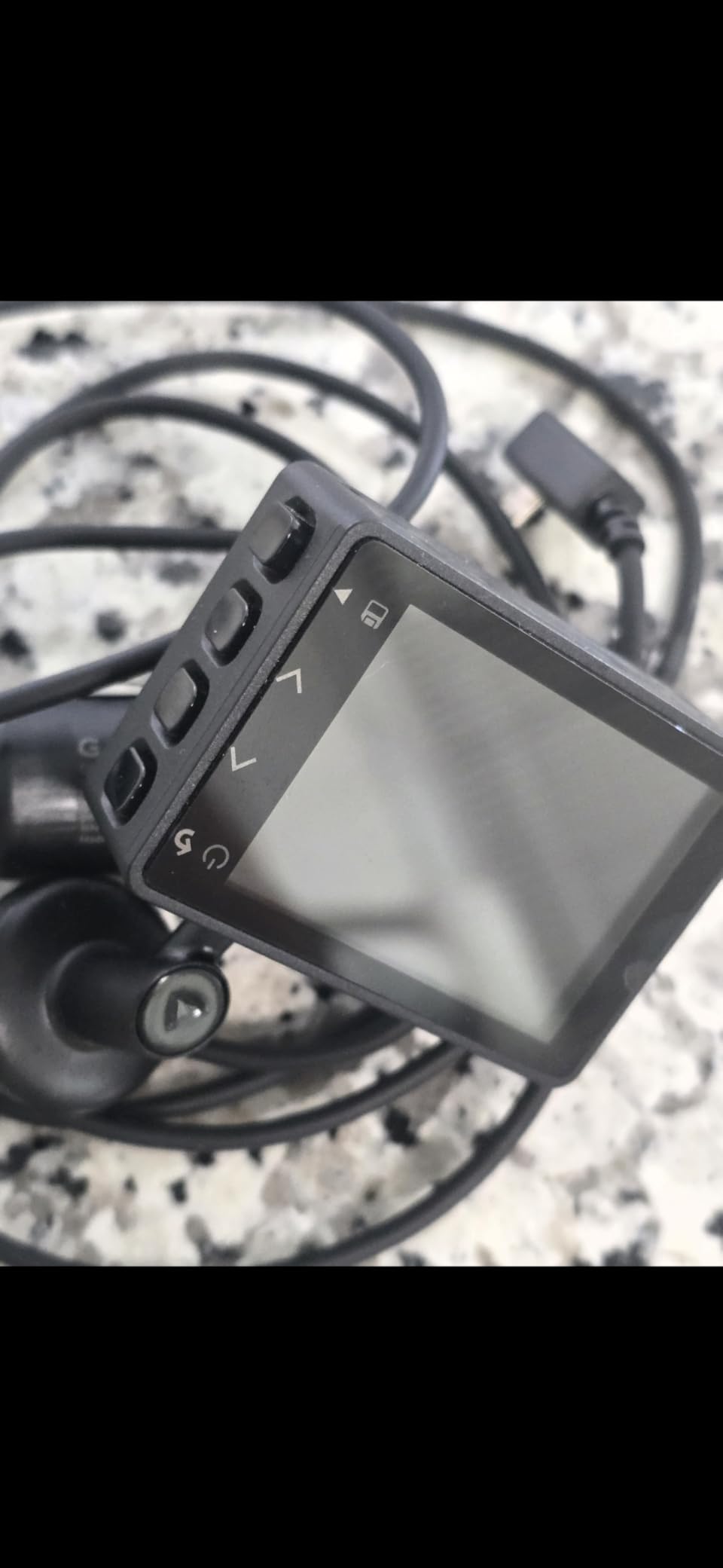
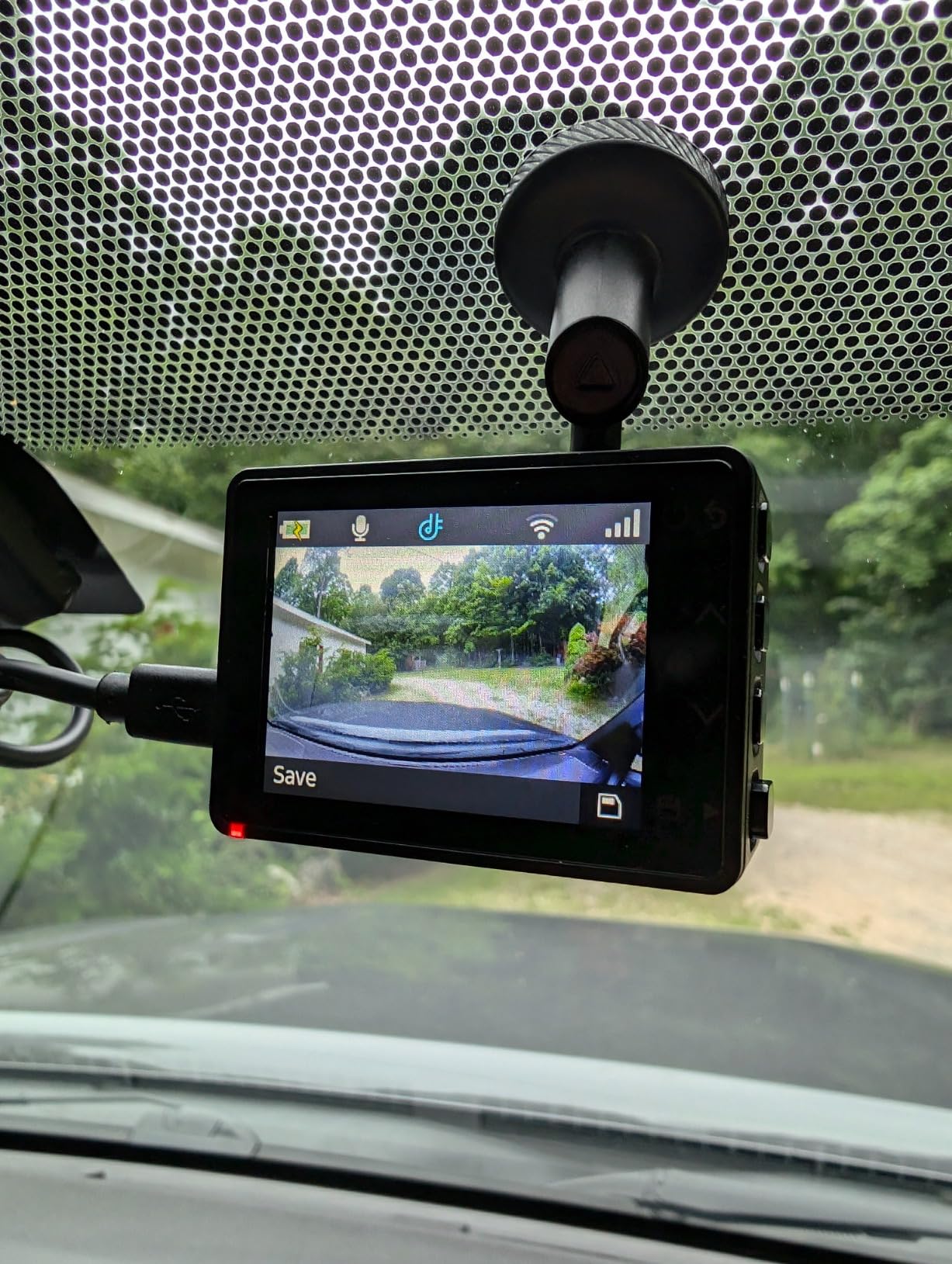
Build quality feels appropriately serious for something that’s going to bake on a windshield through summer and freeze through winter: matte black plastic, a small 2-inch color display on the back, and just two physical buttons plus a touch-sensitive settings menu. The included 16GB card is enough to get started, but realistically worth upgrading — the camera supports cards up to 512GB, and a bigger card means far more loop-recording history before old footage gets overwritten.
The 180° Lens Explained
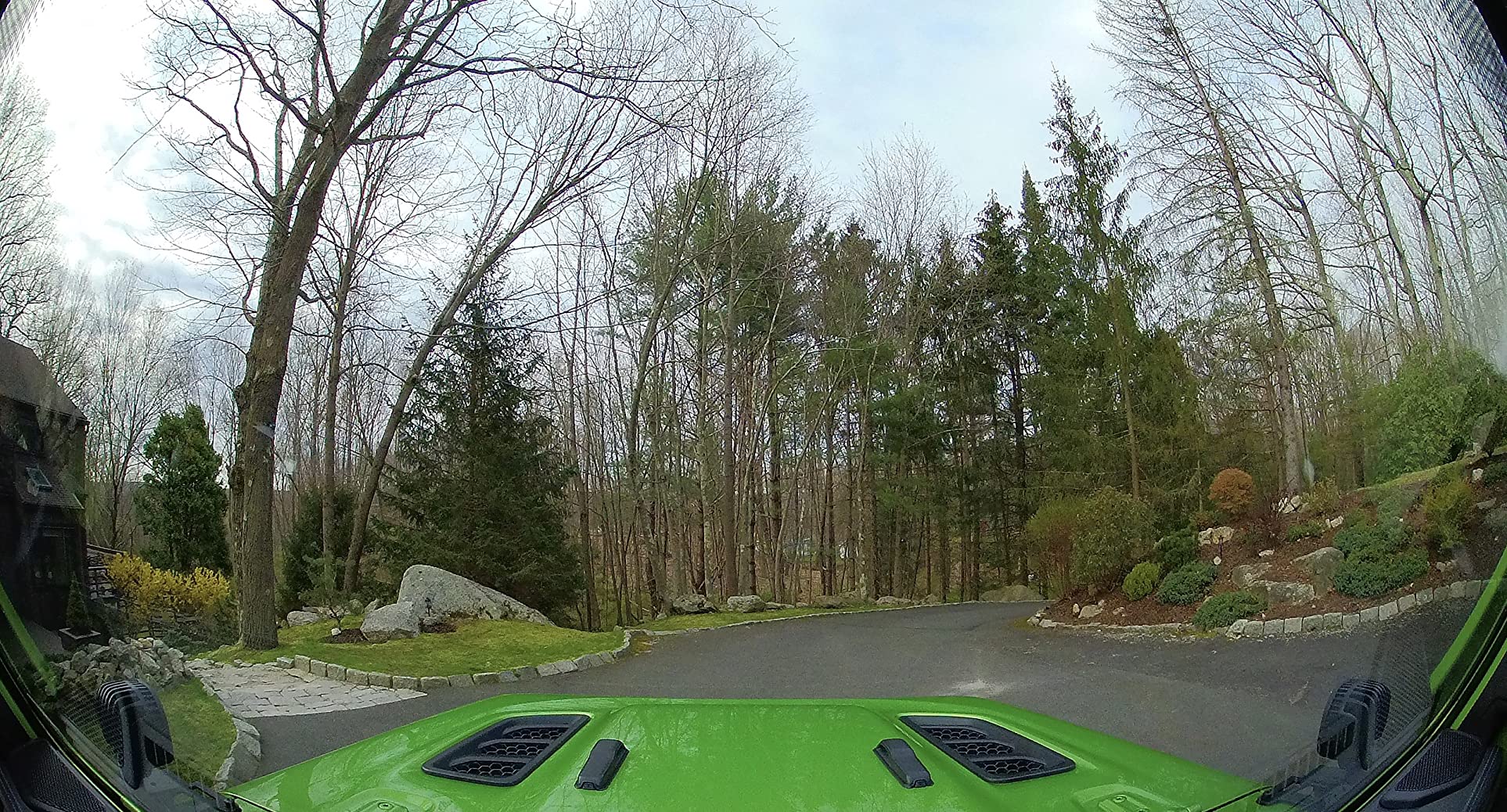
The number that sets the 67W apart from most of Garmin’s own lineup — and from most rival dash cams — is its 180-degree diagonal field of view. For comparison, most competing single-lens dash cams sit in the 140-to-160-degree range. That extra width matters more than it sounds like on paper.
In practice, the wider arc means the camera can catch a car merging into your lane from further off to the side, or a pedestrian stepping off a curb near the edge of the frame — footage a narrower lens would simply miss. The trade-off is mild fisheye distortion at the outer edges, which is normal for any lens this wide and doesn’t meaningfully hurt clarity where it counts: dead center, where license plates and following vehicles actually appear.

Garmin Dash Cam 67W
1440p HDR, 180° lens, voice control, and GPS in a body small enough to disappear behind your mirror.
Check Price on AmazonVideo Quality: Day, Night & HDR
The 67W records at 1440p, capped a step below the 4K resolution some newer rivals now offer, running up to 60 frames per second. Garmin pairs that with what it calls Clarity HDR processing, which balances bright and dark areas of the same frame — useful for the exact moments dash cam footage matters most, like driving straight into low sun or pulling out of a shaded garage into bright daylight.
Daytime footage
In good light, footage is sharp enough to read most license plates at a normal following distance, and color reproduction stays accurate rather than oversaturated. Motion blur at highway speed is well controlled, which matters more than raw resolution when the goal is usable evidence rather than a demo reel.
Nighttime and low light
HDR processing earns its keep after dark, holding detail in headlight glare instead of blowing it out to a white blob. It won’t match a dedicated low-light sensor built for total darkness, but for typical street lighting and highway conditions it’s genuinely usable — a meaningful step up from budget dash cams that turn every night clip into grain.
Context matters: footage quality alone isn’t the whole safety picture. Pairing a dash cam with genuinely good night driving habits does more to prevent an incident than any camera can do to document one after the fact.
Voice Control & Everyday Usability
Voice control is available in English, German, French, Spanish, Italian, and Swedish, and it’s one of the features that actually gets used daily rather than forgotten after setup. Saying a short wake phrase followed by a command saves a clip, snaps a photo, or toggles audio recording without ever taking a hand off the wheel — which matters, since fumbling with buttons while driving defeats the point of a hands-free safety device.
Recognition held up reliably in normal cabin noise, including with windows cracked and music playing at a moderate volume. The camera also has its own 2-inch display and two physical buttons on the body, so day-to-day use never strictly requires the phone app or a spoken command — a nice fallback for anyone who’d rather not talk to their dashboard.
GPS, Driver Alerts & Speed Camera Warnings
A built-in GPS receiver stamps every saved clip with location, time, and speed, which is exactly the kind of detail that turns “there was a crash” into evidence an insurance adjuster or police report can actually use. Combined with the G-sensor, the camera automatically flags and locks footage around sudden impacts so it can’t be overwritten by loop recording before you’ve had a chance to save it.
On top of pure recording, the 67W layers in driver assistance alerts: forward collision warnings, lane departure warnings, a “go” alert that flags when the vehicle ahead has started moving and you haven’t noticed, and location-based warnings for known red light and speed camera zones. These lean on GPS and onboard camera data rather than radar, so they’re a helpful nudge rather than a guarantee — treat them the same way you’d treat any driver-assist feature, as a backup to good habits like maintaining safe following distance, not a replacement for them.
Speed and red light camera location databases vary by region, and where radar and camera detection devices are legal also varies by state, so it’s worth checking local rules before leaning on this feature too heavily.
Connected Features: Wi-Fi, Vault Storage & Live View
This is where the 67W separates itself from cheaper Garmin models. Once the camera connects to a trusted Wi-Fi network, saved incident clips automatically upload to Garmin’s online Vault, where they’re held for a set window at no cost — long enough to retrieve them later even if something happens to the physical card. Longer retention and larger storage require a separate paid plan through the Garmin Drive app.
Live View is the other headline feature: with the camera on constant power and connected to Wi-Fi, you can open the Garmin Drive app from anywhere and see a real-time feed of what’s happening around your parked car. It’s a genuinely useful peace-of-mind feature for street parking, but it comes with real caveats — it needs continuous power (draining a parked car’s battery over time without a hardwire kit) and a Wi-Fi connection the camera can reach while parked, which isn’t guaranteed on every street or in every driveway.
What it doesn’t have
Unlike some rivals, there’s no built-in cellular/LTE connection, so Live View and Vault uploads only work within range of a Wi-Fi network you’ve already configured — there’s no cloud access from a random parking spot with no Wi-Fi nearby.
High-Endurance 128GB microSD Card
The included 16GB card fills up fast on loop recording — a larger, dash-cam-rated card buys weeks instead of hours of history.
Check Price on AmazonParking Guard & Power Options
Parking Guard uses the built-in accelerometer to monitor for bumps or nearby motion while the vehicle is parked and powered off, waking the camera to record and alert you if something triggers it. This runs off the internal battery, which is rated for roughly 30 minutes — plenty to capture a brief incident like a shopping-cart ding or a fender bump, but not a substitute for 24-hour surveillance the way a hardwired setup with a much larger battery buffer would provide.
For drivers who want genuine round-the-clock parking coverage, a hardwire kit that taps the vehicle’s own battery (sold separately, and typically installed alongside a low-voltage cutoff to avoid draining the car) is the more realistic long-term option than relying on the camera’s internal battery alone.
Installation & App Setup

Installation is genuinely one of the easier setups in the category. A coin-sized adhesive magnet sticks to the windshield once, and the camera then snaps on and off that magnet in a couple of seconds — no re-gluing every time you want to remove it for a software update or to move it between cars. A second adhesive magnet is included, which is a thoughtful touch if you own two vehicles.
App setup through Garmin Drive walks through Wi-Fi pairing, voice language selection, and alert preferences in a few short screens. Because the camera can also be configured entirely from its own rear display, you’re never forced into the app — a nice contrast to dash cams that require a phone for basic functions. If you plan to run navigation or a phone mount alongside the camera, see our guide to safe phone mount placement so the two devices don’t compete for the same patch of windshield.
How It Compares to Other Dash Cams
The 67W’s closest comparison is within Garmin’s own lineup, but it’s worth seeing it against a couple of well-known rivals too. See our full dashcam comparison hub and best dash cam guide for a wider field.
| Model | Resolution | Field of View | Channels | Standout Feature |
|---|---|---|---|---|
| Garmin Dash Cam 67W | 1440p | 180° | Single | Widest lens + voice control + Vault cloud backup |
| Garmin Dash Cam Mini 2 | 1080p | 140° | Single | Smaller, cheaper, easier to hide |
| Nextbase 622GW | 4K | 140° | Single (add-on modules) | Built-in Alexa + polarizing filter |
| Vantrue N4 Pro | 4K front / 1080p rear+cabin | 155–165° | Triple | Full front, rear & cabin coverage |
The pattern is straightforward: the 67W wins on lens width, compactness, and voice control; the Nextbase wins on raw resolution; and the Vantrue wins if you specifically need to cover the cabin and rear of the vehicle too, at the cost of a much bulkier install. If you’re cross-shopping resolution specifically, our 4K vs. 1080p dash cam breakdown and front vs. dual dash cam guide go deeper on those trade-offs.
Pros, Cons & Who Should Buy It
What We Liked
- Genuinely wide 180° lens that catches more of a scene than typical rivals
- Sharp, HDR-balanced footage in mixed lighting
- Voice control that’s fast, accurate, and actually convenient
- Tiny, discreet body with a smart magnetic mount
- Works fully standalone without a phone
What Held It Back
- Front-only — no rear or cabin camera option at all
- 1440p resolution trails 4K rivals on paper
- Live View and cloud backup both require Wi-Fi, not cellular
- Internal battery is short-lived without a hardwire kit
- Extended cloud storage requires a paid plan
The 67W is the right pick for a driver who wants one high-quality forward-facing camera, values a discreet install and voice control over touchscreen menus, and doesn’t need eyes on the back seat or rear window. Rideshare drivers, parents monitoring a teen’s car, or anyone specifically wanting rear coverage will get more mileage out of a multi-channel setup like the Vantrue N4 Pro instead.
Fitting a Dash Cam Into a Bigger Safety Routine
A dash cam is evidence after the fact — it doesn’t replace the habits that keep you out of trouble in the first place. A few ways to get more real value out of owning one:
- Pair it with defensive driving habits. Footage is far more useful when you were driving well in the first place. Our defensive driving habits guide covers the fundamentals worth building into every drive.
- Know what to do if the footage shows a serious failure. If your dash cam ever captures a brake or steering failure, our brake failure emergency procedures guide walks through the right response in the moment, not just after.
- Don’t let a mounted camera create a blind spot of its own. Position it high and centered near the mirror, and double-check it isn’t blocking the view your phone mount or rearview mirror needs.
- Back it up with a roadside kit. A camera documents an incident; it doesn’t help you through one. Keep a basic emergency kit in the car alongside it.
- Check your local laws on camera placement and windshield obstructions. Rules on what can be mounted where vary by state — our guide on windshield-related driving laws is a useful adjacent read.
If you’re building out a fuller safety setup, our OBD2 scan tool guide and blind spot monitoring systems overview pair well with a dash cam as part of a layered approach — one watches the road, the others watch the car and the spots your mirrors can’t reach.
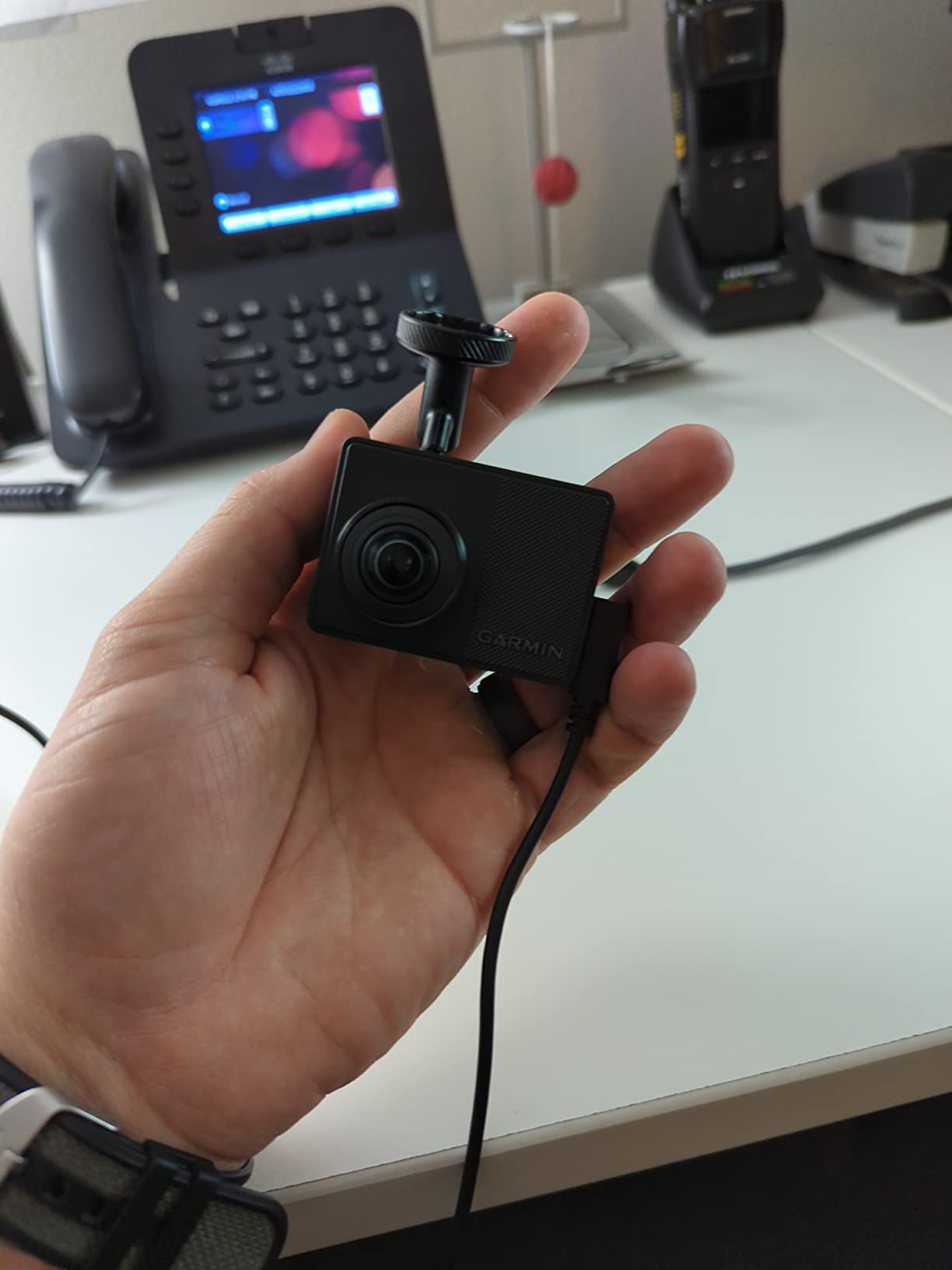
Garmin Dash Cam 67W
If a compact, single-lens dash cam with real extras is what you’re after, this is the one we’d point most commuters toward.
Check Price on AmazonFrequently Asked Questions
No. The 67W tops out at 1440p, which is sharper than standard 1080p but a step below the 4K resolution offered by some rivals. In exchange, it uses that processing headroom for HDR clarity and a wider 180-degree lens rather than pure pixel count.
It’s a single-channel, front-facing dash cam only. There’s no rear or cabin camera option in this model, which is the main trade-off for its compact, matchbox-sized body.
No, core recording works with no connectivity at all. Wi-Fi is only required for the connected extras — uploading clips to Vault cloud storage, using Live View to check on a parked car remotely, and adjusting settings through the Garmin Drive app.
The built-in battery is designed for roughly 30 minutes of runtime, which is enough to save an incident clip after the car is turned off — it’s not meant to power all-day standalone recording.
There’s mild fisheye-style bending toward the far edges of the frame, which is typical of any lens this wide. It doesn’t meaningfully affect license plate or object clarity in the center and near-center of the frame, where it matters most.
A basic amount of cloud storage for saved incident clips is included at no cost, with clips held for a limited window. Extending retention time or storage capacity requires a separate paid plan through the Garmin Drive app.
Yes. The camera has its own screen and physical controls, so you can change settings and review clips without ever pairing a phone. The app is only needed for voice-free setup convenience and the connected features.
It can provide alerts for known red light and speed camera locations using its onboard database, alongside forward collision and lane departure warnings. Availability and accuracy vary by region and how current the camera’s alert database is.
The Mini 2 is smaller, cheaper, and easier to hide, but uses a narrower 140-degree lens and drops some of the 67W’s extras. The 67W is the better pick if the wider field of view and voice control matter to you; the Mini 2 makes more sense if discretion and price are the priority.
For drivers who want a compact, easy-to-install single-channel dash cam with genuinely useful extras — voice control, GPS-stamped footage, and remote monitoring — it holds up well. Drivers who specifically need rear or cabin coverage should look at a multi-channel model instead.
Final Verdict
The Garmin Dash Cam 67W does exactly what it sets out to do: capture a wide, clear, GPS-stamped record of your drive in a body small enough to forget is even there. The 180-degree lens is the real differentiator, voice control is more than a gimmick, and the connected features add genuine value once you accept their Wi-Fi-only limits. Its one real gap — no rear or cabin camera — is a deliberate trade-off for size and simplicity, not an oversight, and it’s the right call for most single-driver commuter use.
Looking at other options first? Our best dash cams for night driving and best budget dash cam roundups are good next reads.
Check Current Price on AmazonAs an Amazon Associate, DriveGuide earns from qualifying purchases made through links on this page. This comes at no extra cost to you and helps support the reviews we publish.