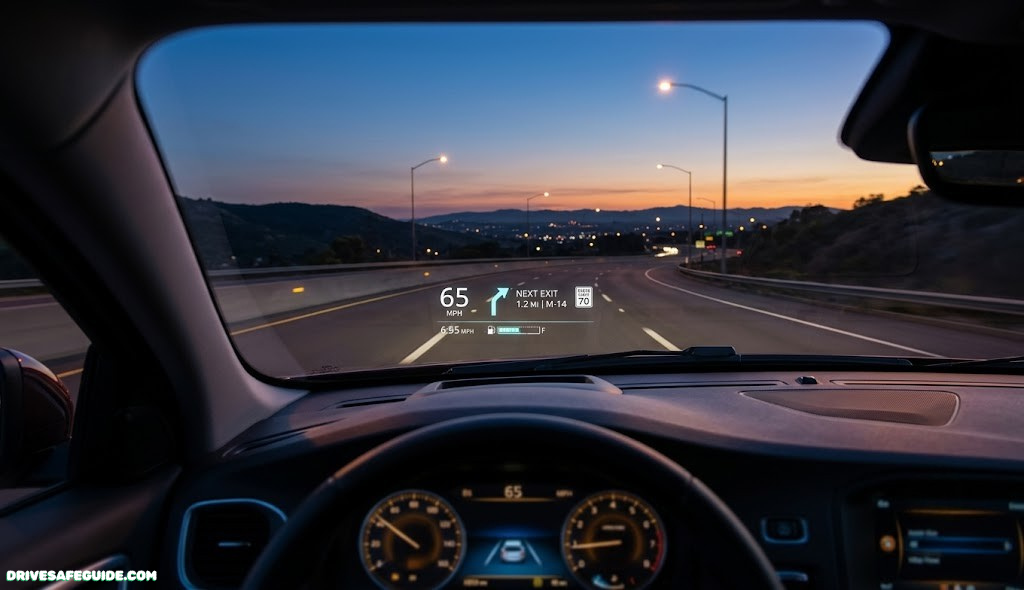
Upgrade Your Drive with the Best Heads-Up Display Aftermarket Solutions
Everything you need to know before you buy a HUD unit for your car — how they work, which type fits your vehicle, where the law says they can sit on your windshield, and how to avoid the common mistakes that send a HUD straight into a junk drawer.
Quick Answer
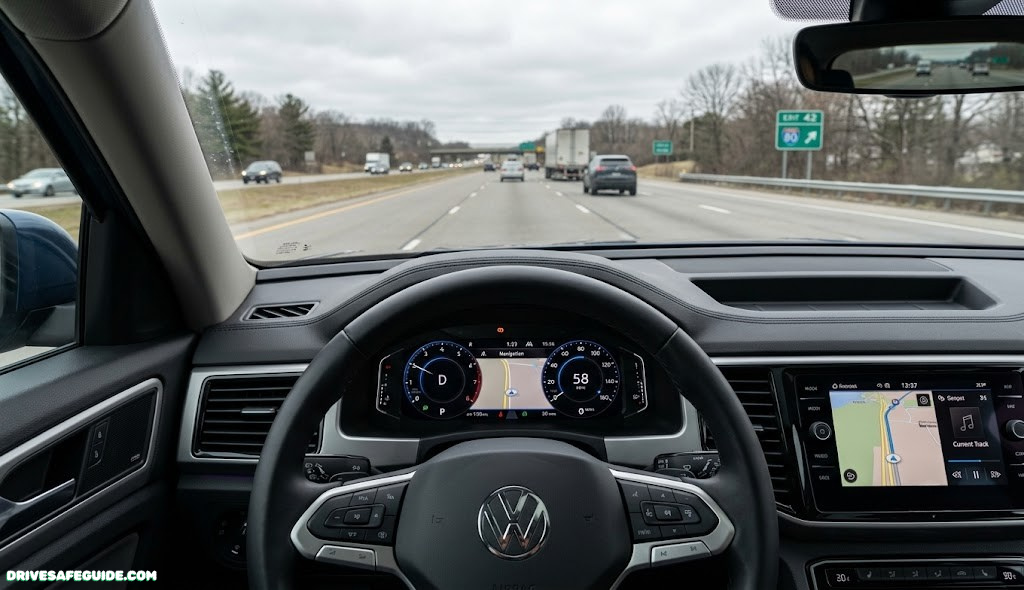
An aftermarket heads-up display projects speed, navigation, and other driving data onto a small combiner screen or your windshield, directly in your line of sight, so you don’t have to glance down at the dashboard. The best unit for you depends on how it pulls data — OBD2 port, GPS, or a phone app over Bluetooth — and on how bright and legible it stays in direct sunlight, which is where cheap units usually fail first.
Think about the last time you glanced down to check your speed. It probably happened without you noticing — a quick dip of the eyes, a correction, back up to the road. Multiply that by every mile you’ve ever driven and it adds up to a real amount of time your eyes weren’t scanning the road ahead. None of it feels risky in the moment. That’s exactly the gap an aftermarket heads-up display is built to close, and it’s why the category has grown from a niche gadget into a mainstream add-on for daily drivers, commuters, and road-trippers alike.
Somewhere between the rise of dash cams and the normalization of in-car Wi-Fi, the heads-up display quietly became one of the more useful gadgets you can bolt onto an older car. It sounds like a novelty — a little glowing readout that seems to float above your dashboard — but the idea behind it is almost boringly practical: your eyes are already pointed at the road, so why make them travel down to a cluster of gauges and back up again, dozens of times an hour, every single drive? An aftermarket heads-up display closes that gap. This guide walks through how the technology actually works, which type suits which kind of car and driver, what the windshield placement rules actually say, and how to avoid spending money on a unit that looks great in a product video and useless in real afternoon sun.
What an Aftermarket Heads-Up Display Actually Is
A heads-up display, or HUD, is a small projector that casts a readout — usually your speed, sometimes navigation prompts, RPM, fuel range, or engine warnings — onto a surface directly in your forward line of sight. In military and aviation contexts, that surface is a piece of purpose-built glass. In a consumer car, it’s either a small transparent “combiner” screen that sits on top of the dashboard, or the windshield itself, using a reflective film or the natural properties of the glass to bounce the image back toward your eyes.
The word “aftermarket” is doing real work in that sentence. Many new vehicles now ship with a manufacturer-installed HUD baked into the dashboard design, calibrated at the factory and tied into the car’s own sensors. An aftermarket unit is the version you buy separately and add to a car that didn’t come with one — which, if you’re driving anything more than a few years old, or a budget trim of a newer model, describes most vehicles on the road. These units range from simple plug-and-play boxes that plug into the OBD2 diagnostic port under your steering column, to standalone GPS units that need no wiring at all, to phone-paired combiner screens that mirror data from a companion app.
What ties them together is the goal, not the method: get essential driving information in front of your eyes without asking you to look away from the road. That’s a meaningfully different design problem than a dashboard cluster or an infotainment screen, and it’s why the good units and the bad ones diverge so quickly once you actually use them on a sunny commute.
The lineage here is worth a sentence, because it explains why the technology feels so mature even in a budget product. Heads-up displays started in military aviation, where pilots needed targeting and altitude data without looking away from a fast-moving, high-stakes environment — a problem that maps almost perfectly onto driving, just at lower speeds and lower stakes. Commercial aviation adopted the concept next, then luxury automakers began offering factory HUDs as a premium option. The aftermarket category exists because that same usefulness didn’t need to stay locked behind a luxury trim package; the core electronics required to project a legible number onto glass have become small and cheap enough to sell as a standalone accessory that fits in a glovebox.
It’s worth being honest about what an aftermarket HUD is not. It is not a substitute for a properly adjusted mirror setup, and it doesn’t replace the kind of situational awareness you build through habits like maintaining a safe following distance or scanning your mirrors on a schedule. Think of it as a convenience layer on top of good driving habits, not a shortcut around them.
How Aftermarket HUDs Work: OBD2, GPS, and Combiner Technology
Every aftermarket HUD is solving the same optical problem, even though the marketing copy on the box rarely explains it: light needs to travel from a source, bounce off (or pass through) a surface, and land in your eye at an angle that makes it look like it’s floating a few feet ahead of the car, rather than sitting on your dashboard. That’s what separates a HUD from a regular screen bolted to your air vent. The diagram below breaks the system into its three working parts.
Data flows from the source device into a projector, which throws the image onto a combiner (or the windshield itself), reflecting it along your natural eye-line.
The chain has three links, and the quality of your HUD experience depends on all three, not just the flashiest one.
1. The data source
Somewhere, the unit has to get numbers to display. There are three common approaches. An OBD2-powered HUD plugs into your car’s onboard diagnostics port — the same port a mechanic uses to pull trouble codes, and the same one used by OBD2 scan tools for live sensor monitoring — and reads real vehicle data straight from the engine computer: actual road speed, RPM, coolant temperature, and sometimes fault codes. A GPS-only HUD skips the car entirely and calculates speed from satellite positioning, which means it works in any vehicle but can lag or drift slightly compared to your speedometer. A Bluetooth app-linked HUD pulls data from a phone app, often blending GPS navigation prompts with basic vehicle stats, and depends heavily on how well that companion app is maintained.
2. The projector and optics
Once the unit has a number to show, it needs to throw that image with enough brightness and precision to survive full daylight. This is where cheap units cut corners — an under-powered LED or a low-contrast panel looks perfectly readable in a dim showroom and disappears completely at highway speed on a bright afternoon.
3. The reflective surface
Finally, the image needs somewhere to bounce. A small plastic combiner screen — the little flip-up panel that sits on top of the dashboard — is the most common and most forgiving option, since it’s purpose-built to reflect the projected image cleanly. Some HUDs skip the combiner and project directly onto the windshield using a reflective film, which produces a larger image but is more sensitive to windshield angle, curvature, and cleanliness.

Editor’s Pick · OBD2 HUD
Universal OBD2 Heads-Up Display
Reads live speed, RPM, and coolant temp straight from your car’s diagnostic port, with a flip-up combiner screen for daylight visibility.
Check Price on AmazonTypes of Aftermarket HUD Systems Compared
Not every HUD on the market is chasing the same goal, and picking the wrong category is the single most common reason people end up disappointed. Here’s how the four main types stack up against each other.
| Type | Data Accuracy | Install Difficulty | Vehicle Compatibility | Typical Price Range |
|---|---|---|---|---|
| OBD2-Powered HUD | High — pulls real sensor data | Easy (plug into port) | Gas vehicles equipped with a standard OBD2 port | Budget to mid-range |
| GPS-Only HUD | Moderate — satellite-calculated speed | Very easy (no wiring) | Any vehicle, including motorcycles | Budget |
| Bluetooth App-Linked HUD | Moderate — depends on phone GPS/app | Easy (pairing only) | Any vehicle with a smartphone | Budget to mid-range |
| Windshield Projection / Combiner Film | High when paired with OBD2 | Moderate (film application) | Most vehicles, sensitive to windshield curve | Mid-range to premium |
If you drive an older, gas-powered daily driver and want the most trustworthy numbers, an OBD2 unit is the obvious starting point — it’s reading the same sensors your dashboard already trusts. If you split time between multiple vehicles, or drive something without a conventional OBD2 port, a GPS-only or app-linked unit trades a bit of precision for total flexibility.
OBD2 HUD — Strengths
- Reads true engine and speed data, not an estimate
- Works without a phone or cell signal
- Often displays fault codes and warnings
OBD2 HUD — Trade-offs
- Requires a visible OBD2 port (rare on some EVs)
- Doesn’t move easily between multiple cars
- No turn-by-turn navigation on its own
The GPS-only and Bluetooth categories deserve their own look too, since they solve a different problem than raw data accuracy: flexibility. If your household has three drivers rotating through two cars, or you regularly drive a rental or a borrowed vehicle, a unit that needs no wiring and no permanent installation is worth more than a slightly more accurate OBD2 reading.
GPS-Only HUD — Strengths
- Zero wiring, works in any vehicle instantly
- Moves freely between cars, rentals, even motorcycles
- Usually the lowest price point in the category
GPS-Only HUD — Trade-offs
- Speed can drift slightly from your actual speedometer
- No access to engine data or warning codes
- Satellite lag possible in dense urban canyons or tunnels
Must-Have Features Before You Buy
Specs sheets for HUD units tend to bury the features that actually matter under ones that don’t. Here’s what’s worth checking before you add one to your cart.
Daylight readability
This is the single biggest differentiator between a HUD you’ll actually use and one that ends up in a drawer. Look for a stated brightness figure — ideally an adjustable one with an ambient light sensor that automatically dims at night and brightens at noon. If a listing doesn’t mention brightness at all, treat that as a red flag rather than an oversight.
Display modes and customization
Better units let you choose which data points appear and in what order — speed only, speed plus RPM, speed plus navigation, or a rotating set. If you mostly want a simple speed reminder to keep you honest around school zones and residential streets, a cluttered five-metric display works against you, not for you.
Mounting and combiner quality
A flimsy adhesive mount that vibrates on rough pavement will blur your readout exactly when you need it most. Check reviews specifically for mounting stability, and note whether the combiner screen is a separate flip-up piece (usually more durable and easier to clean) or a permanent film applied to the windshield glass.
Speed accuracy and calibration
GPS-based units can drift from your actual speedometer reading by a few miles per hour, especially at highway speed or in areas with weaker satellite reception. If precise speed matters to you — say, for staying consistent with posted limits — an OBD2 unit or a GPS unit with a manual calibration offset will serve you better than a fixed, uncalibrated GPS reading.
Power and wiring
Some units draw power from the OBD2 port itself and power on automatically with the ignition; others need a separate 12V or USB power tap. Fewer visible wires generally means a cleaner dashboard, but it’s worth confirming the unit won’t drain a parked battery if it doesn’t fully power down with the car.
Field of view and image size
Combiner screens produce a smaller projected image than windshield-projection systems, which sounds like a straightforward downside until you actually compare the two side by side. A smaller image is easier to keep sharp at the edges and less prone to distortion from windshield curvature, while a larger windshield-projected image feels more immersive but is more sensitive to exactly where your seat and mirror are positioned. Neither is objectively better — it’s a genuine trade-off between a compact, forgiving image and a larger, more sensitive one.
Software updates and app support
For Bluetooth app-linked units in particular, the hardware is really only half the product. The companion app handles navigation data, display customization, and often firmware updates, which means an app that hasn’t been updated in a long stretch is a warning sign regardless of how good the physical unit looks. Before buying an app-linked HUD, it’s worth a quick check of the app’s own reviews and update history, separate from the hardware reviews.
Aftermarket HUD Buying Guide by Budget Tier
Rather than chasing a single “best” unit, it’s more useful to think in tiers, since the right choice depends heavily on what you’re willing to spend and how much precision you actually need.
| Tier | Display Type | Data Source | Best For |
|---|---|---|---|
| Entry-Level | Small combiner screen, fixed brightness | GPS-only | Casual drivers wanting a simple speed reminder |
| Mid-Range | Larger combiner, adjustable brightness | OBD2 or app-linked | Daily commuters who want live vehicle data |
| Premium | Windshield projection, ambient light sensor | OBD2 with navigation overlay | Drivers who want the closest thing to a factory HUD |
If you’re outfitting a car for the first time and want to see where a HUD fits alongside other worthwhile add-ons, our roundup of budget car gadgets with the biggest upgrades is a useful next stop, and if you’re shopping for someone else, a HUD also lands well among high-end gifts for car enthusiasts at the premium end of this range.
One pattern worth noting: jumping from entry-level to mid-range tends to buy you the most noticeable improvement, mainly because it’s the point where brightness adjustment and real OBD2 data enter the picture. Jumping from mid-range to premium buys you a larger, more immersive image, but with diminishing returns unless windshield-style projection is something you specifically want.
It’s also worth thinking about a HUD as a purchase that outlives any single car, at least for the OBD2 and GPS-only categories. Because these units aren’t wired into a specific vehicle’s electronics beyond a standard diagnostic port, they tend to move with you across a trade-in or a second car in the household, which changes the math on whether it’s worth spending a bit more upfront. A mid-range unit that sees service across two or three vehicles over its lifespan works out to a lower real cost than an entry-level unit replaced twice in the same span because the first one couldn’t hold up to daily sun exposure. Windshield-film units are the one exception worth remembering here, since the film itself is tied to a specific windshield and won’t transfer cleanly to your next car.

Premium Pick · Windshield Projection
Ambient-Sensing Windshield HUD Kit
Projects a larger image directly onto the windshield with automatic day/night brightness adjustment and OBD2 navigation overlay.
Check Price on AmazonAftermarket vs. Factory-Installed HUD
If you’ve driven a newer vehicle trim with a built-in HUD, it’s fair to wonder whether an aftermarket unit can really compare. The honest answer is: not entirely, but it gets closer than most people expect, at a fraction of the cost.
| Factor | Factory HUD | Aftermarket HUD |
|---|---|---|
| Image quality | Projects directly onto windshield glass, largest field of view | Combiner screen or film, smaller but still legible field of view |
| Integration | Tied into vehicle systems (ADAS alerts, cruise control status) | Limited to what OBD2 or GPS can report |
| Cost | Usually a bundled option package, often four figures | Ranges from budget to mid-three-figures |
| Upgrade path | Fixed to that specific vehicle and trim | Portable between vehicles you own |
The honest takeaway: a factory HUD is the more polished, more integrated experience, but it locks you into a specific vehicle and trim level. An aftermarket unit trades some of that polish for flexibility — you can move it between cars, and you’re not paying for a bundled options package to get it.
One nuance worth flagging: factory HUD systems on newer vehicles are often tied into advanced driver-assistance features, surfacing lane-departure warnings, adaptive cruise control status, or forward-collision alerts directly in the projected image. An aftermarket unit, reading only OBD2 or GPS data, can’t replicate that layer of integration, because it simply doesn’t have access to those sensor systems. If your driving relies heavily on ADAS feedback, that’s a real gap to weigh against the cost savings — though it’s also worth remembering that plenty of drivers get by perfectly well with a factory dashboard’s existing warning lights and chimes for that same information, HUD or no HUD.
Windshield Placement and Legal Visibility Rules
Because a HUD sits directly in your field of view, where you mount it isn’t just a comfort question — it’s a visibility and, in some places, a legal one. Most jurisdictions regulate what can obstruct a driver’s view through the windshield, and the same underlying logic that governs hanging keychains that obstruct your view or excessive window tint darkness can apply to permanently affixed screens and reflective films.
A few practical guidelines that keep most aftermarket HUD installs on the right side of both the law and common sense:
- Keep it low and small. Most combiner-screen units are designed to sit at or below the sightline where a manufacturer would place a dashboard cluster, which generally keeps them out of the swept area a windshield wiper covers and out of a driver’s primary forward view.
- Avoid covering the wiper-swept area with film. Reflective HUD films that adhere to the windshield should stay within the lower portion of the glass, never extending into the area required to be clear for the wipers and for an unobstructed forward view.
- Check your local vehicle equipment code. Windshield obstruction rules vary meaningfully depending on where you drive, similar to the state-by-state differences you’ll find around cracked windshield legal standards. A quick search of your local motor vehicle code for “windshield obstruction” before installing a windshield-film HUD is worth the five minutes.
- Test visibility in bright sun before committing to placement. A combiner or film that seems fine in a garage can wash out or, worse, throw a distracting glare exactly where you need clear sightlines on a bright highway.
This isn’t meant to discourage you from installing one — millions of aftermarket HUDs are on the road without incident — but a five-minute placement check up front avoids both a ticket and a genuinely dangerous blind spot.
It also helps to understand why these rules exist in the first place, rather than treating them as arbitrary red tape. Windshield obstruction laws were largely written with dashboard-mounted GPS units, air fresheners, and parking permits in mind — objects that, placed carelessly, can hide a pedestrian, a cyclist, or a merging vehicle from view for a critical second. A HUD combiner screen is small and sits low by design, which is exactly why it tends to pass the same test that a poorly placed phone mount or a stack of dashboard clutter would fail. The safest approach is to treat your HUD the same way you’d treat any other dashboard accessory: if it would block your view of a stop sign or a child stepping off a curb, it’s mounted in the wrong spot, regardless of what any specific statute says.
What Installation Really Involves
One of the more pleasant surprises with aftermarket HUDs is how little most of them ask of you. Compare this to something like a backup camera installation, which often involves running wire the length of the car, and a HUD install looks almost trivial by comparison.
OBD2 units
Locate your OBD2 port — typically under the steering column, sometimes behind a small panel — and plug the unit directly in. Most units power on automatically with the ignition. From there, you’ll usually mount the combiner screen or reflective film on the dashboard using the included adhesive base, positioned so the reflected image lines up with your seated eye height. Expect ten to fifteen minutes, most of which is spent getting the mounting angle right rather than dealing with wiring.
GPS-only and Bluetooth units
These are even simpler: there’s no port to find. You place the unit on the dashboard, power it via USB or its internal battery, and in the case of Bluetooth models, pair it with a companion app on your phone. The only real installation step is finding a mounting spot that doesn’t wash out under sun or interfere with your view of actual road signs.
Windshield film HUDs
These take the most care. The film needs to be applied bubble-free, usually with a spray solution and a squeegee, similar in technique to applying quality detailing film products. Getting the angle and position right on the first try matters, since repositioning a windshield film after it’s set can leave residue or bubbling.
Across all three types, the most common installation mistake isn’t mechanical — it’s rushing the eye-height calibration. Sit in your normal driving position, adjust the combiner or projector angle from that seated height, and only then tighten anything down permanently.

Accessory · Installation Kit
Windshield HUD Film Application Kit
Includes reflective film, alignment guide, and squeegee for a bubble-free, correctly angled windshield HUD install.
Check Price on AmazonReading the Display: Modes, Data, and Customization
Once installed, most HUDs offer a handful of display modes you cycle through with a small button on the unit or its companion app. Understanding what each mode is actually good for helps you avoid the trap of leaving every metric turned on at once, which defeats the purpose of a quick, glanceable readout.
Speed-only mode
The simplest and, for most people, the most useful daily mode. A single large number keeps you honest in school zones, residential streets, and speed-camera corridors without adding visual clutter.
Speed plus RPM
Useful for manual transmission drivers or anyone who wants to keep an eye on engine load during towing or spirited driving, though it does add a second data point to process at a glance.
Navigation overlay
Available on app-linked and premium OBD2 units, this mode shows simplified turn arrows and distance-to-turn, pulled from a phone’s mapping app. It’s not a replacement for glancing at a full map before a complex interchange, but it’s genuinely useful for straightforward turn-by-turn guidance without looking down at a phone mounted lower on the dash — a real improvement over relying solely on phone mounts positioned outside your natural sightline.
Diagnostic and warning mode
OBD2-connected units can often surface basic warning codes or coolant temperature spikes as they happen, rather than waiting for you to notice a dashboard light. This won’t replace a proper scan with a dedicated OBD2 scan tool when something’s actually wrong, but it can give you an earlier heads-up on the road.
Color, contrast, and night mode
Most units let you switch the readout color — commonly a choice between green, amber, red, blue, or white — and this is more than a cosmetic option. Green and amber tend to read as the most neutral against a daytime windshield, while a dedicated night mode automatically dims and often shifts to a warmer, lower-intensity color to avoid overwhelming your night vision. If your unit lacks an automatic day/night switch, manually swapping to a dimmer setting after sunset is worth the two seconds it takes at a red light.
The best approach for most drivers: start with speed-only mode for the first week, and only add a second data point once the single-number readout feels automatic. Piling on every available metric from day one tends to backfire, turning a device meant to reduce glance-time into one more thing competing for your attention.
Troubleshooting Common HUD Problems
Most HUD complaints trace back to one of a handful of predictable issues, nearly all of which are fixable without returning the unit.
| Symptom | Likely Cause | Fix |
|---|---|---|
| Display washes out in sunlight | Fixed or low brightness setting | Enable auto-brightness or manually max out intensity |
| Ghosting or double image | Dirty or angled combiner/windshield surface | Clean the glass and re-check mounting angle at eye height |
| Speed reading disagrees with speedometer | GPS drift or missing calibration | Apply a manual offset in settings, or switch to an OBD2 unit |
| Unit won’t power on | Loose OBD2 connection or drained internal battery | Reseat the connector; charge fully before first use |
| Battery drains when parked | Unit not fully powering down with ignition | Add an inline switch, or choose a unit with auto-sleep |
If problems persist after working through this list, it’s worth ruling out a wiring issue the same way you’d approach any electrical gremlin — checking grounds and connections methodically rather than guessing, the same disciplined approach that applies to diagnosing alternator failure symptoms or other intermittent electrical faults.
And if none of the above resolves the issue, don’t spend weeks fighting a genuinely defective unit. Most reputable HUD manufacturers offer a return or exchange window measured in weeks, and a persistent hardware fault — a flickering display, a combiner screen that won’t hold its angle, a unit that won’t power on at all after a full charge — is exactly what that window exists for. Keep the original packaging until you’re confident the unit is working as expected, and register the product if a warranty card or app prompt asks you to; it makes any future claim considerably faster to resolve.
Does a HUD Actually Reduce Distracted Driving?
This is the question that matters most, and the honest answer is: it depends entirely on how you use it. A HUD reduces the number of times your eyes leave the road to check a dashboard cluster or a phone, which is a genuine safety upgrade over, say, habits that pull attention away from driving. But a HUD with too many data points, or one you fiddle with while moving, can just as easily become a new source of distraction rather than a cure for one.
The research on in-vehicle displays generally supports a simple principle: fewer glances, shorter glances, and less cognitive load beat more information every time. A HUD that shows one clean number is doing its job. A HUD you’re actively adjusting settings on at 65 mph is not — no differently than eating while driving or any other task that briefly claims your attention on top of driving.
Used well, a HUD supports the same fundamentals covered in our guide to defensive driving habits that reduce collision risk: staying aware of your speed relative to conditions, catching warnings early, and keeping your eyes up and scanning rather than buried in a center console. It’s a tool that amplifies good habits — it doesn’t replace them.
Picture two versions of the same commute. In one, a driver glances down at the center stack to check remaining battery range, then down again to confirm a turn on a phone mounted low on the dash, then once more at the speedometer as a school zone sign passes. In the other, all three of those data points sit in a single, brief glance near the driver’s natural eye-line, freeing up attention for the actual road — the merging car, the pedestrian stepping toward the crosswalk, the brake lights ahead. The technology is identical in both scenarios; what changes is where the driver’s eyes have to travel to get the same information. That’s the entire case for a HUD, stripped of marketing language.
Pairing a HUD With Other Driver Tech
A HUD rarely lives in isolation on a well-equipped dashboard. It tends to be one piece of a broader setup that might include a dash cam, a phone mount, or a radar detector, and thinking about how these pieces fit together — rather than buying each one in isolation — tends to produce a cleaner, less cluttered cockpit.
- Dash cams: A HUD handles moment-to-moment awareness while a 4K dash cam built for night driving handles the permanent record — together they cover both “right now” and “after the fact.”
- Wireless CarPlay/Android Auto adapters: Pairing a HUD’s simple speed readout with a wireless CarPlay adapter lets you keep full navigation on the main screen while the HUD handles just the glanceable essentials.
- Radar detectors: Where legal, a radar detector’s alerts pair naturally with a HUD’s speed readout, though it’s worth checking a radar detector legality map for your state before adding one to the mix.
- OBD2 scan tools: If your HUD already reads OBD2 data, a companion Bluetooth OBD2 app can extend that same data to deeper diagnostics when something looks off.
The common thread across all of these pairings: each device should own one job clearly, rather than overlapping and competing for the same sliver of your attention. A HUD’s job is the glanceable essentials — speed, a warning, a turn arrow. Let everything else stay where it belongs.
There’s also a practical, unglamorous benefit to planning your dashboard setup as a system rather than a pile of individual purchases: cable management. A HUD, a dash cam, and a phone mount each want their own power source, and three separate cables snaking across a dashboard is both distracting and a minor safety issue if one ever slips loose near the pedals. A single multi-port USB hub tucked out of sight, combined with a HUD that draws power straight from the OBD2 port, usually gets a fully equipped dashboard down to one or two visible cables instead of four.

Best for Multi-Car Households · App-Linked HUD
Bluetooth App-Linked HUD Display
Pairs with a companion navigation app for turn-by-turn prompts and speed, and moves easily between any vehicle you drive.
Check Price on AmazonFrequently Asked Questions
Are aftermarket heads-up displays legal?
Generally yes, as long as placement follows local windshield obstruction rules. Combiner-screen units that sit low on the dashboard are rarely an issue; windshield-film HUDs need to stay clear of the wiper-swept area and your primary forward sightline. Check your local vehicle equipment code if you’re installing a windshield film.
Do I need a special car to install a HUD?
No. OBD2 units need a standard diagnostic port, present on virtually every gas-powered car built since OBD2 diagnostics became a standard federal requirement. GPS-only and Bluetooth app-linked units need no port at all and work in essentially any vehicle, including motorcycles.
Will a HUD drain my car battery when parked?
Most OBD2 units power down automatically with the ignition and draw negligible standby current. If you notice unusual drain, it’s typically because the unit isn’t fully sleeping — an inline power switch or a model with a documented auto-sleep mode solves this.
Can I use a HUD with an electric vehicle?
Many EVs still include an OBD2 port for regulatory and diagnostic purposes, so OBD2-powered HUDs often work, though the specific data available can be more limited than on a gas vehicle. GPS-only and app-linked units work on any EV without issue.
How accurate is a GPS-based HUD compared to my speedometer?
GPS speed is generally close but not identical to your speedometer, which is often calibrated slightly high from the factory. Expect a difference of a few miles per hour in some conditions. If exact agreement matters to you, choose an OBD2 unit or a GPS unit with a manual calibration offset.
Can a HUD replace my dashboard cluster entirely?
No, and it isn’t meant to. A HUD is a glanceable supplement for your most-used data points, not a full replacement for your instrument cluster, warning lights, or mirrors. Think of it as reducing how often you need to look down, not eliminating the dashboard.
Do HUDs work well with polarized sunglasses?
Some combiner screens rely on polarized light to reflect the image, which can dim or nearly disappear when viewed through polarized lenses at certain angles. If you regularly wear polarized driving sunglasses, test a unit’s visibility with your glasses on before committing, or look for a model specifically advertised as polarization-friendly.
How do I clean a combiner screen or HUD film?
Use a microfiber cloth and a gentle glass-safe cleaner, avoiding ammonia-based products on tinted or coated combiner screens. Dust and fingerprints on the reflective surface are one of the most common causes of ghosting or a dim image, so a quick wipe-down periodically keeps the display sharp.
Can I move an aftermarket HUD between cars?
OBD2 and GPS-only units generally move easily, since they simply plug into a new port or sit on a new dashboard. Windshield-film HUDs are the exception — the film is applied to a specific windshield and isn’t designed to be relocated without replacement.
Will installing a HUD affect my vehicle’s warranty?
An OBD2-powered HUD reads data passively and doesn’t modify engine parameters, so it typically doesn’t affect a manufacturer’s warranty on its own. That said, if you’re ever in doubt, check your specific warranty documentation or ask your dealer before installing any device that connects to the diagnostic port.
Final Verdict: Which Aftermarket HUD Should You Actually Buy?
If you take away one thing from this guide, let it be this: the “best” heads-up display isn’t the one with the longest feature list, it’s the one whose data source, brightness, and mounting match how you actually drive. A daily commuter who wants a simple speed reminder is well served by an inexpensive OBD2 unit with adjustable brightness. A driver who splits time across multiple vehicles will get more consistent value from a GPS-only or app-linked model. And anyone chasing the closest experience to a factory HUD should look toward windshield-projection kits with an ambient light sensor and OBD2 navigation overlay.
Whichever tier you land on, spend the extra few minutes getting the eye-height calibration right at install, and resist the urge to load every available data point onto the display at once. A HUD earns its place on your dashboard by making driving simpler, not busier.
Shop Aftermarket HUD Displays on AmazonDisclaimer: This article is for general informational purposes only and does not constitute legal advice. Windshield obstruction and vehicle equipment laws vary by state and country and change over time; confirm current requirements with your local motor vehicle authority before installing a windshield-mounted or windshield-film HUD. As an Amazon Associate, DriveSafeGuide earns from qualifying purchases made through the affiliate links on this page, at no additional cost to you.
🗺 Recommended Navigation
Never Get Lost Again — Best GPS Devices
Whether you’re on a road trip or navigating city traffic, a reliable GPS makes every drive safer and stress-free.
🗺 Shop Top GPS DevicesAffiliate link — we earn a small commission that keeps DriveSafeGuide running. Thank you!