
70mai Dash Cam 4K
Review
Real footage, real roads, real night conditions — not spec-sheet promises. Here is what the 70mai A800S actually delivers.
Review — Overview
70mai A800S — First Impressions and What This Camera Is

The 70mai A800S sits at a specific and interesting point in the dash cam market: it offers genuine 4K recording at a price point that, until a few years ago, would have bought you a respectable 1080p camera at best. That convergence of resolution and affordability is the primary reason this camera attracts attention, but the review question is not whether the headline spec is real — it is whether the camera performs well across the full set of demands that real drivers put on a dashcam day after day.
70mai is a Xiaomi subsidiary, which explains both the camera’s price competitiveness and its ecosystem approach — the camera is designed from the ground up to work with the 70mai app rather than as a standalone device with an integrated screen. That is a deliberate product decision with real consequences for how you interact with your footage, and it deserves honest evaluation rather than dismissal or uncritical praise.
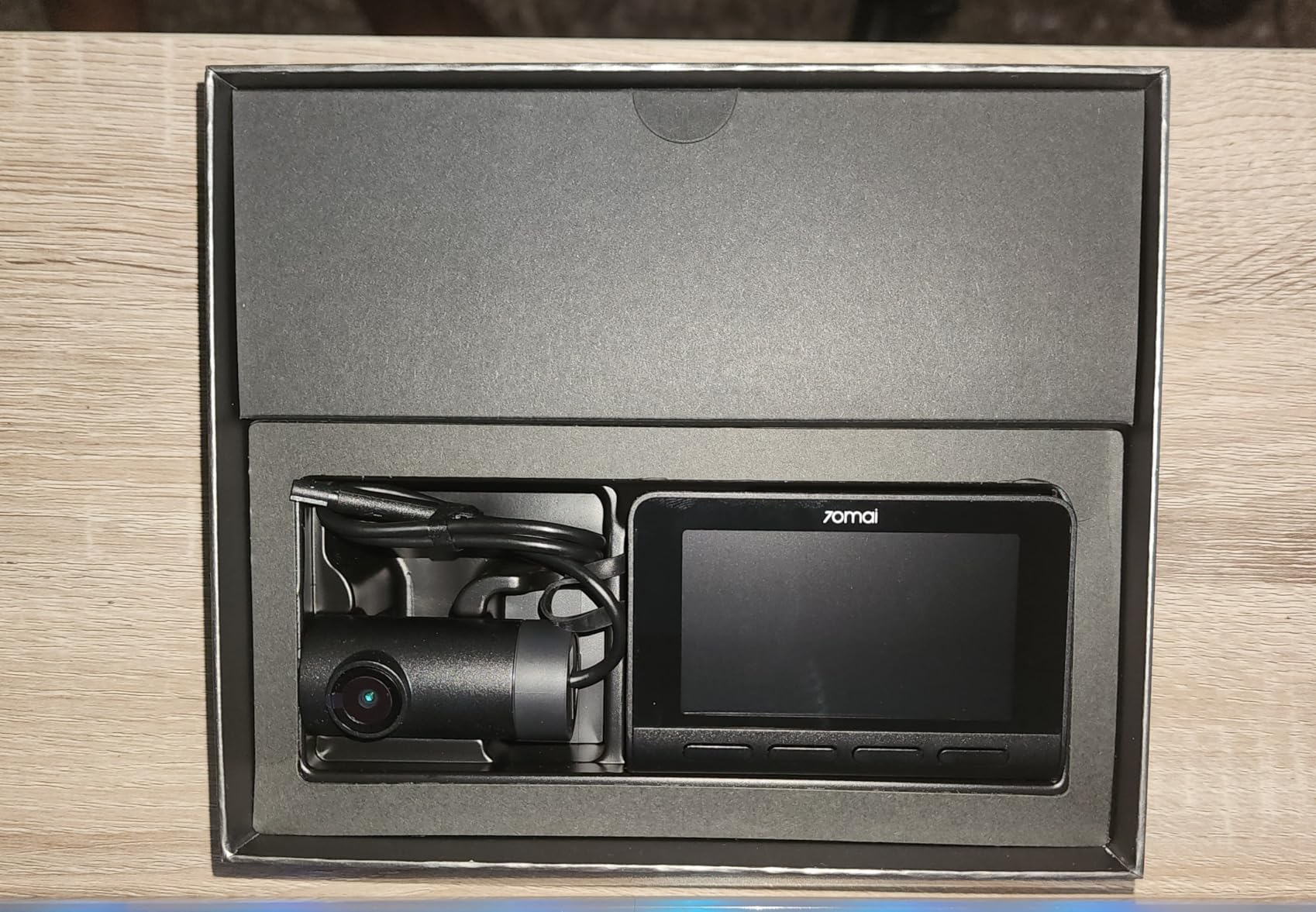
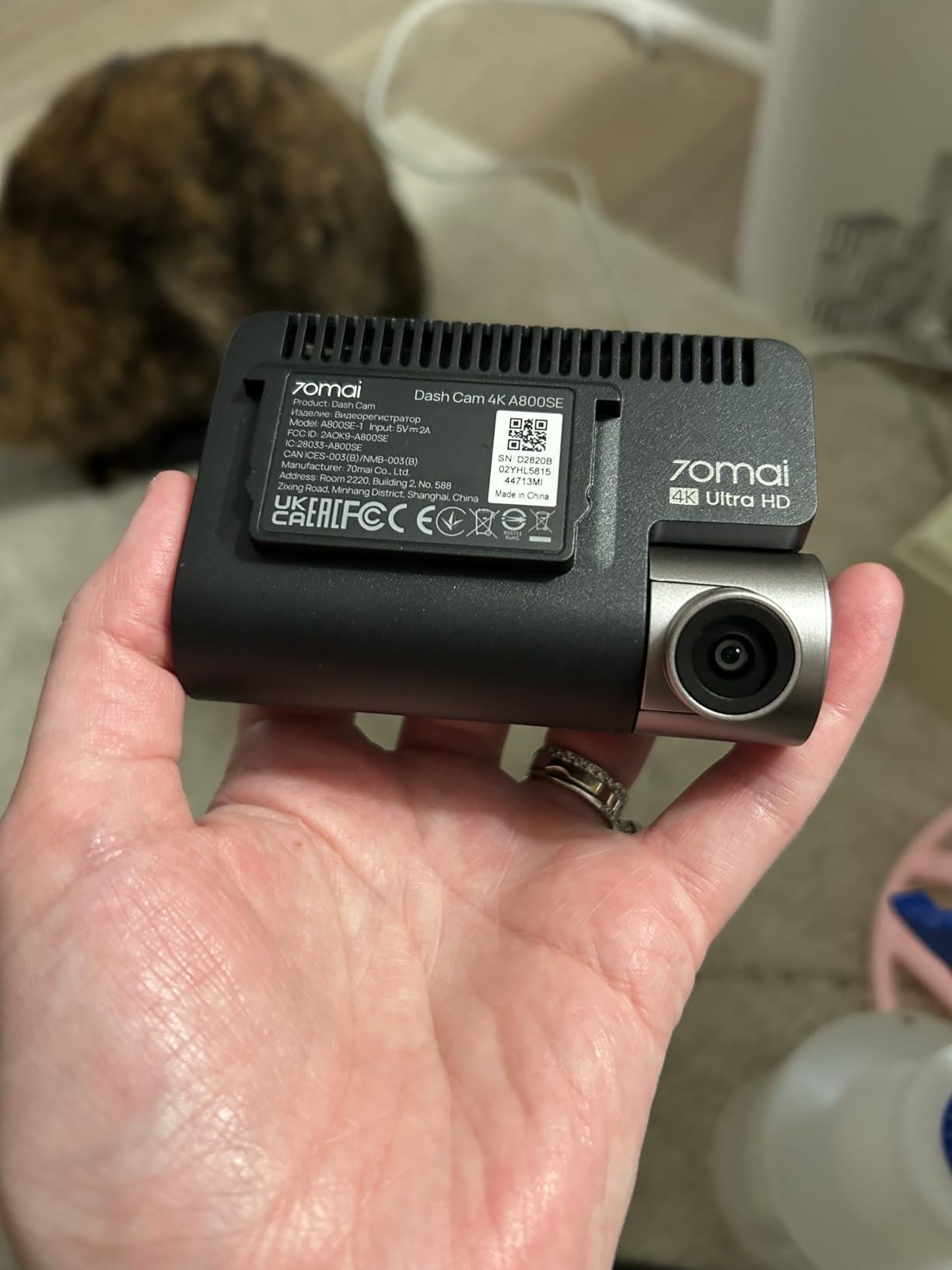
Out of the box, the A800S ships with the camera unit, a 3M adhesive windshield mount, a 12V power adapter with a coiled cable, a USB-C connection cable between the rear camera module and the main unit (if using the optional rear cam), and a basic quick-start guide. The camera body is matte black, compact, and sits almost entirely behind the rearview mirror when properly positioned — a practical benefit if you want a discreet installation. The lens has a 140-degree field of view, which is wide enough to capture adjacent lanes without distorting the center of the frame to the point where it becomes unreliable for reading plates.
This review tests the A800S across three months of daily commuting, two long highway runs, several night-only sessions, and direct comparison footage against competing cameras in the same price bracket. What follows is an honest account of what those tests revealed.
Drivers who are still deciding whether to buy any dash cam at all should start with the complete dashcam buyer’s guide at Drive Safe Guide, which covers the key decision factors before you get into product specifics. If you are specifically choosing between 4K and 1080p options, the 4K vs 1080p dashcam comparison breaks down exactly where the resolution difference matters and where it does not.
Specifications
Full Spec Sheet — 70mai A800S
📦 What’s in the Box
70mai A800S camera unit, 3M adhesive windshield mount, 12V cigarette lighter adapter with coiled USB-C cable (approximately 3.5m), electrostatic sticker (alternative to adhesive mount for interior glass without permanent adhesive), and quick-start guide. MicroSD card, rear camera, and hardwire kit are all sold separately.
Performance
4K Video Quality — Day, Dusk, and Reality

The headline claim of 4K recording deserves immediate qualification: the A800S does record at a genuine 3840 × 2160 pixel resolution at 30 frames per second. That is not upscaled 1080p, and it is not a marketing interpolation. The files are large — a 128GB card fills in roughly three to four hours at 4K — and the footage, viewed on a monitor of sufficient resolution, shows the detail that separates true 4K from lower-resolution captures.
In daylight conditions, the A800S produces footage that is genuinely impressive for its price category. License plates are readable in direct sunlight, in partial shadow, at distances where many competing cameras begin to lose individual characters. The HDR implementation is effective at handling the most common dashcam lighting challenge — a bright sky and shadowed road ahead — preventing the blown-out sky and crushed shadow detail that plagued earlier generation cameras without dual-exposure processing.
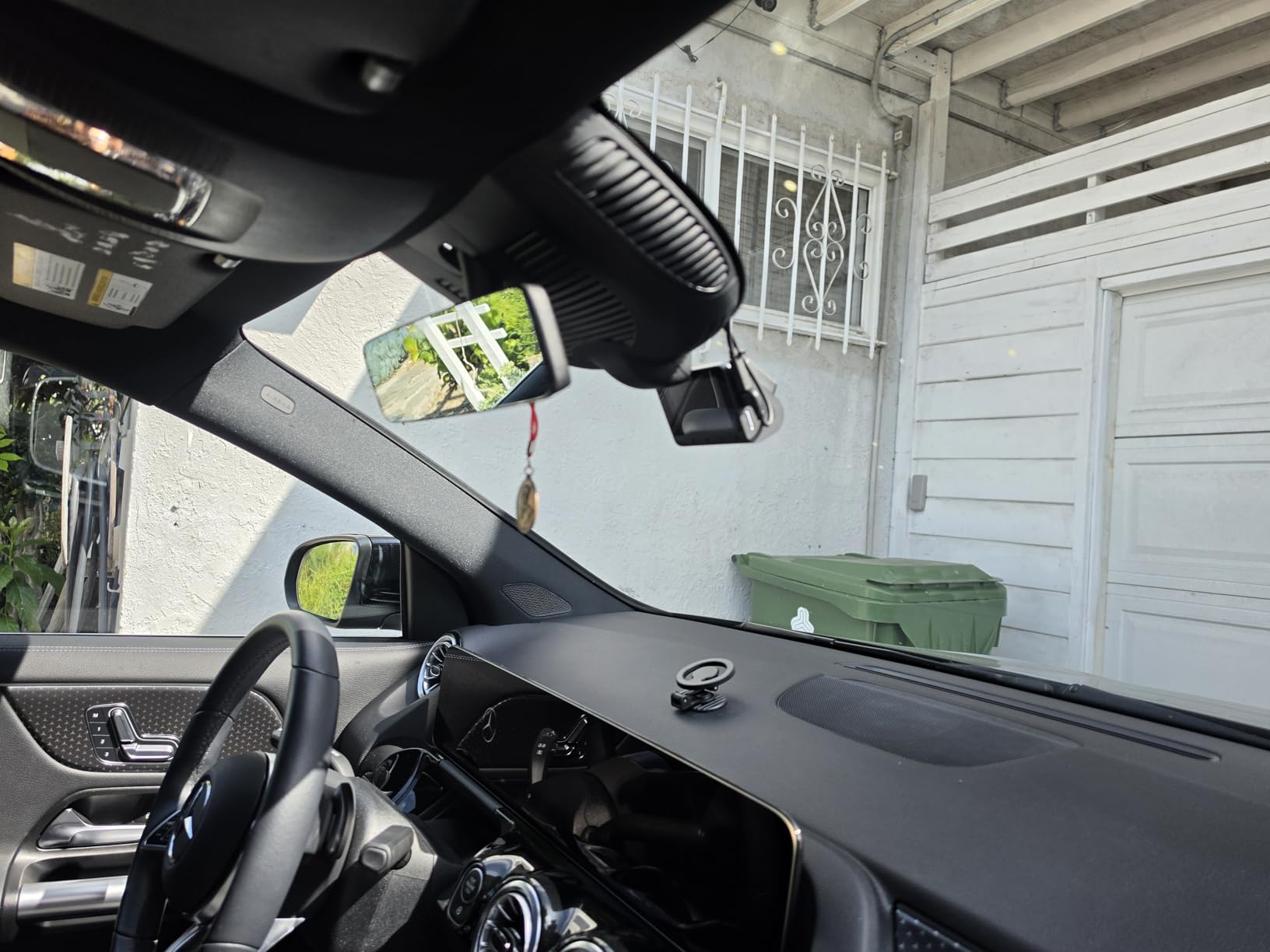
The 70mai A800S lens design and compact housing — sits nearly hidden behind the rearview mirror at full installation.
Where the 4K advantage becomes genuinely consequential is in the ability to digitally crop footage after the fact. If an incident happens and the relevant object — another vehicle, a pedestrian, a road sign — appears at the far edges of the 140-degree wide angle frame, you have enough pixel density to crop in by 50% and still retain 1080p-equivalent resolution in the extracted crop. A 1080p camera in the same scenario delivers a pixelated, essentially unreadable result after a 50% crop. This post-incident cropping capability is arguably the most practical benefit of 4K for dashcam purposes, more so than the raw full-frame quality difference.
Tunnel Entry and Exit Handling
One specific test that separates good dashcams from average ones is how they handle the rapid brightness transition when entering or exiting a tunnel. Cameras with slow exposure adaptation produce several seconds of completely blown-out or completely black footage during the transition — footage that is useless as evidence. The A800S handles this transition in approximately 1.5 to 2 seconds, which is among the faster responses in its class. The HDR mode helps here, though with a slight cost to motion clarity during the adaptation period.
Night Performance
Night Vision Deep-Dive — The Sony IMX415 Under Real Conditions
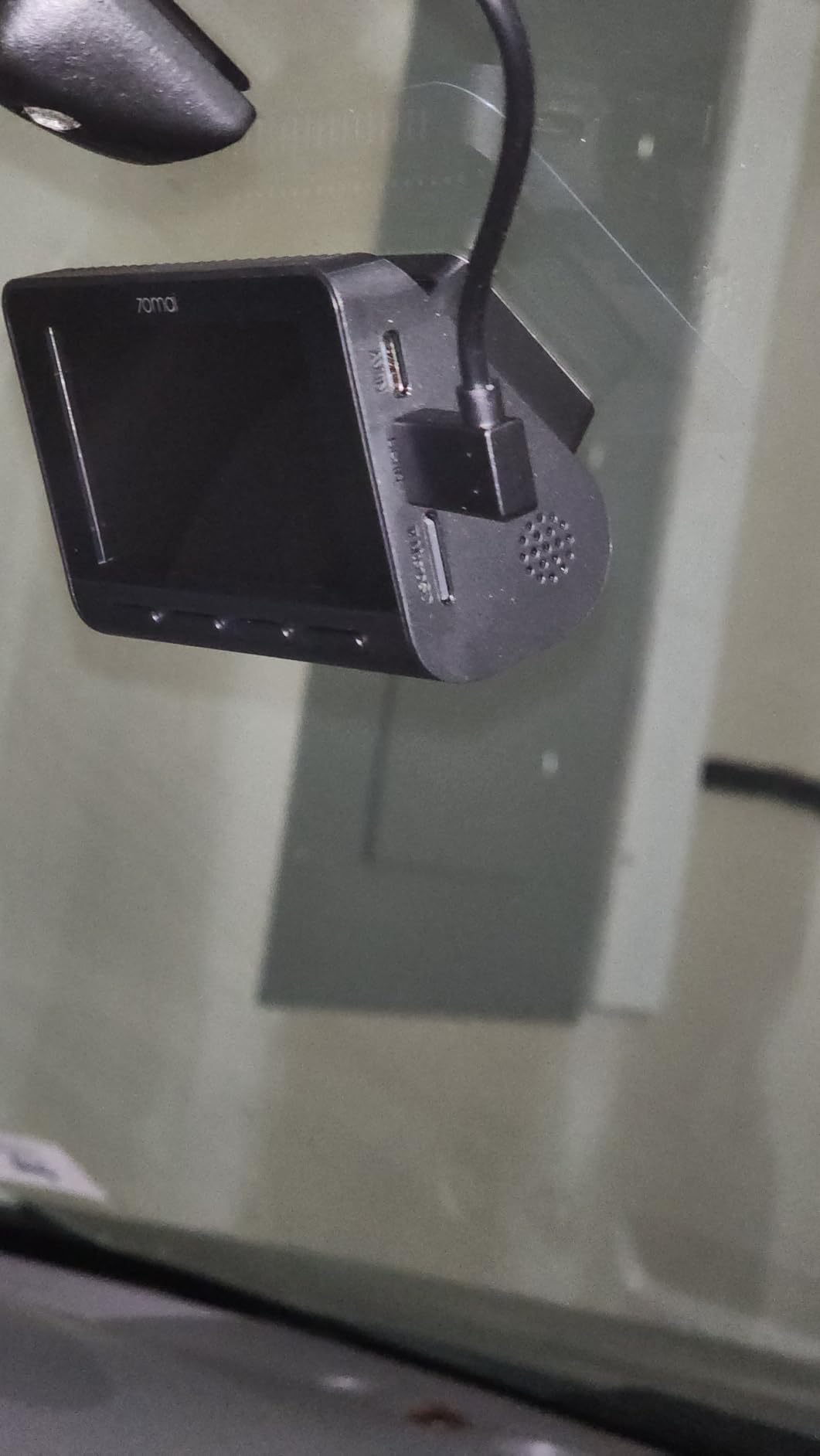
Night performance is where the A800S tells a more nuanced story than the daytime footage does. The Sony IMX415 sensor is a genuine asset — it uses STARVIS backside-illuminated technology that collects more light per pixel than conventional front-illuminated sensors at the same physical size. In real terms, this means the camera outperforms most of its direct price-bracket competitors in low light, particularly at the transition between acceptable and unacceptable — the street-lit conditions that cover most urban nighttime driving.
In street-lit conditions, license plate readability on oncoming or passing vehicles at distances of 15 to 20 meters is reliable. Characters are sharp enough to identify, and the surrounding vehicle details — make, model, color — are clearly distinguishable. This is the scenario that matters most for the vast majority of dashcam incident uses.
In genuinely dark conditions — rural roads with no ambient lighting — the story changes. Headlight-illuminated objects directly ahead are captured well. Objects at the periphery of the frame, where headlight reach is limited, become grainy and detail-poor. This is not a failure of the 70mai specifically; it is the physical reality of any dashcam without an infrared illuminator, which no front-windshield dashcam includes because IR illuminators would reflect off the glass and create more problems than they solve.
⚠ Managing Expectations for Night Recording
No dash cam mounted behind a windshield can use infrared illumination — the IR would bounce off the glass and wash out the image. The only genuine path to better low-light performance is a larger sensor, a faster lens aperture, or both. The Sony IMX415 is a strong choice in this context, but it cannot replicate the low-light performance of purpose-built security cameras with IR arrays. For nighttime incident documentation, a properly positioned and aimed front camera gives you the best achievable result with current technology.
Night performance is also significantly affected by windshield cleanliness. Even a thin film of road grime on the glass creates significant haze and ghosting in night footage, compounding the light-scatter already introduced by the glass itself. Keeping the area of glass directly in front of the camera lens clean is one of the highest-return maintenance habits for dashcam footage quality — a point made repeatedly in the night driving safety guide for reasons beyond just the camera.
Navigation & Safety Features
GPS Logging & ADAS — What the Data Actually Looks Like
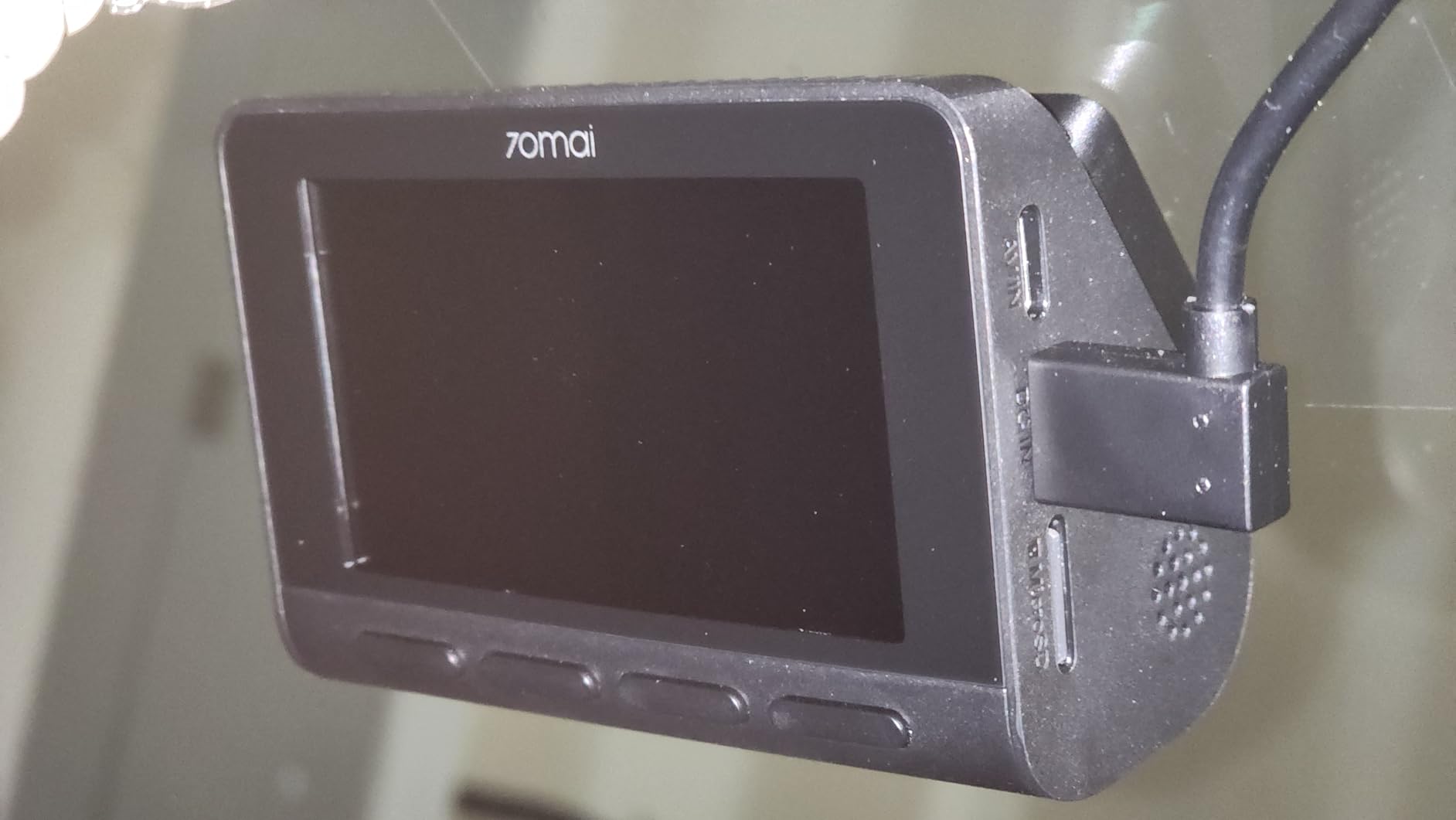
The built-in GPS module is one of the features that most directly separates the A800S from budget-tier dashcams at similar resolution points. GPS data is embedded into the video file as metadata and displayed as a live overlay in the 70mai app’s playback mode, showing speed, time, and a map track of the route driven.
In real-world testing, GPS lock acquisition took between 45 and 90 seconds after ignition from a cold start on the first morning — typical for a cold GPS fix. On subsequent starts within the same day, warm-start lock came in under 10 seconds. The speed readout is accurate to within 2–3 km/h of the vehicle’s own speedometer, which is consistent with consumer-grade GPS module specifications. The map track in the app is precise enough to identify specific streets and intersections, which is what matters for incident documentation.
ADAS — Forward Collision Warning and Lane Departure
The ADAS (Advanced Driver Assistance System) features include Forward Collision Warning System (FCWS), Lane Departure Warning System (LDWS), and a forward vehicle start alert — the last one notifies you when the vehicle in front has begun moving at a traffic light. These features work through software analysis of the camera’s video feed rather than dedicated radar or laser sensors, which means their reliability is dependent on visibility conditions and camera positioning.
In clear, well-lit conditions, the FCWS generates alerts that feel timely and relevant. In rain, glare, or fog, false positives increase noticeably — the software occasionally flags shadows or poorly defined edges as vehicles. The LDWS is similarly condition-dependent. On well-marked highways with clear lane lines, the departure alerts are useful. On poorly marked urban roads or construction zones, the system struggles to maintain lane reference and generates more noise than signal. These are honest limitations of camera-based ADAS and should be understood as helpful aids rather than safety systems to depend on — a point aligned with what real defensive driving habits emphasize.
The GPS logging is particularly valuable in the context of insurance claims. A timestamped video with embedded speed and location data is far more compelling as corroborating evidence than footage alone, because it addresses the two questions adjusters invariably ask: where exactly did this happen, and how fast were you going? Understanding how STARVIS-equipped cameras perform at night in comparison to others helps set realistic expectations for what that evidence will look like if the incident occurred after dark.
Software
70mai App — Complete Walkthrough
The app is not a supplementary feature of the 70mai A800S — it is the primary interface for the camera. Understanding it is understanding the camera.
Connection Process
The 70mai app connects to the camera via a direct Wi-Fi hotspot that the camera itself broadcasts — not your home or mobile network. You open the app, tap the camera icon, and your phone’s Wi-Fi connects to the camera’s network automatically if you have previously paired them, or after a one-time setup process for first pairing. The connection takes approximately 20 to 30 seconds from app open to live preview — faster than most competing camera apps in the same category.
Key App Features
Live Preview
Real-time camera view for positioning and angle adjustment. Slight lag is normal over Wi-Fi direct — not suitable for live monitoring while driving.
Footage Playback
Browse and play clips directly from the card via the app. Download to your phone for sharing. Large 4K files take 2–4 minutes to download over Wi-Fi.
GPS Track View
Overlay route playback on a map with synchronized speed readout. Particularly useful for post-incident route verification.
Settings Panel
Full camera configuration: resolution, exposure, loop recording interval, ADAS sensitivity, parking mode triggers, and date/time sync.
Emergency Clip Lock
Single tap to lock the current recording clip from loop overwrite. Essential for securing footage immediately after an incident.
Firmware Updates
OTA updates delivered through the app keep the camera’s software current. 70mai has a solid update track record for this model.
App Limitations Worth Knowing
The app’s primary limitation is its dependence on a Wi-Fi connection to the camera, meaning footage review requires proximity to the car. You cannot review last week’s footage from your office. For most use cases this is fine, but it creates friction for drivers who want passive review or sharing habits. The download speed for 4K files is limited by the camera’s Wi-Fi module to approximately 3–5 MB/s — a 5-minute 4K clip at around 500MB takes 1.5 to 2 minutes to transfer. For normal incident footage retrieval this is acceptable; for regular full-session review it becomes tedious. The alternative is pulling the microSD card directly and using a card reader — faster and recommended for regular footage management.
Parking Surveillance
Parking Mode — What You Need to Set It Up
🔌 Hardwire Kit Required
Parking mode on the 70mai A800S requires a hardwire installation kit (sold separately). The standard cigarette lighter adapter cuts power when the ignition is off, which prevents parking monitoring entirely. The hardwire kit connects to a fuse that remains live with the ignition off and includes a low-voltage cutoff to prevent battery drain below a configurable threshold (typically 11.6V or 12V).
With the hardwire kit installed, the A800S supports two parking modes: time-lapse mode, which records a low-framerate compressed video of the parked period; and motion and impact detection mode, which activates a short pre- and post-trigger clip when the G-sensor detects a collision or the camera detects motion in the frame. The G-sensor sensitivity is configurable in the app to reduce false triggers from passing vibrations or pedestrians.
The supercapacitor design means the camera has no internal energy buffer for extended parking monitoring. It draws continuously from the vehicle’s battery through the hardwire kit, making the low-voltage cutoff setting critically important. Drivers with older batteries or vehicles that sit for more than 48 hours should test their battery state under parking monitoring load before relying on it. This connects to what the car safety kit guide recommends about monitoring battery health proactively.
Parking mode footage quality at night is lower than active driving footage because the camera relies entirely on ambient light — there is no active illumination and the lens aperture is fixed. In well-lit parking structures or street-lit urban environments, it is sufficient to identify vehicles. In dark lots, it captures movement and rough silhouettes, which may not provide usable identification detail but does confirm that contact occurred — often sufficient for insurance purposes.
Setup Guide
Installation — Getting the A800S Right the First Time
Step-by-Step Installation
- Position before committing. Hold the camera (with mount) behind the rearview mirror and look through the windshield to verify the camera body does not enter your primary sight line. The 70mai’s compact design means this is usually achievable without any sight line intrusion when properly positioned in the mirror’s shadow zone.
- Clean the mounting surface thoroughly. Wipe the glass with 70% isopropyl alcohol and allow it to fully evaporate. Any residue will reduce the 3M adhesive bond. If you are using the electrostatic sticker included as an alternative, clean the same way — electrostatic adhesion is also degraded by glass contamination.
- Mount and allow adhesive to cure. Press the mount firmly for 30 seconds and wait 24 hours before loading the camera if using the adhesive pad. Electrostatic stickers can be used immediately but have less holding strength in extreme heat.
- Route the cable. Tuck the power cable into the headliner along the windshield edge, down the A-pillar trim, and behind the dashboard trim to the 12V socket. Most A-pillar trim pops off gently with a trim removal tool. A clean cable route transforms the installation from a mess of dangling wires to an invisible setup.
- Adjust the camera angle. Connect via the app and use the live preview to verify the horizon sits in the upper third of the frame and the road ahead occupies the lower two thirds. This framing captures the maximum useful field in front of the vehicle.
- Insert a formatted microSD card. Format the card in the camera (not in your computer) to ensure the correct file system and cluster size for continuous write performance. The app includes a format option in the settings menu.
✓ Optimal Angle for GPS Performance
Keep the camera away from areas of the windshield with metallic UV-blocking tint — some premium vehicles have metallic particles woven into the glass that attenuate GPS signals. If you notice slow GPS lock times or poor accuracy, repositioning the camera slightly toward the center of the uncoated glass zone often resolves it.
Comparison
How the 70mai 4K Stacks Up Against the Competition
| Camera | Resolution | GPS Built-in | Screen | ADAS | Parking Mode | Approx. Price |
|---|---|---|---|---|---|---|
| 70mai A800S ⭐ | 4K / 1080p rear | ✓ Built-in | ✕ No screen | ✓ Yes | Hardwire required | $90–$120 |
| Viofo A129 Pro Duo | 2K + 1080p rear | External module | ✓ 1.5″ screen | ✕ No | Hardwire required | $120–$160 |
| Garmin Dash Cam Mini 2 | 1080p front only | ✕ No GPS | ✕ No screen | ✕ No | Optional accessory | $60–$80 |
| BlackVue DR900X-2CH | 4K + 4K rear | ✓ Built-in | ✕ No screen | Limited | ✓ Cloud + local | $350–$450 |
| Thinkware U1000 | 4K + 2K rear | ✓ Built-in | ✕ App-based | ✓ Advanced | ✓ Integrated | $250–$350 |
| Nextbase 622GW | 4K front only | ✓ Built-in | ✓ 3″ screen | ✓ Yes | ✓ With module | $180–$250 |
The 70mai A800S’s clearest competitive advantage is the combination of genuine 4K resolution, built-in GPS, and ADAS features at its price point. The BlackVue and Thinkware deliver more polished ecosystems and better rear camera quality, but at two to four times the price. For most drivers who are not running professional fleet monitoring or complex cloud workflows, the 70mai delivers 80% of the functionality at 30–40% of the cost.
For a deeper look at how the camera compares to the Viofo in real conditions, the Viofo vs Thinkware comparison and the broader dashcam comparison guide provide additional context. If budget is the primary constraint, the best budget dashcam guide positions the A800S in its full market context.
Verdict
Pros, Cons & Final Score
What the 70mai A800S Does Well
- Genuine 4K at 30fps — not interpolated
- Sony IMX415 sensor outperforms alternatives at this price
- Built-in GPS with speed overlay — no module required
- Compact, near-invisible installation behind mirror
- Supercapacitor design survives extreme cabin heat
- ADAS features included (FCWS, LDWS, start alert)
- Strong HDR — handles tunnel entry/exit well
- 70mai app is responsive and stable
- Up to 256GB card support for long record windows
- Firmware update track record is solid
Real Limitations to Know Before Buying
- No integrated screen — fully app dependent
- Parking mode requires separately purchased hardwire kit
- MicroSD card not included
- Night performance in complete darkness is limited (no IR)
- 4K files are large — 128GB fills in ~3–4 hours
- ADAS false positive rate increases in poor conditions
- Wi-Fi only — no Bluetooth or LTE option
- Footage review requires proximity to vehicle
Buyer Fit
Who Should Buy the 70mai 4K — and Who Should Not
Buy If You Are…
A daily commuter who wants genuine 4K evidence quality without spending $250+. An iPhone or Android user comfortable managing footage through an app. Someone who parks in public overnight and wants parking mode capability. A driver looking for a single front camera with room to add rear coverage later.
Look Elsewhere If You Need…
An integrated screen for in-car playback without a phone. Cloud-connected footage access from anywhere. Reliable rear 4K recording (the rear camera is 1080p). A plug-and-play parking mode with no additional hardware. A branded ecosystem with premium support.
Drivers who are also building out a broader vehicle safety setup should look at what pairs well with a quality dashcam. The car emergency kit checklist and the OBD2 scan tool guide round out the electronics side of vehicle preparedness. If this is a new vehicle, the pre-road-trip safety check guide covers the mechanical readiness side before you rely on the camera to document anything.
Alternatives
Best Alternatives to the 70mai A800S
If You Want a Screen On-Device: Nextbase 622GW
The Nextbase 622GW records at 4K and includes a 3-inch touchscreen for on-device footage review — the feature the 70mai most conspicuously lacks. It also integrates Emergency SOS, which contacts emergency services automatically after a detected collision. The price is approximately double the A800S, but it is the strongest like-for-like comparison for drivers who need in-car playback without a phone. The full Nextbase 622GW review covers its specific performance in detail.
If You Want Premium Dual-Channel 4K: BlackVue DR900X-2CH
The BlackVue DR900X-2CH shoots 4K front and 4K rear simultaneously, connects to BlackVue’s cloud platform for remote footage access, and builds in a sophisticated parking mode with buffered recording. It is a professional-tier product at professional-tier pricing. The BlackVue DR900X-2CH review details whether the premium is justified for your use case.
If You Want a Minimalist Backup: Garmin Mini 2
The Garmin Dash Cam Mini 2 is the size of a thumb drive and records in 1080p. It is not a direct competitor on features, but for drivers who want the smallest possible footprint and the Garmin ecosystem, it remains one of the most popular choices in its category. The Garmin Mini 2 review explains who it actually serves well.
FAQ
70mai 4K Dash Cam — 12 Questions Answered
Does the 70mai 4K dash cam have built-in GPS?
Yes. The 70mai A800S includes a built-in GPS module that logs your vehicle’s speed and location data directly into the video file metadata. This data is overlaid on footage during playback in the 70mai app and is viewable on a map. The GPS also supports ADAS features including lane departure warnings and forward collision alerts.
What is the actual video quality of the 70mai 4K at night?
The A800S records at 3840×2160 using a Sony IMX415 sensor. In street-lit night conditions, license plates are readable at distances of 15–20 meters. In complete darkness the footage is grainy and plate readability drops significantly, which is expected without an IR illuminator. The 4K resolution provides more cropping latitude than 1080p cameras for detail recovery after the fact.
Does the 70mai 4K work without a subscription or cloud service?
Yes, fully. The A800S records locally to a microSD card and all footage is accessible via the card or through the 70mai app over Wi-Fi. There is no mandatory subscription and no recurring fee. Core recording and playback functions work entirely offline.
What microSD card does the 70mai 4K need?
70mai recommends a Class 10 or UHS-I U3 rated microSD card between 64GB and 256GB capacity. High-endurance cards designed for dashcam use are strongly recommended because standard cards fail significantly faster under the continuous write cycles of loop recording.
Is the 70mai 4K compatible with a rear camera?
Yes. The A800S supports an optional 70mai RC06 or compatible rear camera (sold separately) that records in 1080p. Combined front 4K and rear 1080p footage is managed and synchronized in the 70mai app.
How does the 70mai 4K handle parking mode?
Parking mode requires a hardwire kit (sold separately) to draw power from the vehicle’s fuse box when the ignition is off. Without the hardwire kit, parking mode does not function. With the kit and a battery protection voltage cutoff configured, the camera monitors for motion or impact events and records clips around the trigger.
How long does the 70mai 4K battery last?
The A800S uses a supercapacitor rather than a lithium battery, providing only enough backup power to safely save and close the current file if power is cut. For extended parking monitoring without a running engine, a hardwire kit or external battery pack is required.
Does the 70mai 4K dash cam have a screen?
No. The A800S does not have a built-in display. All footage review and settings configuration is done through the 70mai app on a smartphone via Wi-Fi. This keeps the camera compact and reduces heat-related component failure, but means a phone is required for all footage access.
How does the 70mai 4K app work?
The app connects to the camera’s own Wi-Fi hotspot — a direct connection, not through your home network. Once connected, the app allows live preview, footage playback and download, settings adjustment, and GPS track review. Connection takes about 20–30 seconds. Reviewing footage requires proximity to the vehicle.
Is the 70mai A800S better than the Viofo A129 Pro Duo?
The 70mai wins on front camera resolution — 4K versus 2K — which provides better license plate capture at distance during daylight. The Viofo wins on rear camera quality and ecosystem maturity. For front video quality priority, the 70mai holds the edge. For balanced dual-channel coverage, the Viofo is often stronger.
Can the 70mai 4K footage be used as evidence in an insurance claim?
Yes, provided the footage is intact, timestamped accurately, and GPS data is corroborating. The 70mai embeds GPS coordinates, speed, and timestamps into video file metadata. Courts and insurance companies in most U.S. states accept properly authenticated dashcam footage. Store incident footage immediately after the incident to prevent loop overwrite.
Where should the 70mai 4K be mounted on the windshield?
Mount in the upper center of the windshield, behind the rearview mirror, so the camera body sits within the mirror’s shadow zone without obstructing the driver’s line of sight. Keep the camera away from metallic window tinting which can block GPS signal reception.
Final Verdict — The 70mai 4K Is the Smart Buy at This Price
The A800S delivers what most drivers actually need from a dashcam: genuine high-resolution footage, reliable GPS metadata, a capable sensor in low light, and a hardware design built to survive years of heat cycling inside a parked car. Its trade-offs — no screen, parking mode requiring extra hardware, app-dependent operation — are real but come with clear alternatives and workarounds.
If you are building a complete safety setup for your vehicle, pair the A800S with a car emergency kit, a quality phone mount, and review the complete dashcam guide to ensure your whole front-cabin setup is working together.
Buy 70mai A800S 4K on Amazon →